Apple macs are usually manufactured with the brightness setting too high.
Open System Preferences> Displays> Display and pull the Brightness slider to the left.
On my 23 inch Cinema Display my Brightness slider is set at about 1/8th of the scale.
Your eyes will adjust.
Now go to System Preferences> Displays> Colour
Press down on the option/ alt key while clicking on the Calibrate button.
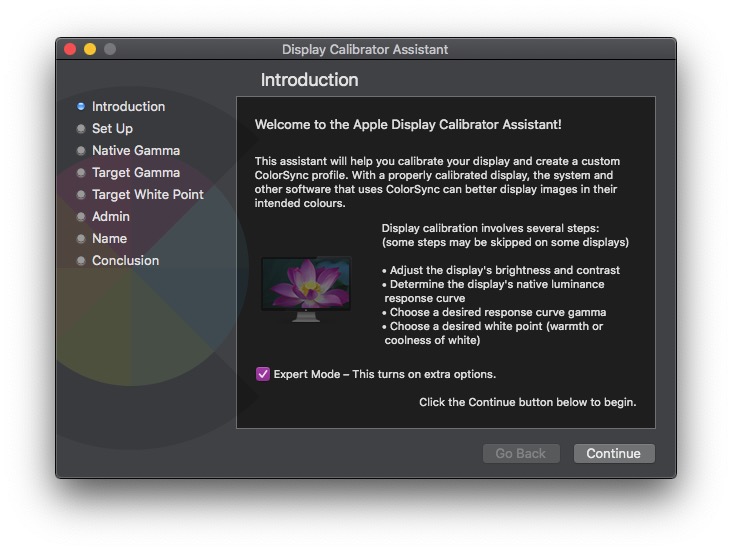
This should open the Display Calibrator Assistant, check the box marked Expert Mode
Click Continue and go through the various screens reading each instruction thoroughly.
You will be asked to set the Gamma for the screen, you can use the native gamma or set it yourself.
I set mine to 2.2. You will also be asked to set the white point of your screen, again you can use the
native white point or select your own, mine is set to 5500k because I am matching printed photographic
material, most people use 6500k.
You will then be asked to give your profile a name, I usually give it the date followed by the gamma
and white point values. e.g. 13 06 2020 2.2 5500k.
It is best to do the calibration in a neutral toned room away from windows.