
how to connect homePod with Netflix
i have purchased iPad 7th Gen and new HomePod but i'm unable to connect homePode my Netflix , AmazonPrime and Hotstar,Please Guide the way
i have purchased iPad 7th Gen and new HomePod but i'm unable to connect homePode my Netflix , AmazonPrime and Hotstar,Please Guide the way
You need to pair the Homepod to the iPad itself, not a specific App.
Once the iPad is paired, the sound from any App can be directed to the HomePod.
See here to pair the HomePod to the iPad: Set up and use HomePod - Apple Support
Once its paired, and ready, go to the Airplay Audio options, and select the HomePod as the output destination: How to AirPlay audio - Apple Support
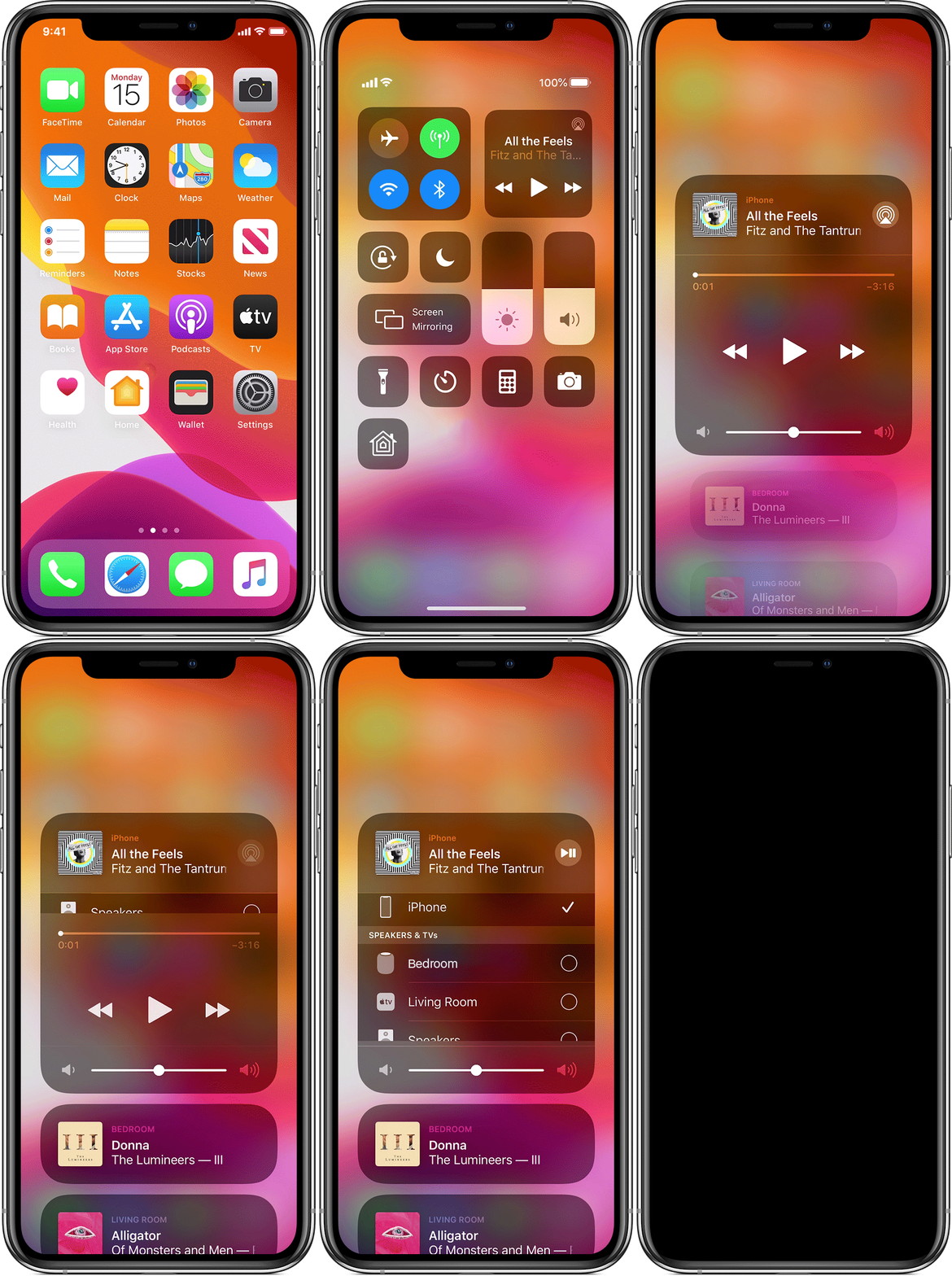
Then start playing anything on the iPad and its audio should play on HomePod.
You need to pair the Homepod to the iPad itself, not a specific App.
Once the iPad is paired, the sound from any App can be directed to the HomePod.
See here to pair the HomePod to the iPad: Set up and use HomePod - Apple Support
Once its paired, and ready, go to the Airplay Audio options, and select the HomePod as the output destination: How to AirPlay audio - Apple Support
Then start playing anything on the iPad and its audio should play on HomePod.
This would be done using AirPlay. You would select the audio output as HomePod(s)
Play the video and if there’s an Airplay icon on the screen, use that
Or if you don’t see one you can begin playing, then open the control centre and you will see the airplay icon to tap.
It’s blue here in the image in the top right tile and you can also use the slider to control volume
how to connect homePod with Netflix

