
Okay so how do u power off your phone with out call emergency
I just need to power it off bc when people ft me I can’t even see them or see who’s calling please help me
iPhone 8, iOS 13
I just need to power it off bc when people ft me I can’t even see them or see who’s calling please help me
iPhone 8, iOS 13
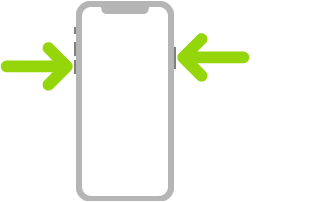
Turn off. Simultaneously press and hold the side button and either volume button until the sliders appear, then drag the top slider to power off. Or go to Settings > General > Shut Down. See Turn iPhone off and on.
Turn iPhone off and on
 > General > Shut Down, then drag the slider.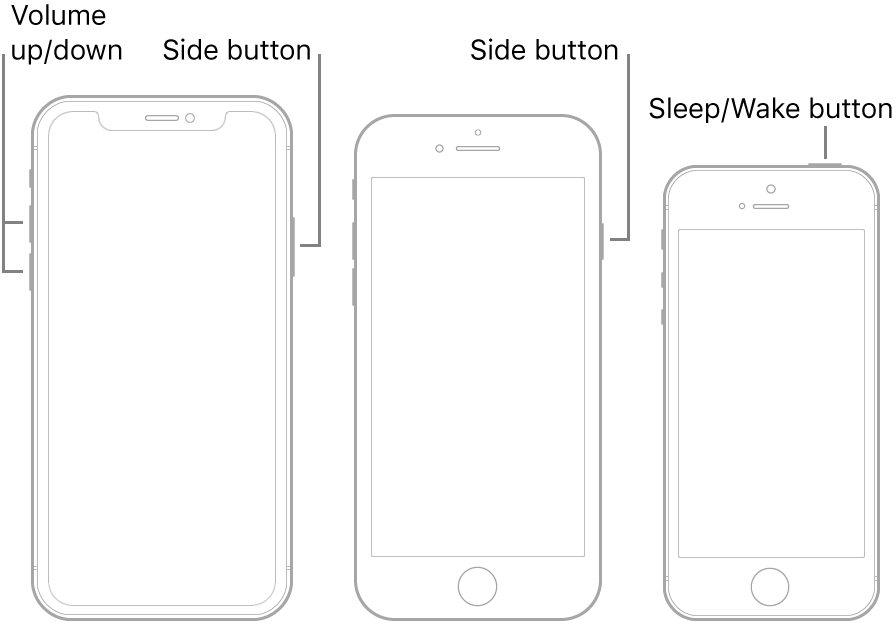
Turn off. Simultaneously press and hold the side button and either volume button until the sliders appear, then drag the top slider to power off. Or go to Settings > General > Shut Down. See Turn iPhone off and on.
Turn iPhone off and on
> General > Shut Down, then drag the slider.
Use Emergency SOS (all countries or regions except India). Simultaneously press and hold the side button and either volume button until the sliders appear, then drag Emergency SOS. See Use Emergency SOS (in all countries or regions except India).
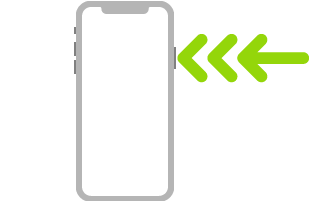
Use Emergency SOS (in India). Triple-click the side button. If you’ve turned on Accessibility Shortcut, simultaneously press and hold the side button and either volume button until the sliders appear, then drag Emergency SOS. See Use Emergency SOS (India).
Turn off. Simultaneously press and hold the side button and either volume button until the sliders appear, then drag the top slider to power off. Or go to Settings > General > Shut Down. See Turn iPhone off and on.
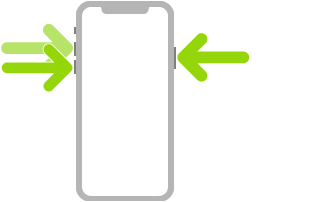
Force restart. Press and release the volume up button, press and release the volume down button, then press and hold the side button until the Apple logo appears. See Force restart iPhone.
Bc I downloaded the iOS 14 beta thing and then I deleted it reset my phone now I just have its software and it’s still bugging
It keeps calling emergency when I do that
Thanks u
Bruh txt it yes or no
Okay so how do u power off your phone with out call emergency
