
I got a $37 this morning bill I wasn’t sure what was that for
i was keep getting a bill from apple store
So what was that for?
iPhone 8 Plus, iOS 13
i was keep getting a bill from apple store
So what was that for?
iPhone 8 Plus, iOS 13
The link works for me: See or cancel your subscriptions - Apple Support
Following is an excerpt from that link with instructions on how to cancel from an iPhone:
How to see or cancel subscriptions on your iPhone, iPad, or iPod touch
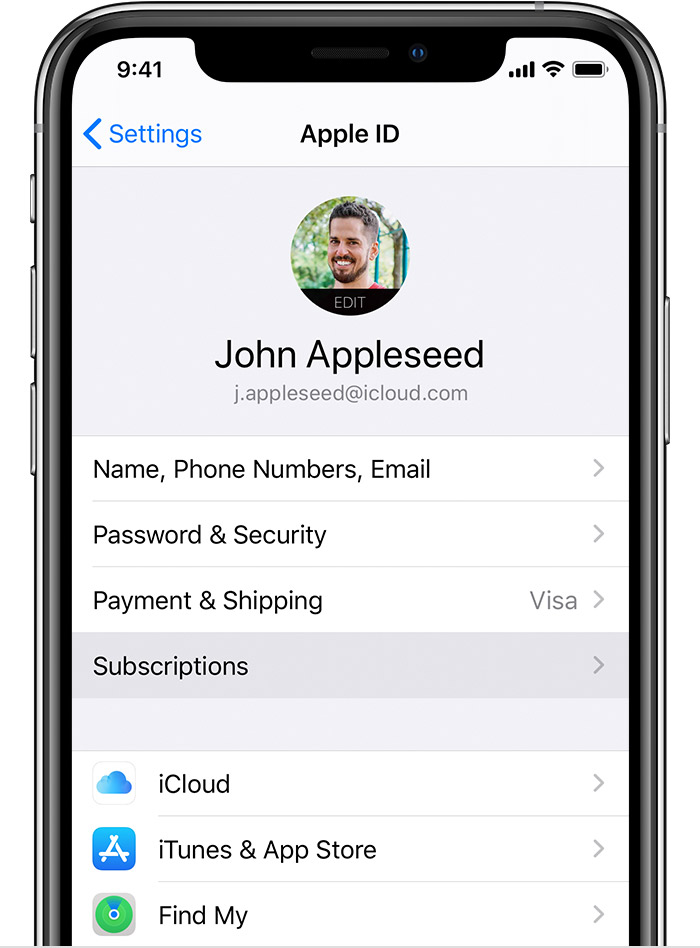
The link works for me: See or cancel your subscriptions - Apple Support
Following is an excerpt from that link with instructions on how to cancel from an iPhone:
How to see or cancel subscriptions on your iPhone, iPad, or iPod touch
Repeating my original reply:
See the following instructions. They include information on contacting Apple Support if the other steps don't help: If you see "apple.com/bill" or an unfamiliar charge on your statement - Apple Support
If the only indication of the charges is from an email or text, be aware that it may be a phishing attempt to get you to log in to a site that appears to be Apple and divulge your password or credit card information. See: Recognize and avoid phishing messages, phony support calls, and other scams - Apple Support
and Identify legitimate emails from the App Store or iTunes Store - Apple Support
First -- read the following and verify that it is a real charge and not a scam:
If the only indication of the charges is from an email or text, be aware that it may be a phishing attempt to get you to log in to a site that appears to be Apple and divulge your password or credit card information. See: Recognize and avoid phishing messages, phony support calls, and other scams - Apple Support
and Identify legitimate emails from the App Store or iTunes Store - Apple Support
Second -- if it does appear to be a real charge based on the above or based on the fact that you see an actual charge on your credit card or other payment method, follow all 5 steps in the following, including contacting Apple if the other steps don't help: If you see "apple.com/bill" or an unfamiliar charge on your statement - Apple Support
I'm not sure what you mean by either of your two replies. Are you able to click on the following link and use the instructions there? If you see "apple.com/bill" or an unfamiliar charge on your statement - Apple Support
You have to apply for a refund as well, no refunds are guaranteed,
You would see something in your purchase history for $37, but you don't
I would contact Apple Support as they might be able to help yo further
See the following instructions. They include information on contacting Apple Support if the other steps don't help: If you see "apple.com/bill" or an unfamiliar charge on your statement - Apple Support
If the only indication of the charges is from an email or text, be aware that it may be a phishing attempt to get you to log in to a site that appears to be Apple and divulge your password or credit card information. See: Recognize and avoid phishing messages, phony support calls, and other scams - Apple Support
and Identify legitimate emails from the App Store or iTunes Store - Apple Support
It changed from “bill.com/bill”
If I accidentally purchase may you help me to cancel it?
I can’t click on “see or cancel subscriptions “
I didn’t find any new purchase
I had see all my cancel subscriptions . Accept iCloud But couldn’t find a $37.45 bill .
If cancel those subscriptions will they refund back to me?
Thanks you for help .
I got a $37 this morning bill I wasn’t sure what was that for

