Hey there j_b11,
Thank you for using Apple Support Communities.
We see that you'd like to delete photos from your iPhone, but still keep the photos on your Mac. Use the article Import photos and videos from your iPhone, iPad, or iPod touch to import all photos from your iPhone to your Mac, specifically, this section:
You can use the Photos app to import photos from your iPhone, iPad, or iPod touch to your Mac.
- Connect your iPhone, iPad, or iPod touch to your Mac with a USB cable.
- Open the Photos app.
- The Photos app shows an Import screen with all the photos and videos that are on your connected device. If the Import screen doesn't automatically appear, click the device's name in the Photos sidebar.
- If asked, unlock your iOS device using your passcode. If you see a prompt on your iOS device asking you to Trust This Computer, tap Trust to continue.
- Either select the photos you want to import and click Import Selected, or click Import All New Photos.
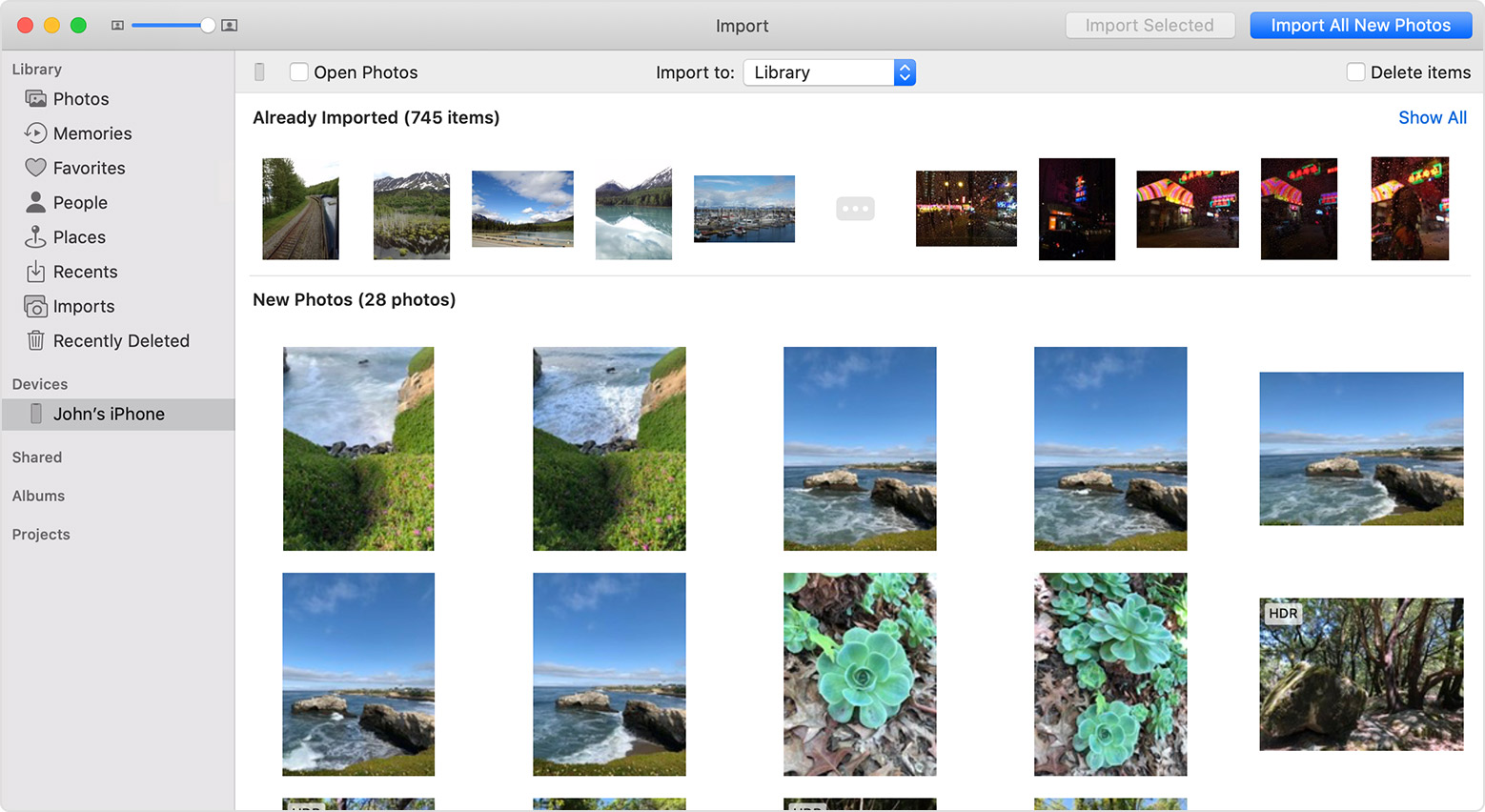
- Wait for the process to finish, then disconnect your device from your Mac.
Once you've made sure that all photos have been imported to your Mac, you can then safely remove them from your iPhone. The iPhone User Guide has the steps to delete photos from your iPhone, specifically, this section:
Delete a photo or video from Photos. Tap the Photos tab, tap the photo or video, tap the trash icon, then tap Delete Photo or Delete Video. Deleted photos and videos are kept in the Recently Deleted album on iPhone, with a badge showing the remaining days until the item is permanently removed from iPhone. To delete the photo or video permanently before the days expire, tap the item, tap Delete, then tap Delete Photo or Delete Video. If you use iCloud Photo Library, deleted photos and videos are permanently removed from all your devices using iCloud Photo Library with the same Apple ID.
Cheers.


