Are you sure you have a new device? the iPhone 6s was released September 2015.
Anyways, if your device turns on but gets stuck during start up
You might see the Apple logo or a red or blue screen for a long time during startup. Try these steps:
- Connect your device to a computer and open iTunes. If you don't have a computer, you can borrow one, or go to an Apple Retail Store or Apple Authorized Service Provider for help.
- While your device is connected, force it to restart.
- On an iPhone 7 or iPhone 7 Plus: Press and hold the Sleep/Wake and Volume Down buttons at the same time.
- On an iPhone 6s and earlier, iPad, or iPod touch: Press and hold the Sleep/Wake and Home buttons at the same time.
3. Don't release when you see the Apple logo. Keep holding until you see the recovery mode screen.
-
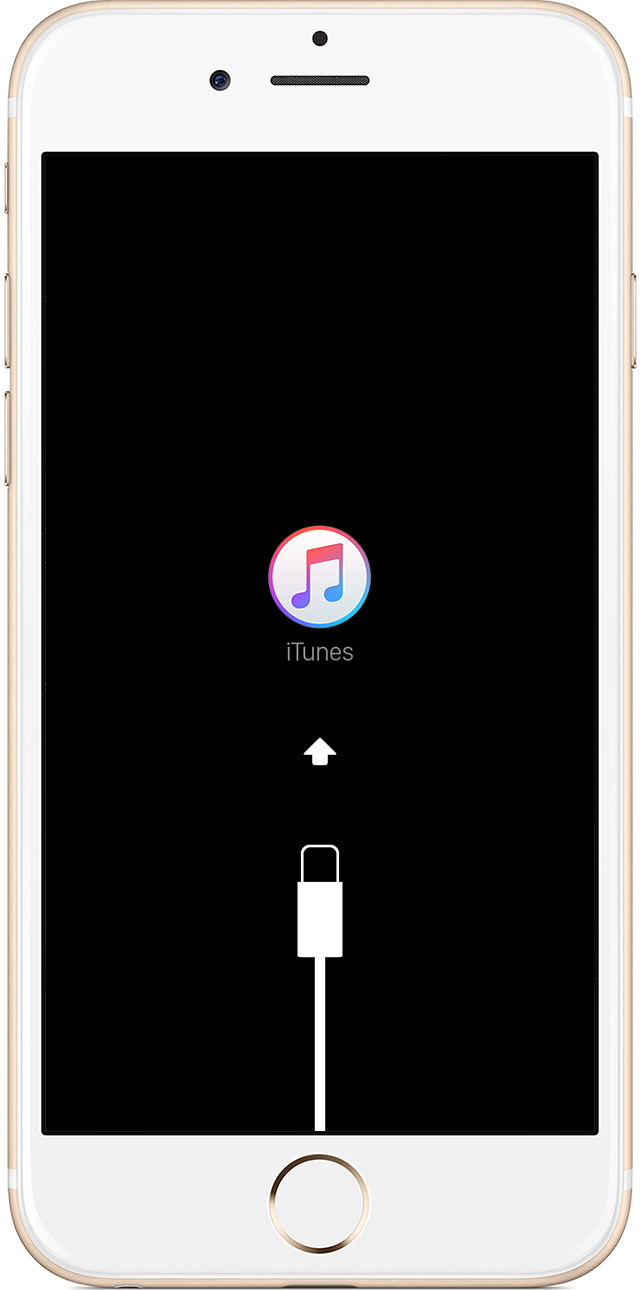
4. When you get the option to restore or update, choose Update. iTunes will try to reinstall iOS without erasing your data.
-

iTunes will download the software for your device. If it takes more than 15 minutes, your device will exit recovery mode and you'll need to repeat steps 2 and 3.