Tap your name, then tap Subscriptions. (If you don't see "Subscriptions," tap "iTunes & App Store" instead. Then tap your Apple ID, tap View Apple ID, sign in, scroll down to Subscriptions, and tap Subscriptions.)
Tap your Apple Music subscription
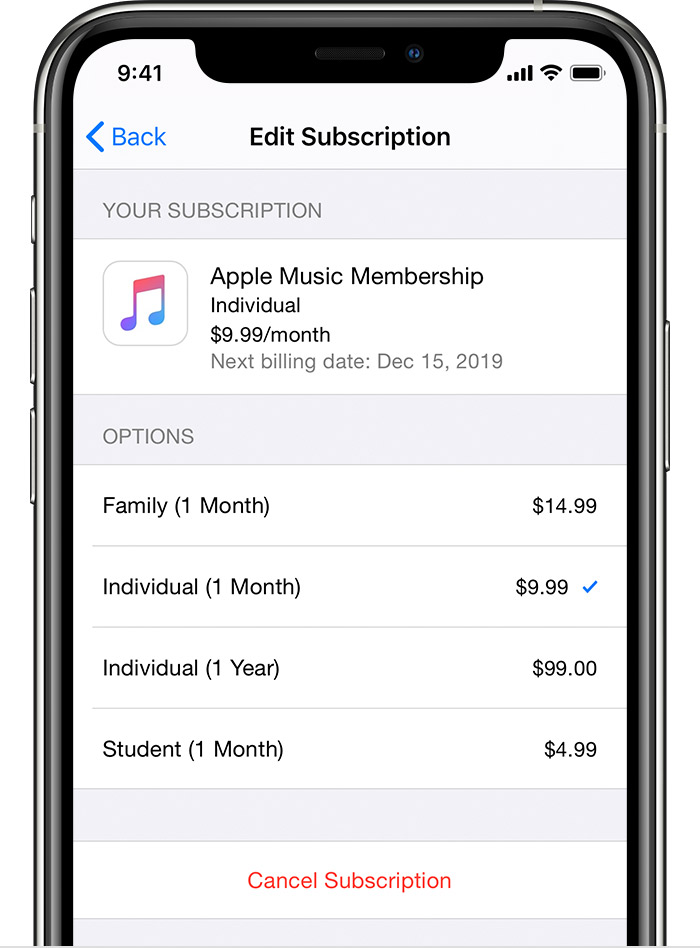
It displays the next billing date, which should be a month from the original purchase date:
Tap your name, then tap Subscriptions. (If you don't see "Subscriptions," tap "iTunes & App Store" instead. Then tap your Apple ID, tap View Apple ID, sign in, scroll down to Subscriptions, and tap Subscriptions.)
Tap your Apple Music subscription
It displays the next billing date, which should be a month from the original purchase date:
This thread has been closed by the system or the community team.
You may vote for any posts you find helpful, or search the Community for additional answers.
How do I know my apple music subscribed date ?
Welcome to Apple Support Community
A forum where Apple customers help each other with their products. Get started with your Apple Account.