Having trouble adding store credit to my Itunes account via desktop version of Itunes. Will let me do this via phone. Why ?

Having trouble adding store credit to my Itunes account via desktop version of Itunes. Will let me do this via phone. Why ?

Windows, Windows 10

Posted on Aug 22, 2020 10:14 AM

Reply
Question marked as Top-ranking reply

Posted on Aug 23, 2020 10:40 AM

Hello NealeP,


Welcome to Apple Support Communities!


We understand from your question that you are wanting to add funds to your Apple ID. We can certainly help you with this!


This article will be a good resource for you. It will walk you through the necessary steps to resolve the question.

Add money to your Apple ID balance


"Add funds to your Apple ID balance on a Mac or PC

If you're using macOS Catalina or later, use the App Store. If you're using an earlier version of macOS or you're on a PC, use iTunes.

  1. On your Mac, open the App Store. On a PC, open iTunes for Windows. If you're not signed in, sign in with your Apple ID.
  2. Open the Account Information page. Here's how:
    • On a Mac, from the menu bar at the top of the screen, choose Store > View My Account. Then click View Information at the top of the screen.
    • On a PC, from the top of the iTunes window, choose Account > View My Account. Sign in with your Apple ID, then click View Account.
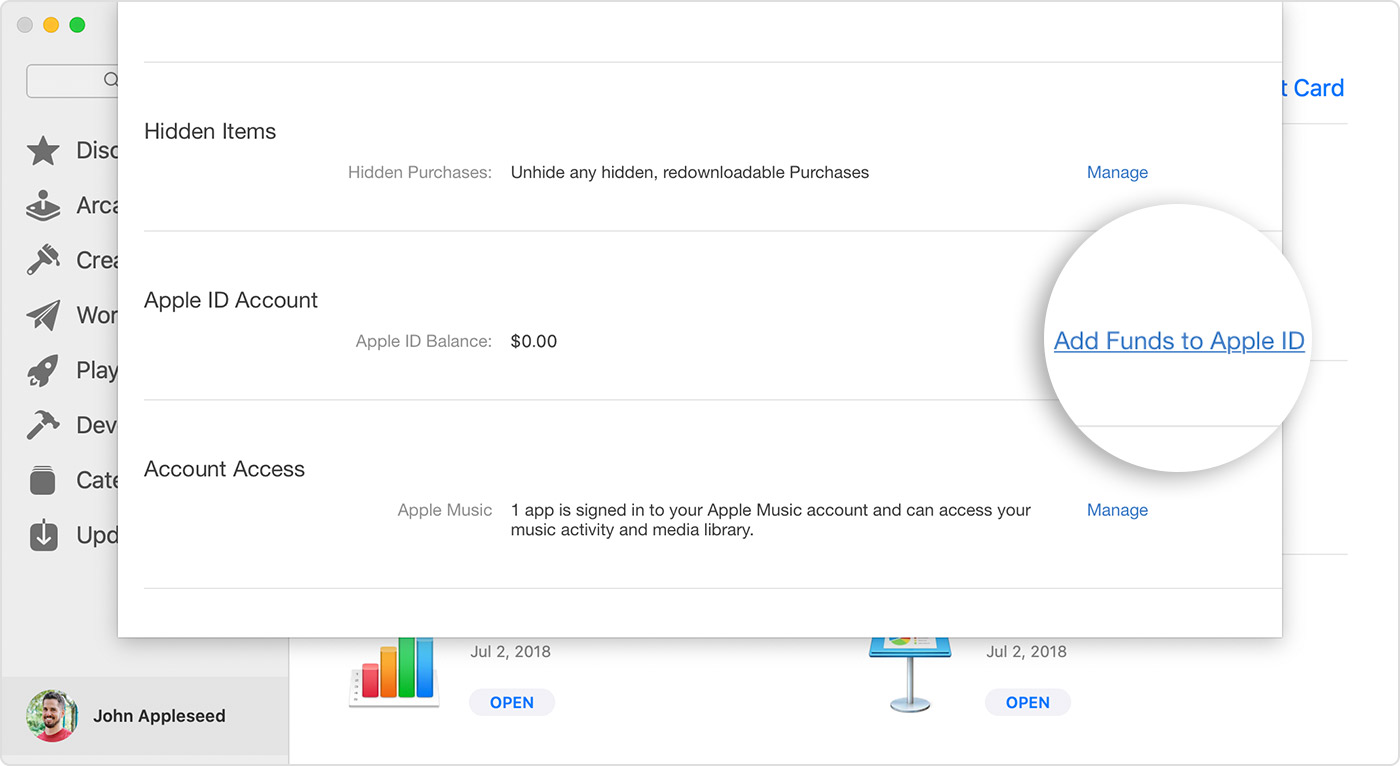
  1. On the Account Information page, click "Add Funds to Apple ID."
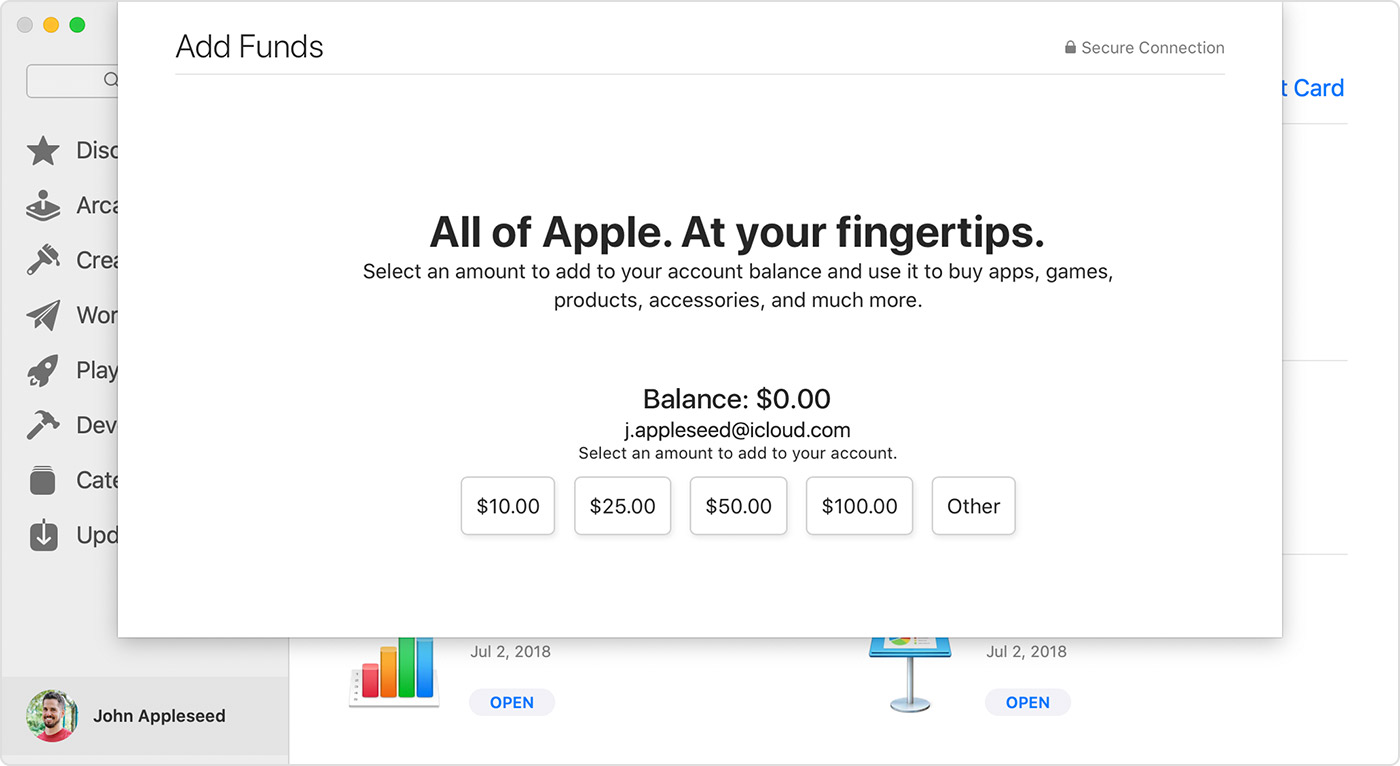
  2. Click the amount that you want to add, or click Other to enter a specific amount.
  3. Click Next, then confirm your selection. Some payment methods might prompt you to verify your purchase with a text message or other method."


We hope this is able to resolve your issue. If you have any more questions or this does not resolve your issue, please reach back out on the thread!


Cheers.

3 replies
Question marked as Top-ranking reply

Aug 23, 2020 10:40 AM in response to NealeP

Hello NealeP,


Welcome to Apple Support Communities!


We understand from your question that you are wanting to add funds to your Apple ID. We can certainly help you with this!


This article will be a good resource for you. It will walk you through the necessary steps to resolve the question.

Add money to your Apple ID balance


"Add funds to your Apple ID balance on a Mac or PC

If you're using macOS Catalina or later, use the App Store. If you're using an earlier version of macOS or you're on a PC, use iTunes.

  1. On your Mac, open the App Store. On a PC, open iTunes for Windows. If you're not signed in, sign in with your Apple ID.
  2. Open the Account Information page. Here's how:
    • On a Mac, from the menu bar at the top of the screen, choose Store > View My Account. Then click View Information at the top of the screen.
    • On a PC, from the top of the iTunes window, choose Account > View My Account. Sign in with your Apple ID, then click View Account.
  1. On the Account Information page, click "Add Funds to Apple ID."
  2. Click the amount that you want to add, or click Other to enter a specific amount.
  3. Click Next, then confirm your selection. Some payment methods might prompt you to verify your purchase with a text message or other method."


We hope this is able to resolve your issue. If you have any more questions or this does not resolve your issue, please reach back out on the thread!


Cheers.

This thread has been closed by the system or the community team. You may vote for any posts you find helpful, or search the Community for additional answers.

Having trouble adding store credit to my Itunes account via desktop version of Itunes. Will let me do this via phone. Why ?

Welcome to Apple Support Community
A forum where Apple customers help each other with their products. Get started with your Apple Account.