Pairing watch to new iPhone 11

I don't have my old iPhone 7 which was originally paired with my Series 3 Apple Watch. It was set up to unlock only when I unlocked my iPhone. My watch still says I need to unlock iPhone to access. It obviously still thinks I have the old iPhone 7. I tried doing a hard reset but it still shows the screen asking to unlock phone. How do I get past this?

Posted on Aug 24, 2020 7:36 AM

Reply
Question marked as Top-ranking reply

Posted on Aug 24, 2020 7:41 AM

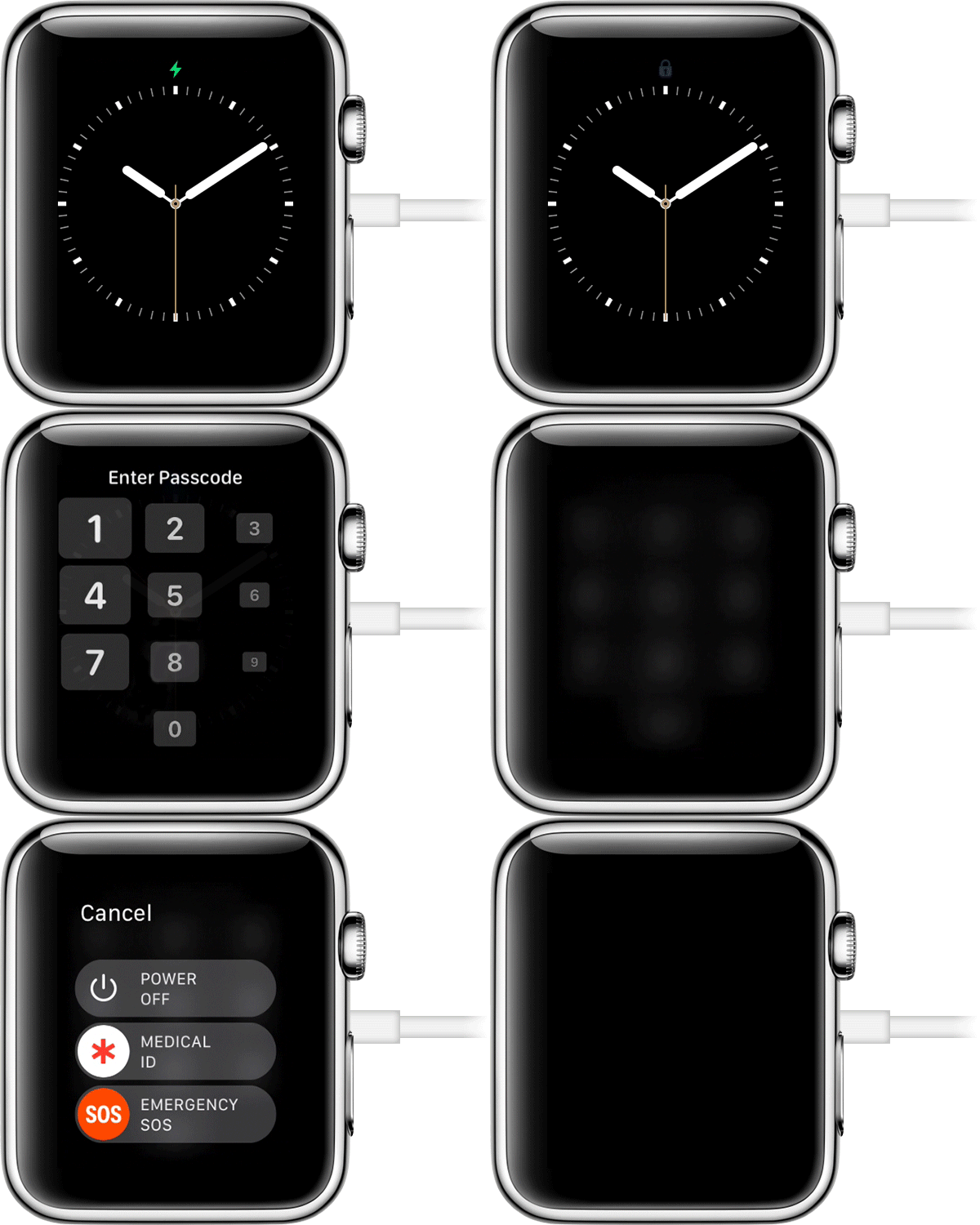
  1. Put your watch on its charger and keep it there until you complete these steps.
  2. Press and hold the side button until you see Power Off.
  3. Firmly press the Power Off slider, then lift your finger. 
  4. Tap Erase all content and settings.
  5. Wait for the process to finish, then set up your Apple Watch again. When asked, restore from a backup.


8 replies
Question marked as Top-ranking reply

Aug 24, 2020 7:41 AM in response to gacarter717

  1. Put your watch on its charger and keep it there until you complete these steps.
  2. Press and hold the side button until you see Power Off.
  3. Firmly press the Power Off slider, then lift your finger. 
  4. Tap Erase all content and settings.
  5. Wait for the process to finish, then set up your Apple Watch again. When asked, restore from a backup.


This thread has been closed by the system or the community team. You may vote for any posts you find helpful, or search the Community for additional answers.

Pairing watch to new iPhone 11

Welcome to Apple Support Community
A forum where Apple customers help each other with their products. Get started with your Apple Account.