
change of apple music subscription
if i change my apple music plan to family subscription, should i cancel my previous individual plan and if yes, will it keep all my music?
iPhone 8, iOS 13
if i change my apple music plan to family subscription, should i cancel my previous individual plan and if yes, will it keep all my music?
iPhone 8, iOS 13
Hi Apatov,
We understand you want to change your Apple Music subscription. We're happy to help.
If you're already using the Apple Music service and would like to keep your existing library but change your plan, you'll just want to edit the subscription to the one you want to switch to: Change your subscription plan
"How to change your subscription plan on your iPhone, iPad, or iPod touch
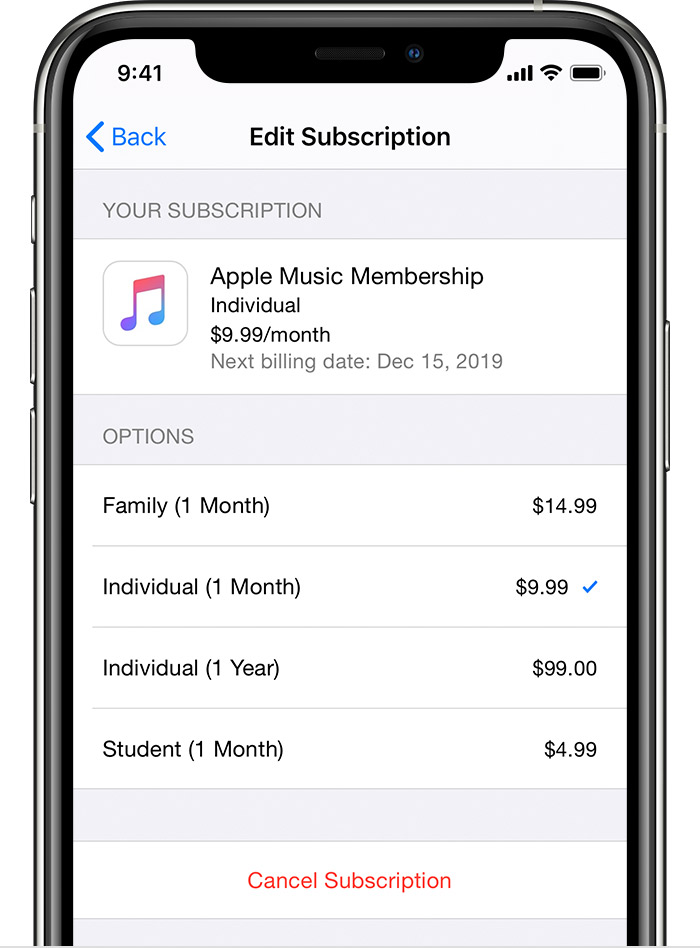 "
"We hope this helps. Take care!
change of apple music subscription

