What do you mean by "subtotal command"? Are you referring to Categories, as in this 'Categories' template at File > New in your menu?
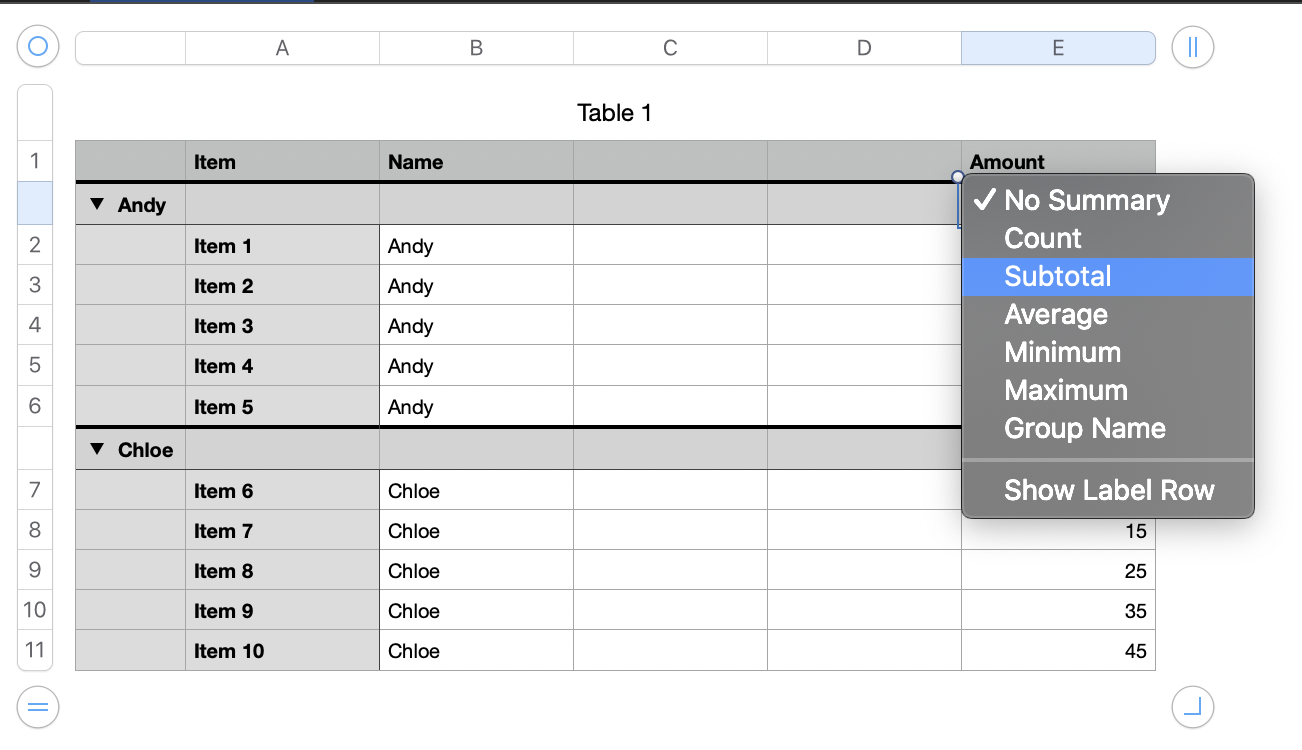
If you filter on a row this will still give you the subtotals for the entire dataset.
One way to get subtotals for a filtered dataset is to use SUMIFS.
Say you want to filter on TRUE here and get filtered subtotals for Andy and Chloe. You could do something like this:
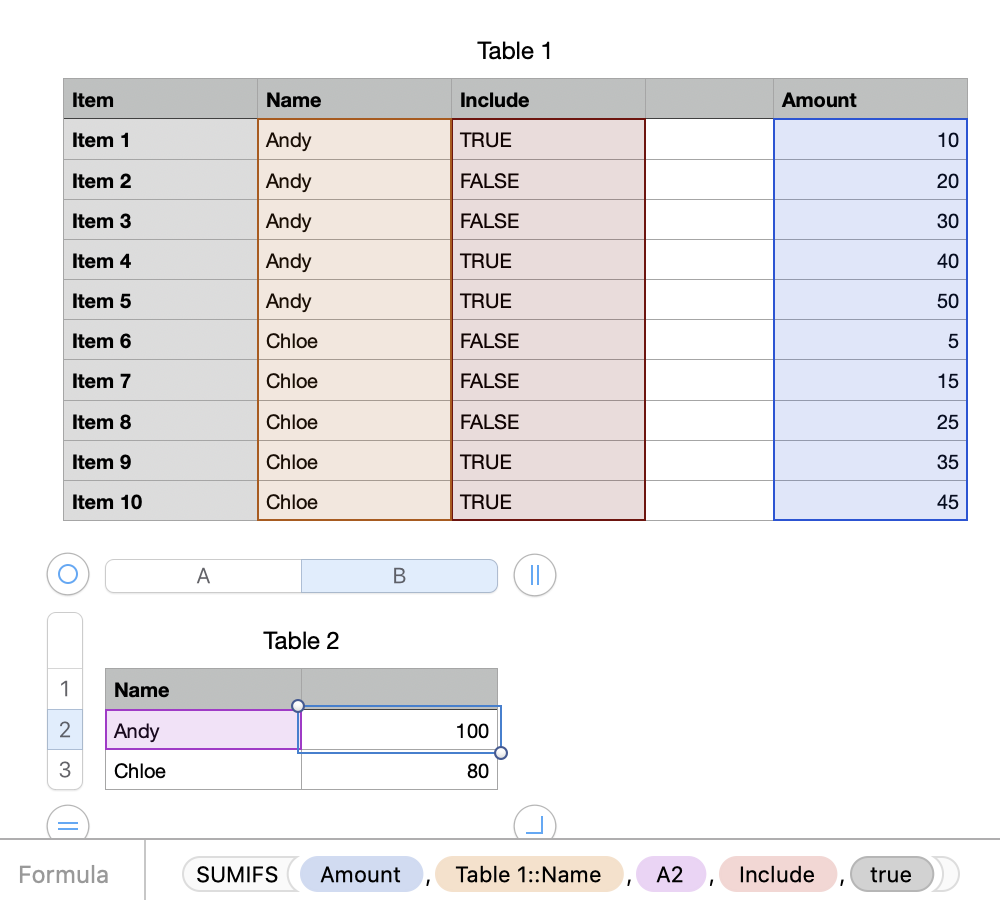
=SUMIFS(Amount,Table 1::Name,A2,Include,TRUE)
(Substitute ; for , in the formula if your region uses , as a decimal separator)
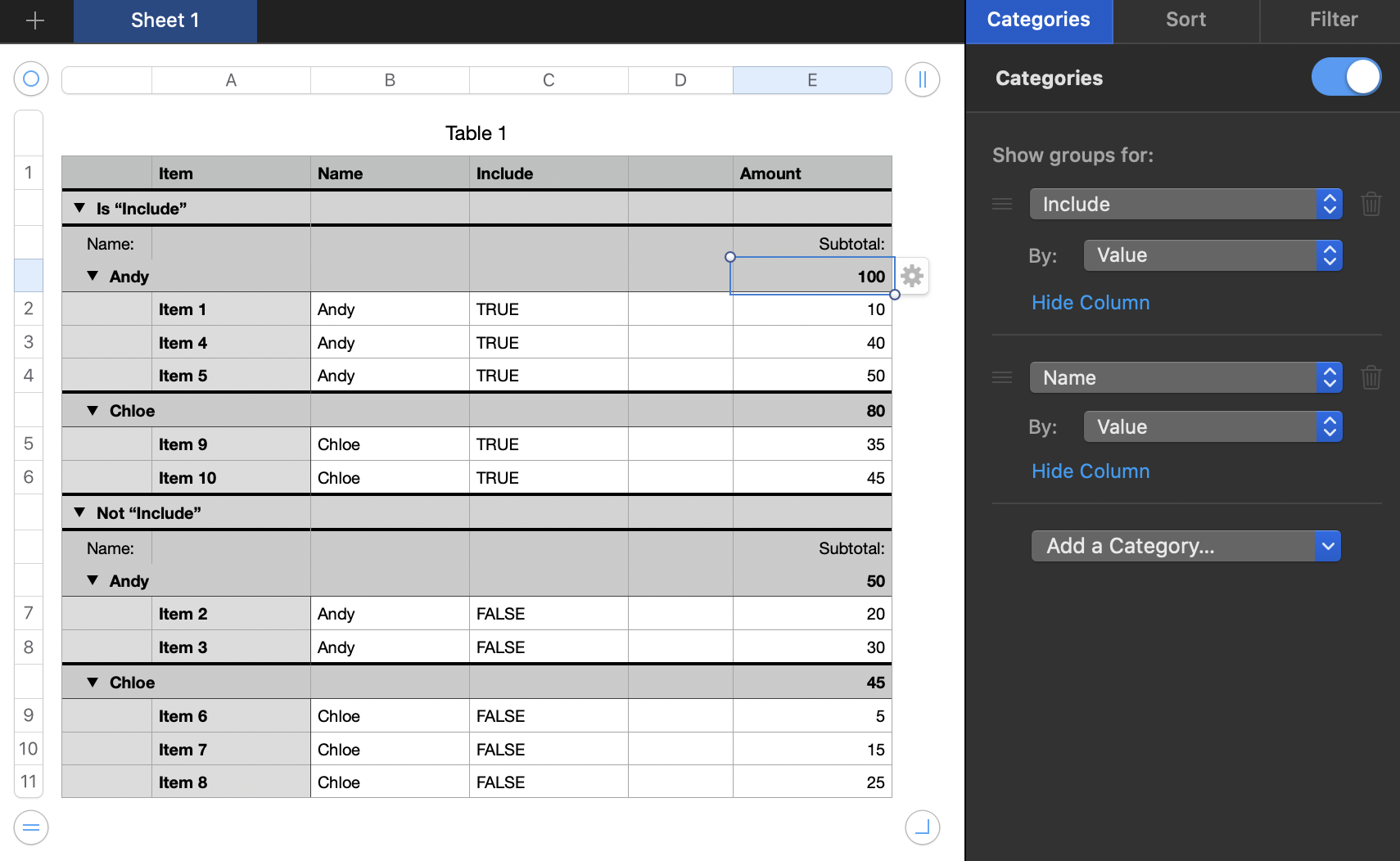
Or you can get the same result without a formula by adding two categories in the right sidebar like this:
SG


