We can offer a potential solution, but have no way to verify that it will be successful, since we are not using Spotify, nor are we using a mesh WiFi network to test things out. The Express......designed more than 8 years ago.....does sometimes have difficulty trying to connect to newer mesh WiFi systems.
So, you might be better served if you wait to see if another user has set up the Express with Spotify on the same type of mesh system that you are now using. If you could provide the manufacturer name and model number off the mesh system, that would certainly be helpful.
If you want to go ahead and try things out now.........here is what we would suggest:
Power up the Express if it is not already on and let it run a minute or two
Hold in the reset button on the back of the Express for 7-8 seconds and release
Allow a full minute for the Express to restart to a slow blinking amber light status
On your Mac.....
Open AirPort Utility (Finder > Applications > Utilities > AirPort Utility)
Click on the Other WiFi Devices button
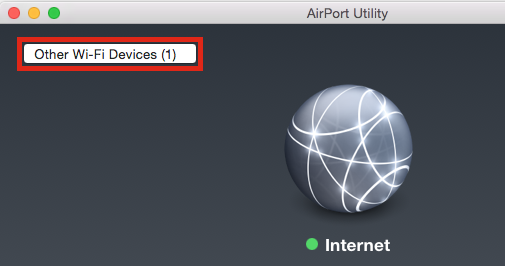
Click directly on Airport Express xxxxxx
When you click on AirPort Express that will start up the setup utility. The utility will take a few seconds to analyze the network and then display another screen
Click on the Other Options button

Click on the button next to Add to an existing network
Click Next
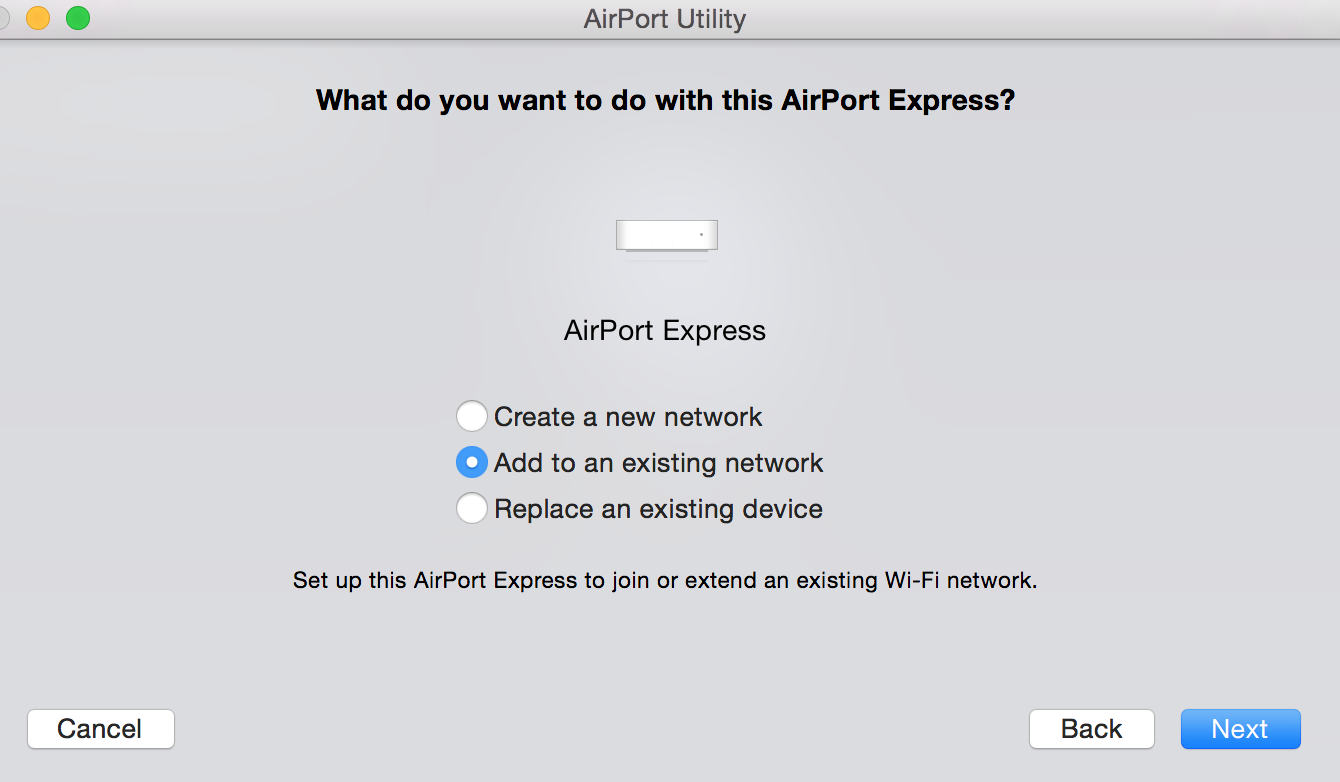
On the next screen, select the name of the mesh WiFi network that you are using by click on the selection box. You may see other WiFi networks there as well.
Click Next

On the next screen, type in a device name for the AirPort Express
Type in the WiFi password for the mesh WiFi network
Type in the same password again to verify
Click Next
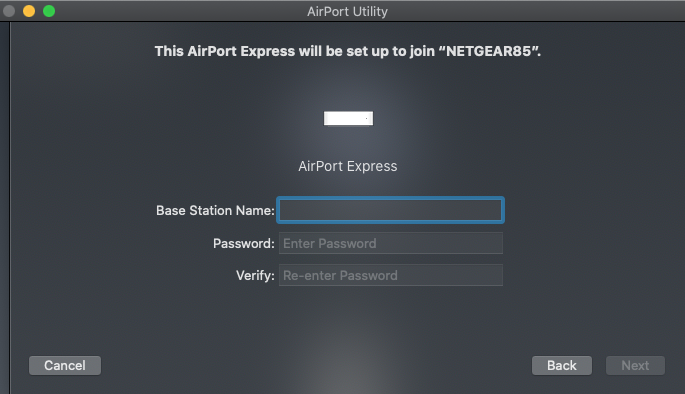
The setup utility will now try to configure the Express to join the mesh WiFi network, since the Express cannot "extend" the network. A green light on the Express would be a nice thing to see after a minute or two. If that is the case, the Express should now be set up.


