iMac Other Folder is Huge

Hi there,


I have just setup a new iMac Pro running OS X Cataline. When I check the storage for the computer, it shows over 600GB is taken up by an area called "other". This means that I cannot backup using Time Machine as the saved file is so large, and also takes at least 12 hours to complete.


Any advice on how to identify what is that other area, and how I can delete unnecessary files.


Posted on Sep 7, 2020 1:18 AM

Reply
Question marked as Top-ranking reply

Posted on Sep 7, 2020 7:46 PM

Good evening iufhqweufqu,


Welcome to the Apple Support Communities!


It sounds like you need to free up some space on your new iMac Pro. Did you set this Mac up by restoring from a Time Machine backup or transferring a user account with Migration Assistant? Have you updated your computer to macOS 10.15.6? Restart the computer to refresh it and reestablish a connection to the internet.


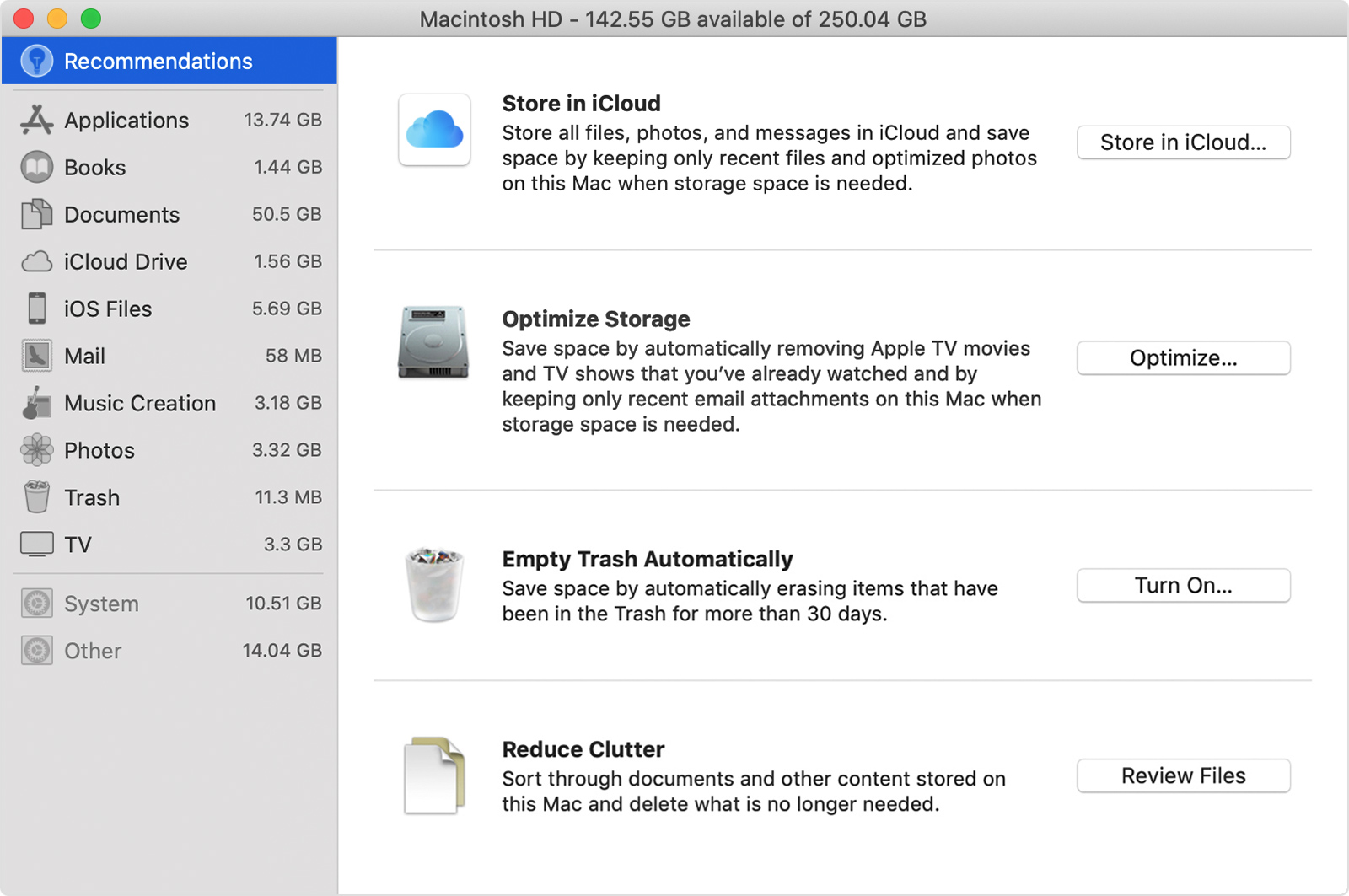
The "Other" category includes things like emails and text messages and their attachments, system files, application data, etc. The Review Files button in the Storage Management window will help you find the large files on your computer, and which apps were used to create them. It is usually best to go to the specific app, like your email application, and delete the attachments or files you no longer need from within the app.


Find out how much storage is available on your Mac


"Reduce Clutter

Reduce Clutter helps you to identify large files and files you might no longer need. Click the Review Files button, then choose any of the file categories in the sidebar, such as Applications, Documents, Music Creation, or Trash.

You can delete the files in some categories directly from this window. Other categories show the total storage space used by the files in each app. You can then open the app and decide whether to delete files from within it.

Learn how to redownload apps, music, movies, TV shows, and books."
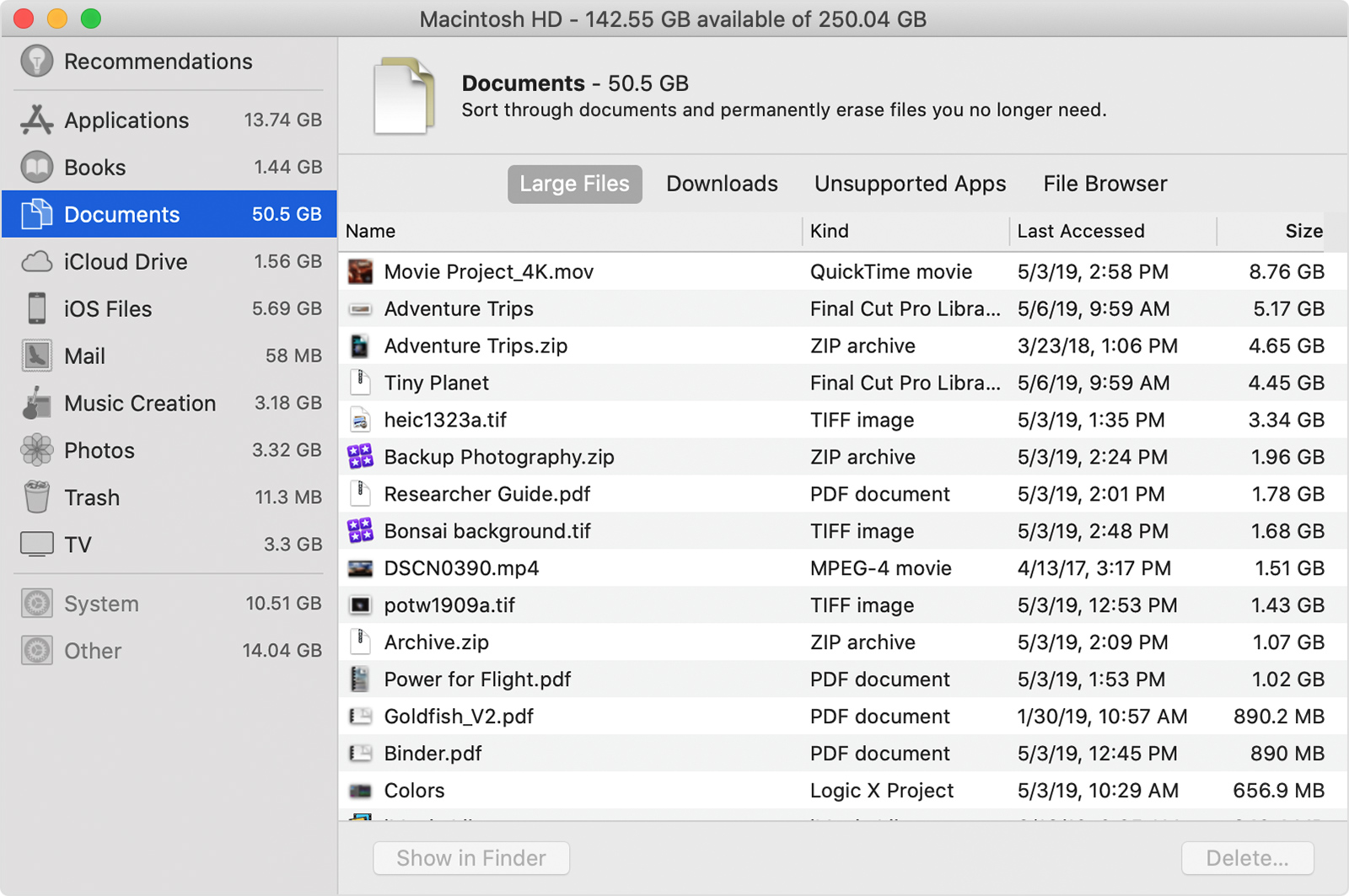


If you want to keep the files, you can move them to an external drive. Confirm the files can be opened on the external drive before deleting them from your internal hard drive.


Use external storage devices with Mac - macOS User Guide


Move your Photos library to save space on your Mac


Take care.

Similar questions

1 reply
Question marked as Top-ranking reply

Sep 7, 2020 7:46 PM in response to iufhqweufqu

Good evening iufhqweufqu,


Welcome to the Apple Support Communities!


It sounds like you need to free up some space on your new iMac Pro. Did you set this Mac up by restoring from a Time Machine backup or transferring a user account with Migration Assistant? Have you updated your computer to macOS 10.15.6? Restart the computer to refresh it and reestablish a connection to the internet.


The "Other" category includes things like emails and text messages and their attachments, system files, application data, etc. The Review Files button in the Storage Management window will help you find the large files on your computer, and which apps were used to create them. It is usually best to go to the specific app, like your email application, and delete the attachments or files you no longer need from within the app.


Find out how much storage is available on your Mac


"Reduce Clutter

Reduce Clutter helps you to identify large files and files you might no longer need. Click the Review Files button, then choose any of the file categories in the sidebar, such as Applications, Documents, Music Creation, or Trash.

You can delete the files in some categories directly from this window. Other categories show the total storage space used by the files in each app. You can then open the app and decide whether to delete files from within it.

Learn how to redownload apps, music, movies, TV shows, and books."


If you want to keep the files, you can move them to an external drive. Confirm the files can be opened on the external drive before deleting them from your internal hard drive.


Use external storage devices with Mac - macOS User Guide


Move your Photos library to save space on your Mac


Take care.

This thread has been closed by the system or the community team. You may vote for any posts you find helpful, or search the Community for additional answers.

iMac Other Folder is Huge

Welcome to Apple Support Community
A forum where Apple customers help each other with their products. Get started with your Apple Account.