Hey SE7B!
It sounds like you have an issue with Visual Voicemails not being available on your iPhone 11. We may have a solution and tips to help out for this.
First, it appears you have an update available for your iPhone software. We'd make sure you've got anything important backed up, then get up to date on iOS 14.0.1: Update your iPhone, iPad, or iPod touch
Check for any carrier updates: Update your carrier settings on your iPhone or iPad
Then, if you still can't access your Visual Voicemails, we'd ensure it's set up properly: Set up Visual Voicemail on your iPhone
This can help to: Check your voicemail on iPhone
"Get help with Visual Voicemail
If you can't set up Visual Voicemail, contact your carrier to make sure that your plan supports the feature.
If you need help, try these steps. Check your Visual Voicemail after each step:
- Make sure that you have the latest version of iOS.
- Check for a carrier-bundle update: Go to Settings > General > About. If an update is available, a message will ask you to update.
- To check your cellular network connection, try to call someone.
- Make sure that you set up your voicemail. To check, dial your own phone number from your iPhone and leave yourself a message.
- Call your iPhone from another phone and try to leave yourself a voicemail.
- Go to the keypad and press and hold on the 1, or press the Call Voicemail button. This dials voicemail. Check if you have any missed messages.
- On the Voicemail screen, tap Greeting. Then change your greeting to either custom or default.
- If you have more than one cellular plan on your iPhone, try switching to the other plan. Call the first number and try to leave a message.
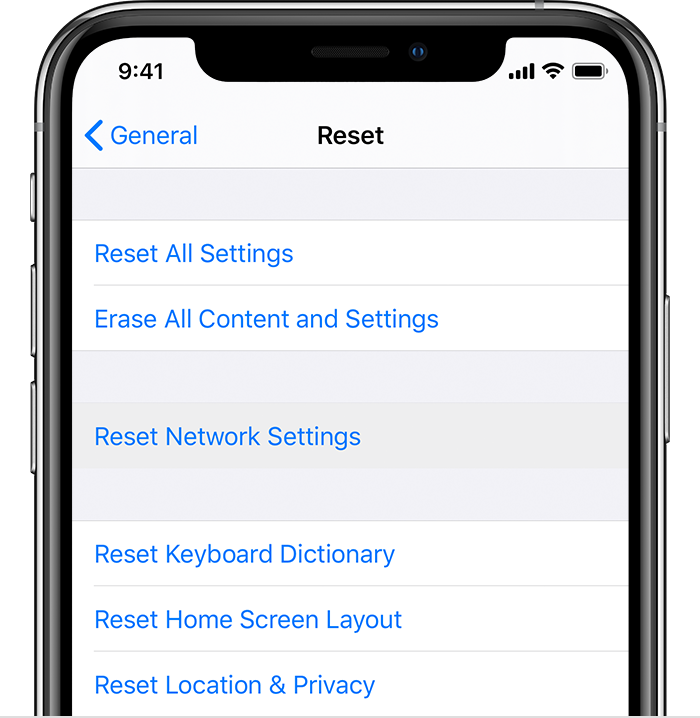
- Go to Settings > General > Reset and tap Reset Network Settings.
- If you still need help, contact your carrier".
Hoping this sorts it out, take care!


