Do not disturb on dual sim phone

can I set one number to do not disturb on dual Sim phone?


So one phone number is my business number, and one is my personal number. I would like to set my business number two do not disturb between the hours of 7 PM to 8 AM. But still leave my regular personal number available for calls from family and friends.


Is this possible?

iPhone 11 Pro Max, iOS 14

Posted on Oct 15, 2020 8:35 PM

Reply
Question marked as Top-ranking reply

Posted on Oct 15, 2020 8:49 PM

DND mode will be activated for both numbers! You cannot select a single number!

But under DND settings, you can select to receive calls from certain groups (family members, friends, favorites, etc.)

See this: Use Do Not Disturb on your iPhone, iPad, and iPod touch - Apple Support

and scroll to the section: Change your settings


6 replies

Oct 15, 2020 8:44 PM in response to SravanKrA

No this won't work. It sets both numbers to do not disturb. I am only wanting to set the business line to do not disturb during certain hours. Otherwise I will have clients calling 24/7.


When I had two phones that was easy. I would turn business phone off. Now that I have dual sim phone and both numbers are on one phone I can't do that.


Trying to figure out if there is a way to do it.

Oct 15, 2020 8:52 PM in response to Siabh

Thank you for the Answer, that’s too bad. Apple should fix that. because even my clients would bother me after hours so setting it to except contacts wouldn’t help either. I just had a client text me and we’ve been closed for 2 1/2 hours. It’s ridiculous but people don’t value your time they only value their own.

Oct 15, 2020 8:40 PM in response to RaeleneP


Change your settings

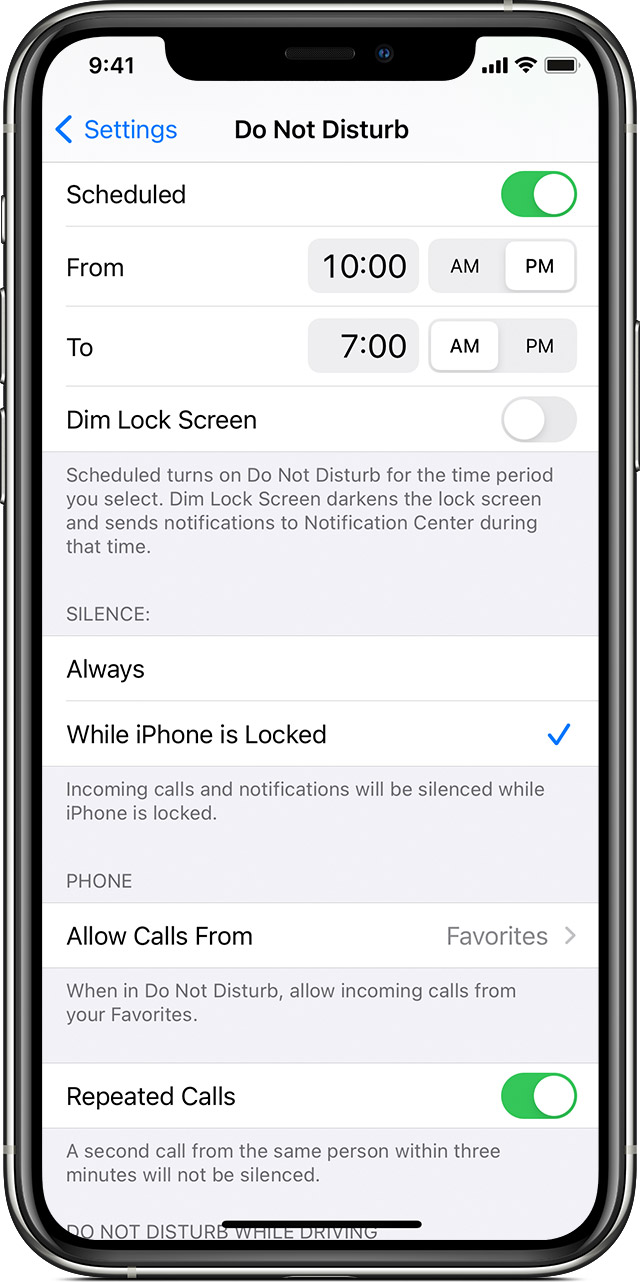
If you don't want to be disturbed at a certain time, you can set a schedule. Tap Settings > Do Not Disturb, then turn on Scheduled and set a schedule. You can also choose when you want to receive alerts, calls and notifications:

  • Silence: Choose to silence calls and notifications always or only when the device is locked.
  • Allow Calls From: Allow calls from everyone, no one, your favourites, or specific contact groups stored on your device or iCloud.
  • Repeated Calls: If someone calls you twice within three minutes, the second call isn't silenced.


Learn more


This thread has been closed by the system or the community team. You may vote for any posts you find helpful, or search the Community for additional answers.

Do not disturb on dual sim phone

Welcome to Apple Support Community
A forum where Apple customers help each other with their products. Get started with your Apple Account.