I was going to move on, no sense trying to convince those with a fixed mindset. Yes I have looked at the link and yes I could intentionally or unintentionally produce flares with all my devices BUT my statement stands, my iPhone 13 Pro is my worst device, flare wise, particularly at sunset time.
I purchased a 13 Pro in the fall, took it to Florida last month, and I shot a plethora of sunset photos during my two weeks on the west coast there - the first thing I noticed was the level of flares, way worse than my other iDevices and cameras, and also the "dramatic" over-processing of photos - so much so that I thought my new phone was defective so I took some pictures with my wife's 13 Pro Max - same story. And I took some pictures with a Nikon camera, no issues there.
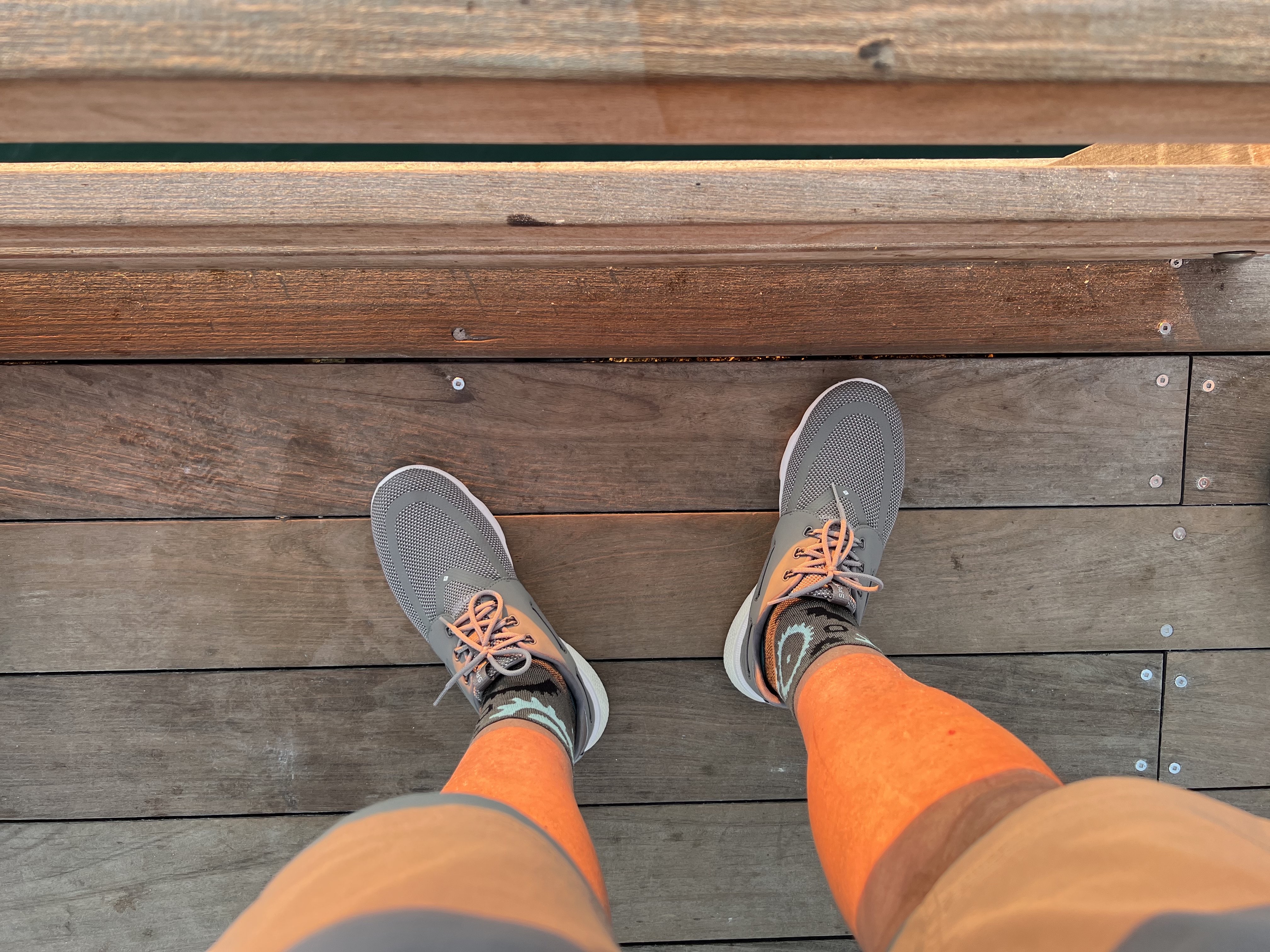
I could post some of the flare pictures but I am not going to get into a tit for tat here. However the one below is difficult to match... I took several pictures of my wife on the Naples pier at sunset and her face, arms, and legs were "glowing orange" - grossly over-processed on the HEIC format so I then took a picture of my legs with the sun hitting them as you can see below. My non-sunset photos were all good, some great particularly at night with the f/1.5 lens, but the iPhone 13 Pro is not very good at sunset unless one is shooting in RAW - that will solve the over-processing but not the flares. And yes, I could use Photoshop or Pixelmator Pro to lower the "temperature" of my legs but editing the shoes and shoe laces would take time... Look where the sun hit them in contrast to where the sun did not. Apple wants "dramatic" colors and that's what they got. Glad I got a 256 GB iPhone, the RAW photos at 25 a pop will fill it.
Picture unedited and as the iPhone 13 Pro took it. I had a tan but not like that...