Look where you are tapping, does it say "PRESS AND HOLD AIRPODS" above?

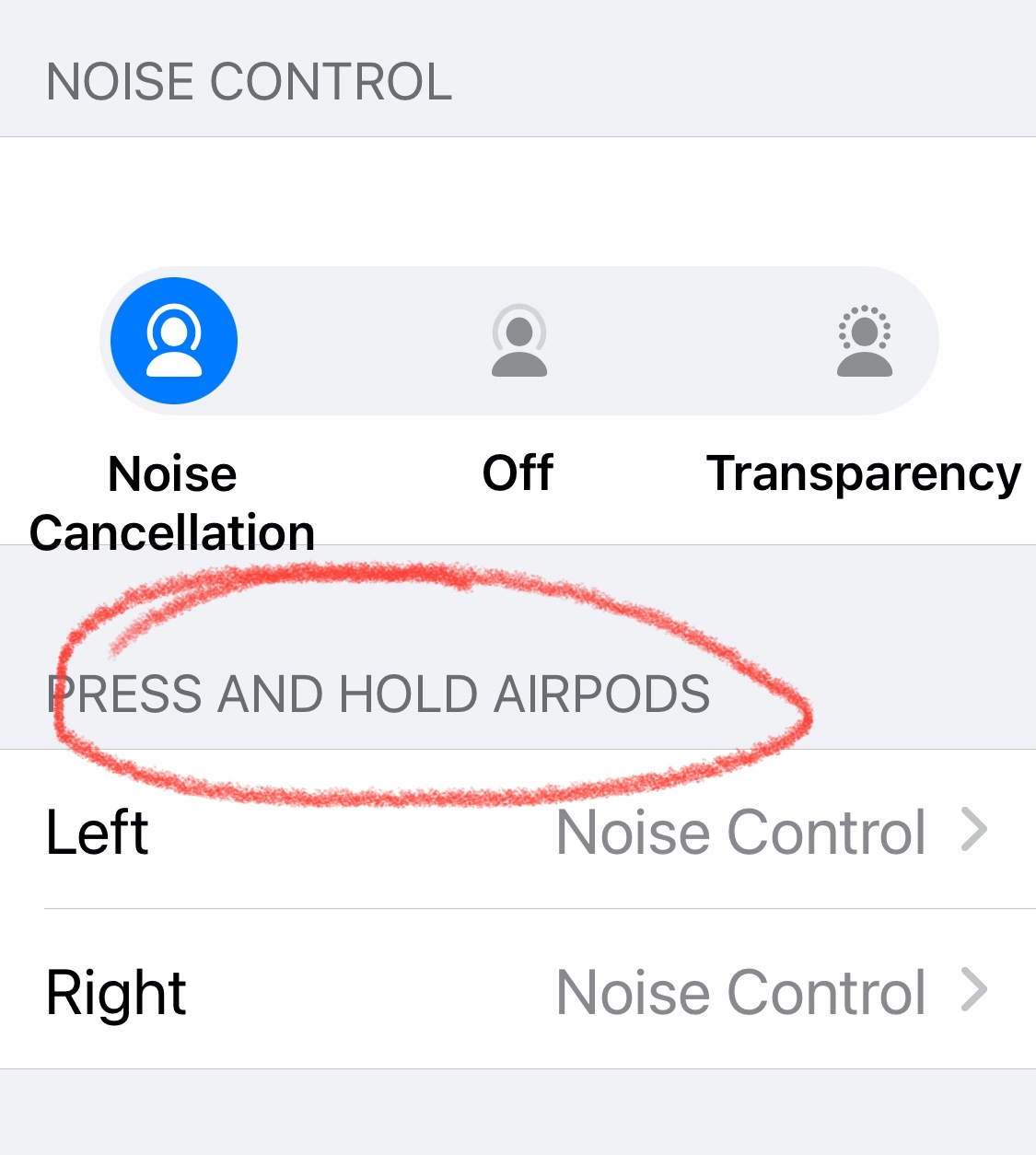
If so this section lets you choose what happens when you press and hold briefly the stem of the AirPods Pro. Tap "Left".
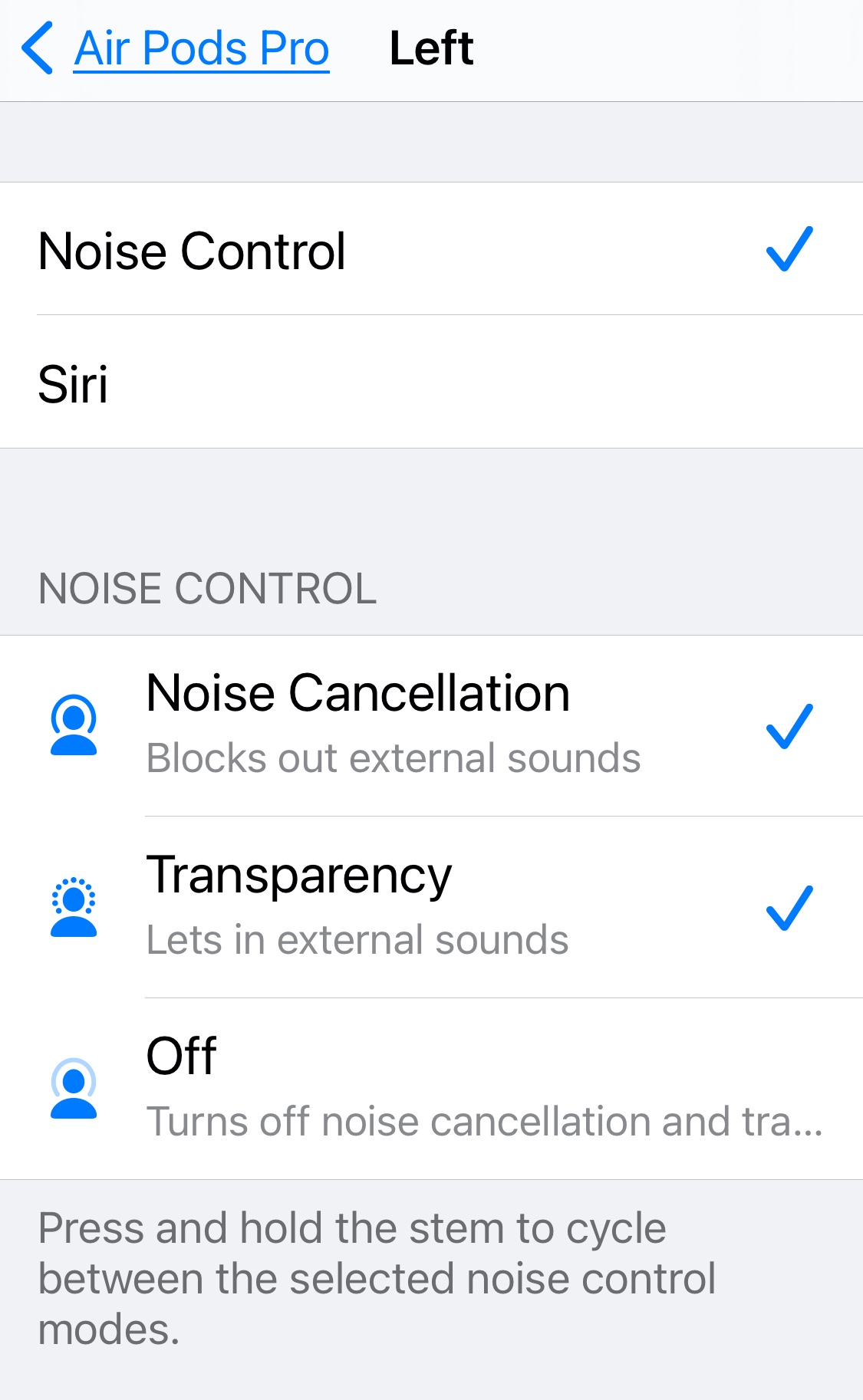
Notice at the top that a press and hold in this AirPod Pro will change "Noise Control". If you change to "Siri" the "Noise Control" choices vanish because they become irrelevant.
The reason "Noise Cancelation" and "Transparency" are both checked is because pressing and holding the stem of the AirPod Pro will cycle between all the settings selected, as shown below the controls. Since you don't have a blue check next to "Off" pressing and holding the stem of the AirPod Pro will change between "Noise Cancelling" and "Transparency". Another press and hold will change it back.

