
Who started a group face time call?
How can I discern who started a group face time call? I’ve been getting prank group face time calls that include a lot of #’s but I’m unable to see who starts the call.
How can I discern who started a group face time call? I’ve been getting prank group face time calls that include a lot of #’s but I’m unable to see who starts the call.
Hello Hboros22,
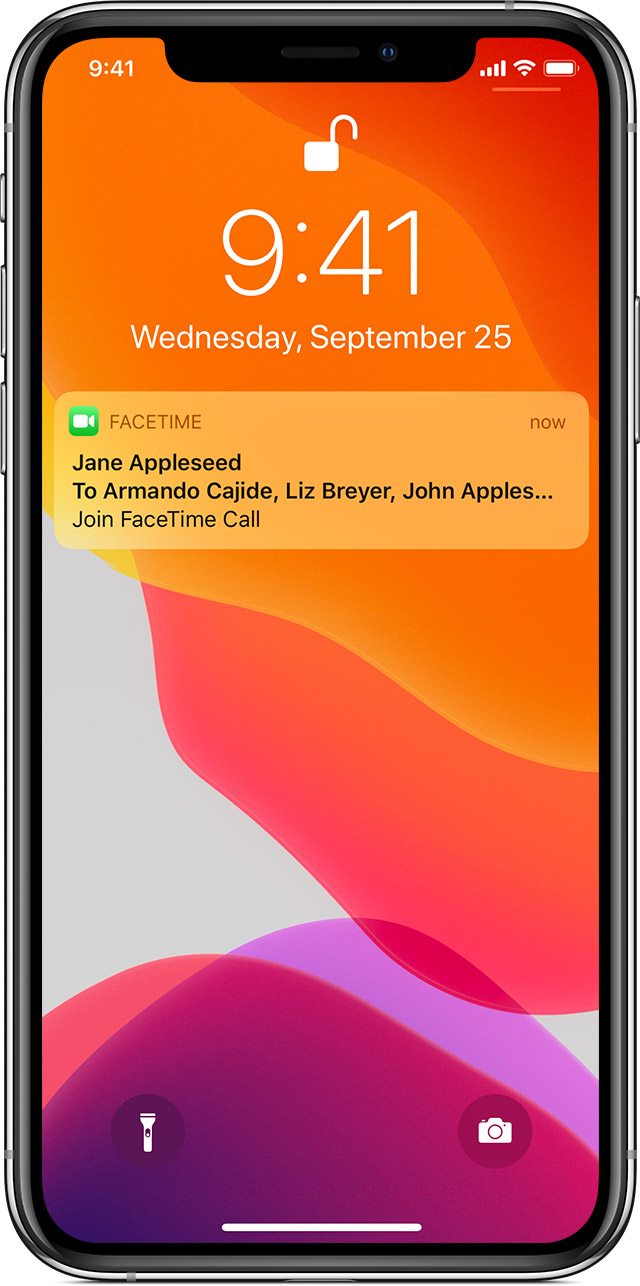
Thanks for reaching out to us for help identifying the initiator of a group FaceTime call. This would depend on how the call was originated. You may be able to see the initiator from the notification you receive to join the group FaceTime call, as shown below: Use Group FaceTime on your iPhone, iPad and iPod touch
"Join a Group FaceTime call
There are a few ways to join a Group FaceTime call that someone else started:
 . .
. .
From a notification
 "
"
We hope this helps you.
Take care and be safe.
Who started a group face time call?

