There are a very few titles that come with FCPX that allow what is known as "paragraph layout" formats, but those won't help you because they will have background elements you can't get rid of.
A few years back, I made this template - it's ready to go so I'll pass it along right now:
http://sight-creations.com/fxexchange/Paragraph%20BasicNoBG.zip
When you apply it, you will need to double click the text in the viewer. That should activate the paragraph OnScreen Controls:
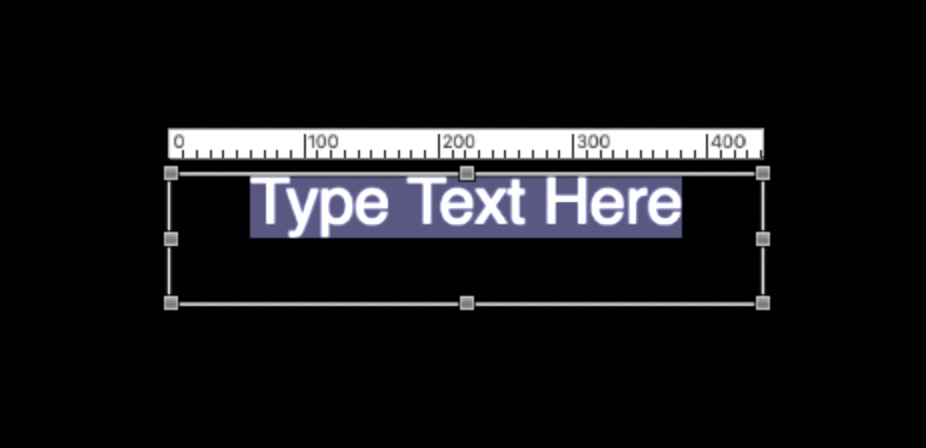
You can grab the square dots on the edges and/or corners to resize the "document" to whatever you need (make sure you see this setup when you drag the size controls or you may end up stretching the text in a distortion).
If you do not see the ruler, there is another screen control/button at the upper right corner of the Viewer at will activate the ruler:
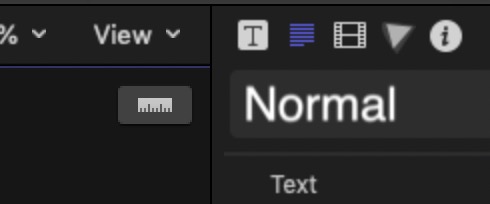
(to the left of "Normal")
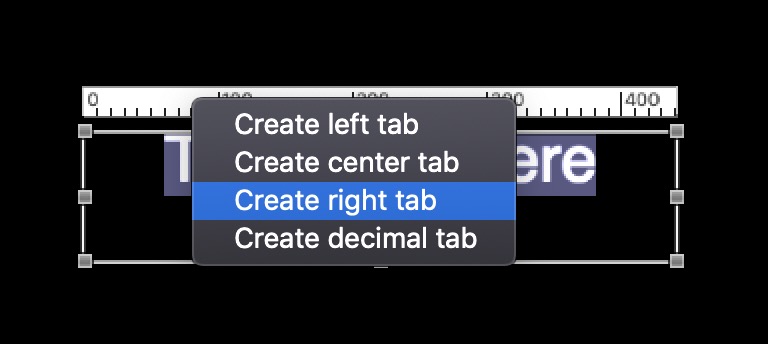
You can right click on the ruler to create tab stops:
However, the BEST way to deal with this is to type and format your text in TextEdit set for Rich Text Format. Add your tab stops in TextEdit, etc... completely format the text. Then, select all, copy and paste into the text edit box in FCPX (remove the dummy text first!) Your complete formatting should appear in FCPX just as you created it in TextEdit with one exception: the font size will probably be considerably smaller when you paste it in FCPX (15 pt is more readable in TextEdit than it is in a video — you will likely have to nearly double the font size in FCPX, or take care of that in TextEdit before you move the text over.)
There are published parameters with Paragraph Basic and one of them is Auto-Shrink, which is set to All Margins by default. You will want to turn that off.
You will be able to keyframe this title with Position > Y to scroll it.
If you have Motion, this is one of the simplest templates to create because, ironically, the default setup for a Title project in Motion has the text already set up for Paragraph Layout. All you have to do is arrange the text boundaries like you want it, turn off the Title Background visibility (although, you don't really have to - but having it on will affect any opacity fades you try to apply to the text in FCPX.) Then save your template. That's it!
If you run into trouble - feel free to ask more. My template was made for somebody else with different needs. If you know exactly what you want, I'll make you one tailored for you. It will take all of about a minute if you just need a basic "box".


