
keeps saying phone disabled
i have an 1st gen SE which im trying to erase but dont have passcode. System canr seem to restore it via computer. Eventually the phone says 'phone disabled - try again in 5"
i have an 1st gen SE which im trying to erase but dont have passcode. System canr seem to restore it via computer. Eventually the phone says 'phone disabled - try again in 5"
Hi arence999,
Thanks for the follow up. If the device is still saying disabled, that would mean it wasn't placed into recovery mode before restoring. If you just do a normal restore, the passcode will still be on the device and it will still be disabled. You'll want to make sure to put the device in recovery mode and that it stays in recovery mode. A device in recovery mode will display this graphic on the screen:
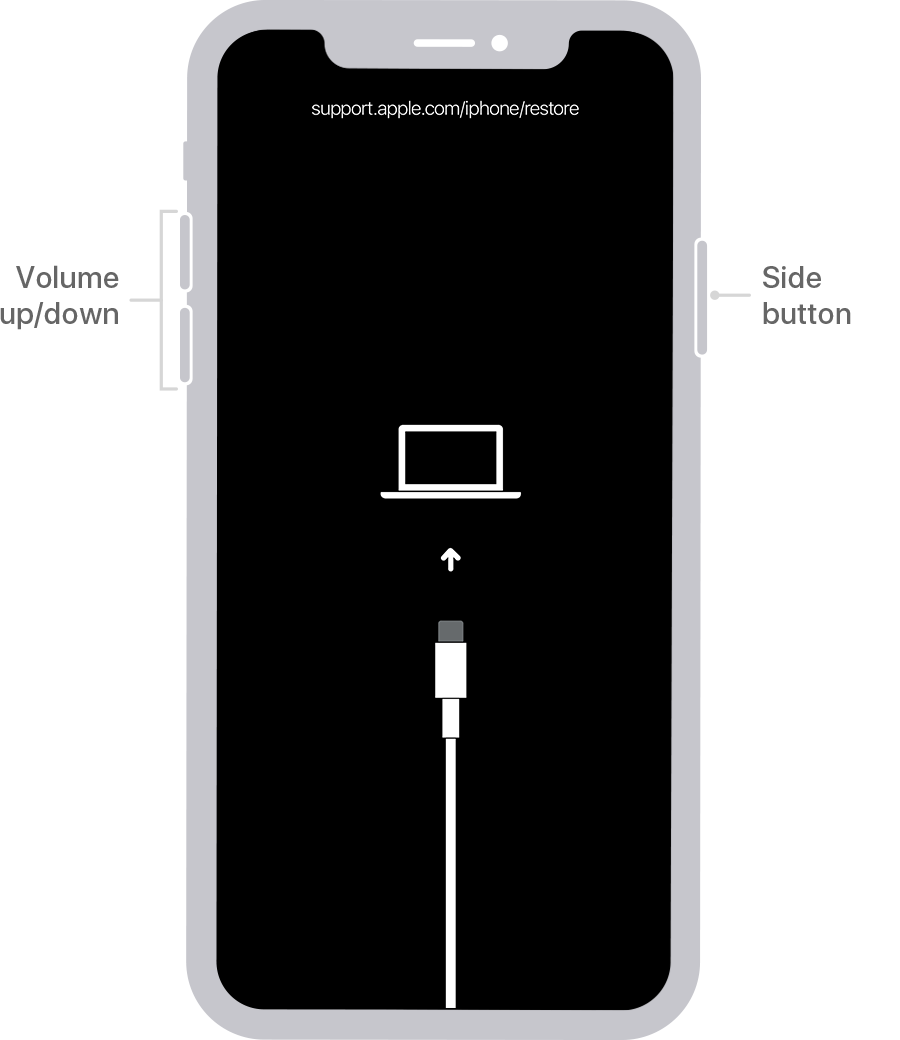
Once it is in recovery mode, it will remain in that mode for 15 minutes. If your computer needs to download the software for the device when you click on the restore prompt, this can sometimes take more that 15 minutes depending on your connection speed. If this is the case, you'll get an error in iTunes. When you get that, just leave it there and don't touch anything until the software finishes downloading. Once the iOS software has finished downloading, follow the steps to put it in recovery mode again, then click the restore prompt, and it will start the restore process.
If you continue to have issues with restoring, you'd want to contact Apple Support directly for assistance: Get Support
Cheers!
Hi arence999,
Thanks for the follow up. If the device is still saying disabled, that would mean it wasn't placed into recovery mode before restoring. If you just do a normal restore, the passcode will still be on the device and it will still be disabled. You'll want to make sure to put the device in recovery mode and that it stays in recovery mode. A device in recovery mode will display this graphic on the screen:
Once it is in recovery mode, it will remain in that mode for 15 minutes. If your computer needs to download the software for the device when you click on the restore prompt, this can sometimes take more that 15 minutes depending on your connection speed. If this is the case, you'll get an error in iTunes. When you get that, just leave it there and don't touch anything until the software finishes downloading. Once the iOS software has finished downloading, follow the steps to put it in recovery mode again, then click the restore prompt, and it will start the restore process.
If you continue to have issues with restoring, you'd want to contact Apple Support directly for assistance: Get Support
Cheers!
Hi arence999,
We understand your iPhone is disabled. We're happy to help.
If the device has been disabled from too many incorrect passcode attempts, you'll want to follow these steps: If you forgot the passcode on your iPhone, or your iPhone is disabled
We hope this helps. Take care!
It tells me disabled AFTER going through all those steps
keeps saying phone disabled


