
Apple ID for teen
How do I create an Apple ID for me 13 year old? When selecting the birthday it will not let me pick a date more than 13 years ago. My teen does not have an email address.
How do I create an Apple ID for me 13 year old? When selecting the birthday it will not let me pick a date more than 13 years ago. My teen does not have an email address.
Hi PaddyMag,
We understand you'd like to create a child's Apple ID account. We're happy to help.
You can create a child's Apple ID account with these steps:
iPhone, iPad, or iPod touch
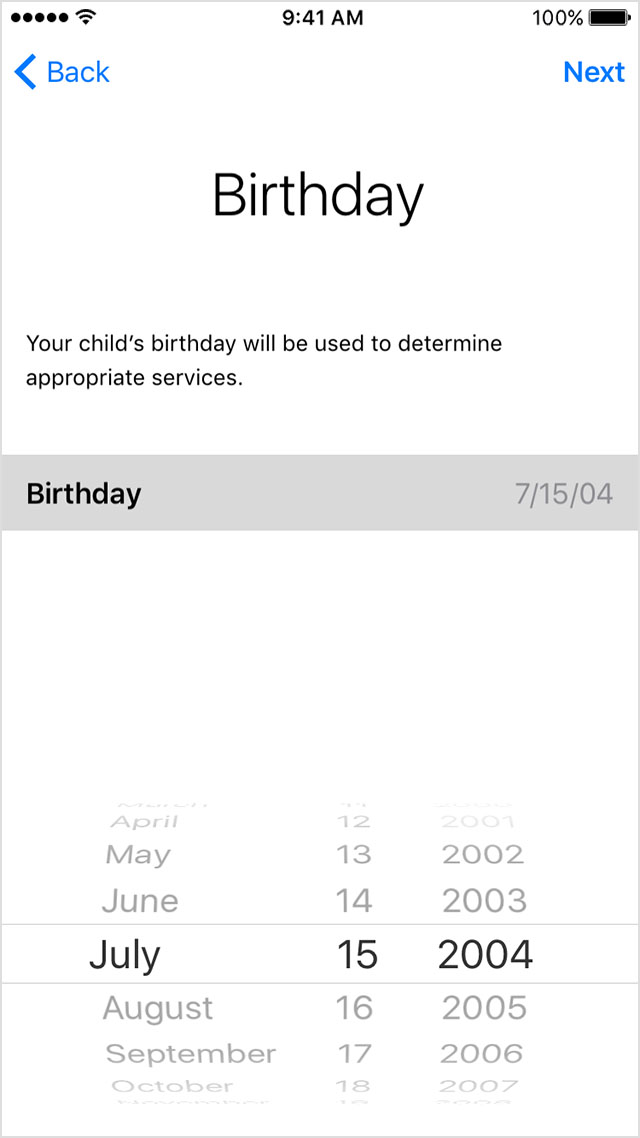
3. Review the Parent Privacy Disclosure and tap Agree.
4. Enter the requested information for your payment method and tap Next. If you don't have a payment method on file, you need to add one.
5. Enter your child's name, tap Next, then create their Apple ID (username@icloud.com) and tap Next. Tap Create.
6. Follow the onscreen instructions to set a password, choose security questions, and set up your child's account. Choose passwords and security questions that you can both remember.
7. Turn on Ask to Buy to approve all iTunes Store, Apple Books, and App Store purchases initiated by your child. You are responsible for all charges to your account. Tap Next.
8. Review the Terms and Conditions. Tap Agree.
Family Sharing and Apple ID for your child
We hope this helps. Take care!
Hi PaddyMag,
We understand you'd like to create a child's Apple ID account. We're happy to help.
You can create a child's Apple ID account with these steps:
iPhone, iPad, or iPod touch
3. Review the Parent Privacy Disclosure and tap Agree.
4. Enter the requested information for your payment method and tap Next. If you don't have a payment method on file, you need to add one.
5. Enter your child's name, tap Next, then create their Apple ID (username@icloud.com) and tap Next. Tap Create.
6. Follow the onscreen instructions to set a password, choose security questions, and set up your child's account. Choose passwords and security questions that you can both remember.
7. Turn on Ask to Buy to approve all iTunes Store, Apple Books, and App Store purchases initiated by your child. You are responsible for all charges to your account. Tap Next.
8. Review the Terms and Conditions. Tap Agree.
Family Sharing and Apple ID for your child
We hope this helps. Take care!
Hi PaddyMag,
Thanks for the clarification! That would be expected, a "child's Apple ID" would be considered under 13, any age 13 and up would be a normal account. If the person is 13 or older, they would just need to set up the account themselves. Here's the steps to create a regular Apple ID account: How to create a new Apple ID
You can still add an Apple ID of any age to a Family Sharing group, they'll just need to create their Apple ID first, and then you can send them an invite to the family group.
Invite people to join your family
On your iPhone, iPad, or iPod touch
Cheers!
I tried this before asking the question, but it will not let me select a birthday that is older than thirteen years.
Apple ID for teen

