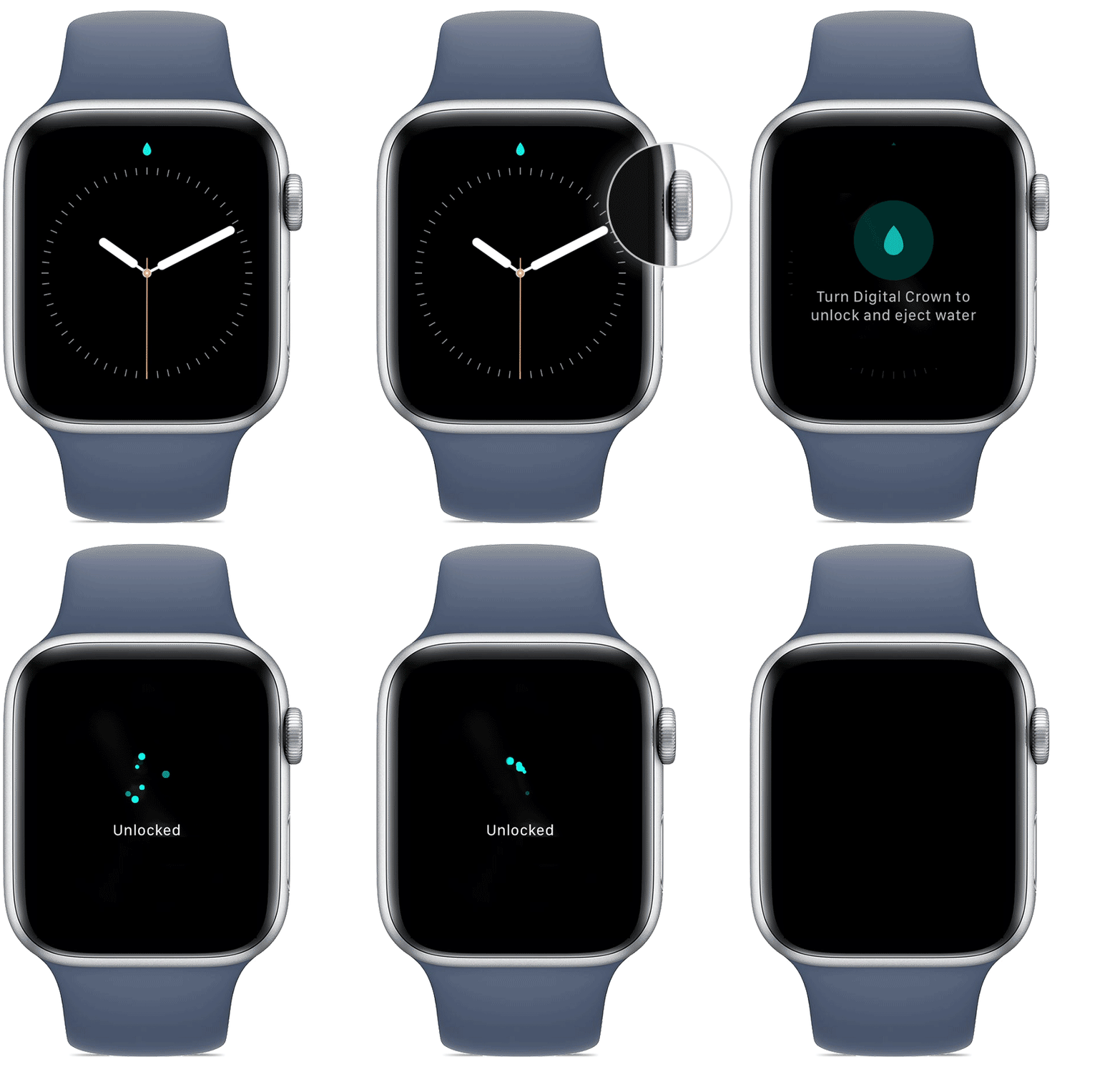
‘ turn Digital Crown to unlock and release water’ I want to turn this off. How do I do thst

I pressed the drip symbol and it gives me the instruction ‘turn Digital Crown to unlock and release water’ I want to turn this off and do not know how.

Apple Watch Series 6, watchOS 7

Posted on Feb 19, 2021 11:53 AM

Reply
Question marked as Top-ranking reply

Posted on Feb 19, 2021 11:57 AM

According to How to use Water Lock and eject water from your Apple Watch - Apple Support:

"Turn the Digital Crown on the side of your Apple Watch until the display says Unlocked. You can rotate the Digital Crown in either direction."

2 replies

This thread has been closed by the system or the community team. You may vote for any posts you find helpful, or search the Community for additional answers.

‘ turn Digital Crown to unlock and release water’ I want to turn this off. How do I do thst

Welcome to Apple Support Community
A forum where Apple customers help each other with their products. Get started with your Apple Account.