This calculation is a 'piece of cake' compared with doing it in AppleWorks, where the DATEDIF function did not exist.
The three tables below are duplicates, with only the birth date changed to occur earlier or later in the year than the death date.
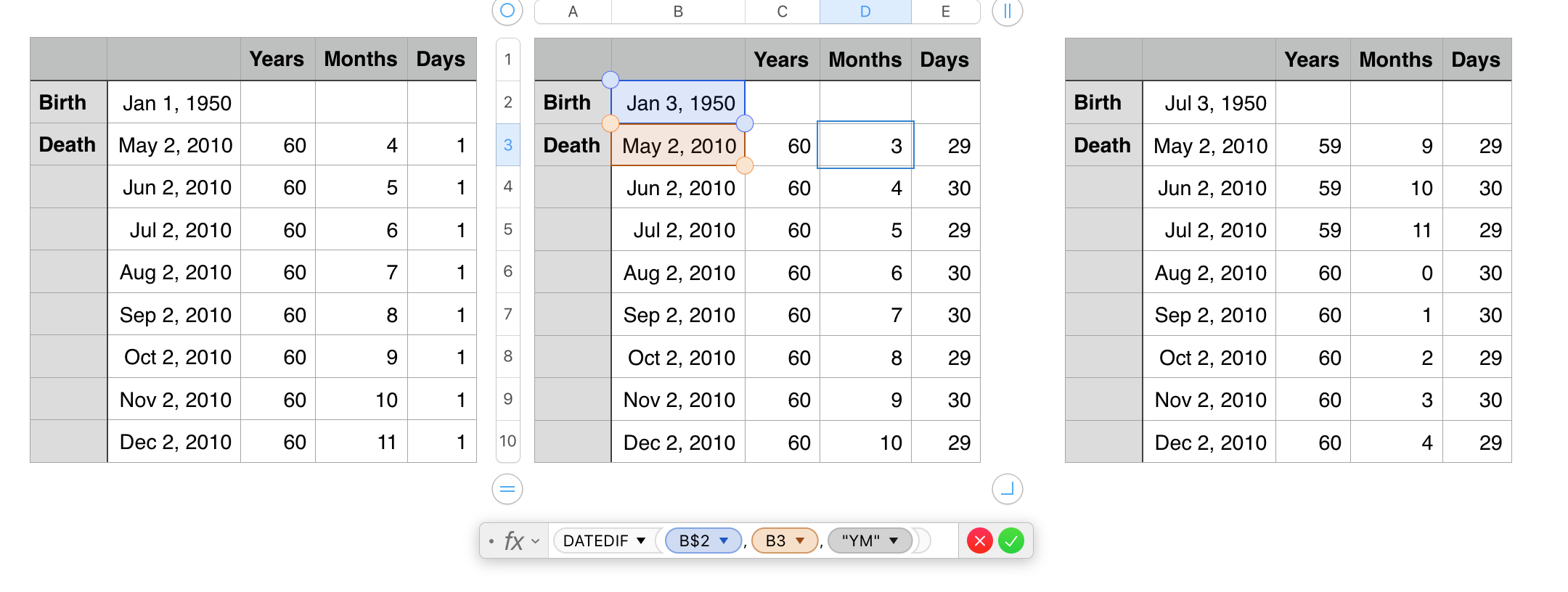
The formula shown below the middle table is the one calculating the number of Months. It differs from the ones in column C (years) and column E (days) only in the third argument. The absolute reference operator ( $ ) in the reference to B2 is there only because I was testing several death dates against the same birth date, and needed the formula to hold that row as it was filled
The formulas (fixed location version)::
C3: DATEDIF(B2,B3,"Y")
D3: DATEDIF(B2,B3,"YM")
E3: DATEDIF(B2,B3,"MD")
If calculating a list of birthdates and corresponding death dates, the layout below would be more convenient:
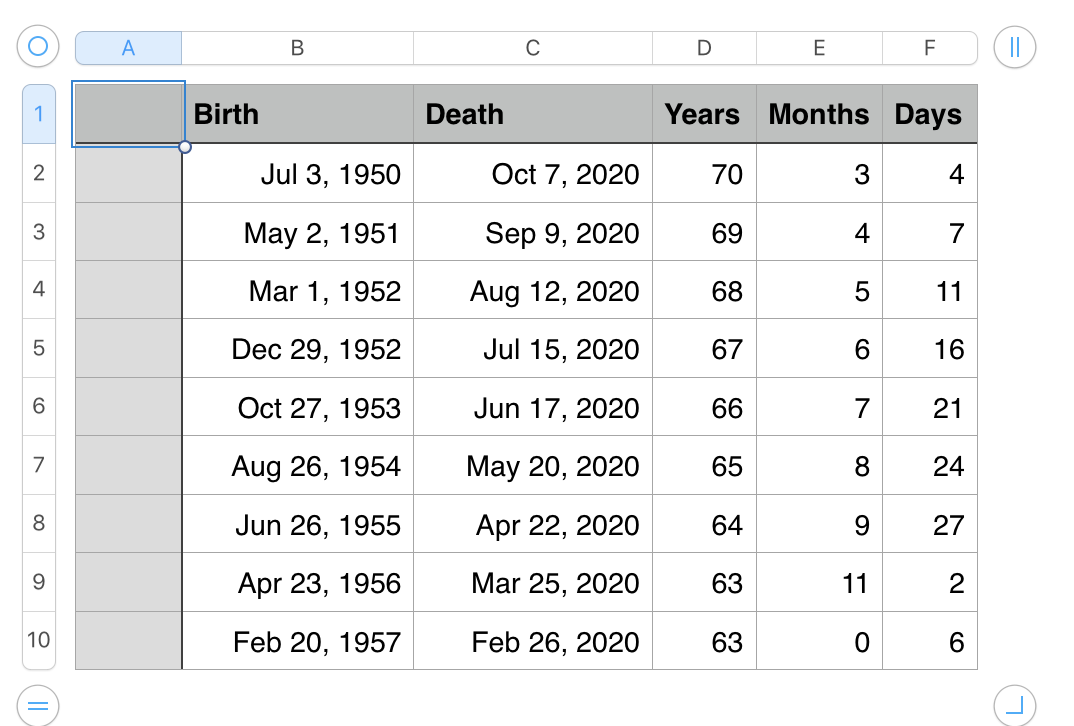
with the formulas revised as below:
D2: DATEDIF(B2,C2,"Y")
E2: DATEDIF(B2,C2,"YM")
F2: DATEDIF(B2,C2,"MD")
More information on the DATEDIF function can be found in the Function Browser, available on cliking any cell and pressing =
Regards,
Barry

