iPhone is asking for airplay code for all third party devices but iPad doesn't

I am using iPhone XS with iOS 14.4.2, it is asking for an on-screen airplay code for all the third party apps that I am using. I entered the on-screen code if the app has one, but it never worked. And some apps don't even need or have a code. But when I use these apps on my iPad for screen mirror, they all work fine without asking for the on-screen airplay code.


Not sure if anyone has the same issue and if there is a solution out there.

iPhone XS, iOS 14

Posted on Apr 8, 2021 4:37 PM

Reply
2 replies

Apr 10, 2021 11:50 AM in response to vividck

Hi vividck,


We understand your iPhone is asking for an AirPlay code to connect. We're happy to help.


To start, are you trying to AirPlay to an Apple TV? Or it is a TV that has built in AirPlay functionality?


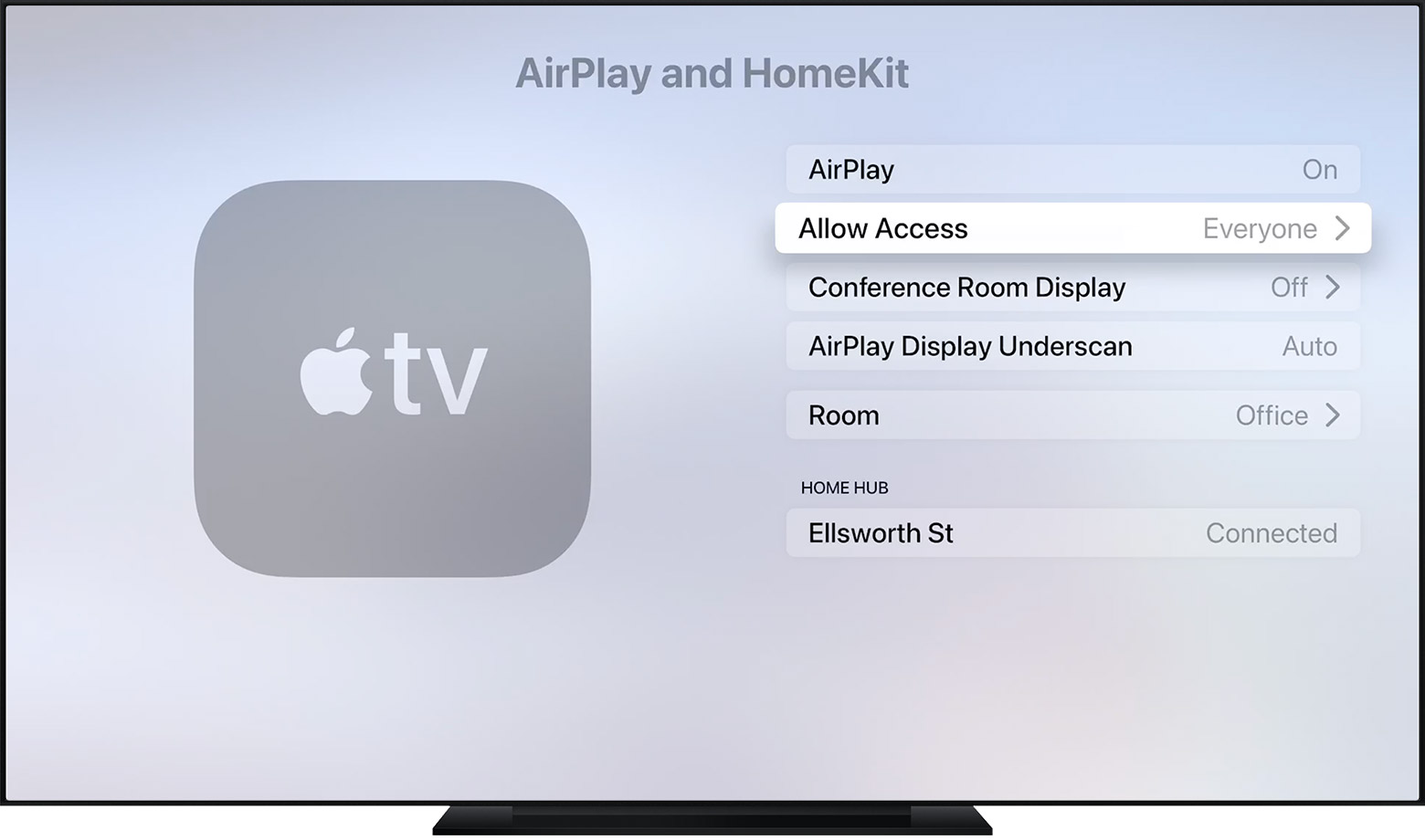
If you're using an Apple TV, you can turn off that code request by navigating to Settings > AirPlay & HomeKit, and change the Allow Access option to Everyone. This will allow you to connect any device without the need to enter a code.


Manage AirPlay settings on your Apple TV


We hope this helps. Cheers!


Apr 10, 2021 11:50 AM in response to vividck

Hi vividck,


We understand your iPhone is asking for an AirPlay code to connect. We're happy to help.


To start, are you trying to AirPlay to an Apple TV? Or it is a TV that has built in AirPlay functionality?


If you're using an Apple TV, you can turn off that code request by navigating to Settings > AirPlay & HomeKit, and change the Allow Access option to Everyone. This will allow you to connect any device without the need to enter a code.


Manage AirPlay settings on your Apple TV


We hope this helps. Cheers!


This thread has been closed by the system or the community team. You may vote for any posts you find helpful, or search the Community for additional answers.

iPhone is asking for airplay code for all third party devices but iPad doesn't

Welcome to Apple Support Community
A forum where Apple customers help each other with their products. Get started with your Apple Account.