I bought the 2TB storage and my cell says I don’t have enough storage
I bought the 2TB storage plan but it keeps saying that I need more ?? Why is that it doesn’t show me on my cell phone that I have that plan it says I have 64 still
Your photos are always available for both iPhone and iCloud. You delete it on the iPhone it is gone from iCloud and vice-versa. To save space on your iPhone use optimized iPhone storage. Remember, if you delete in one it is deleted everywhere.
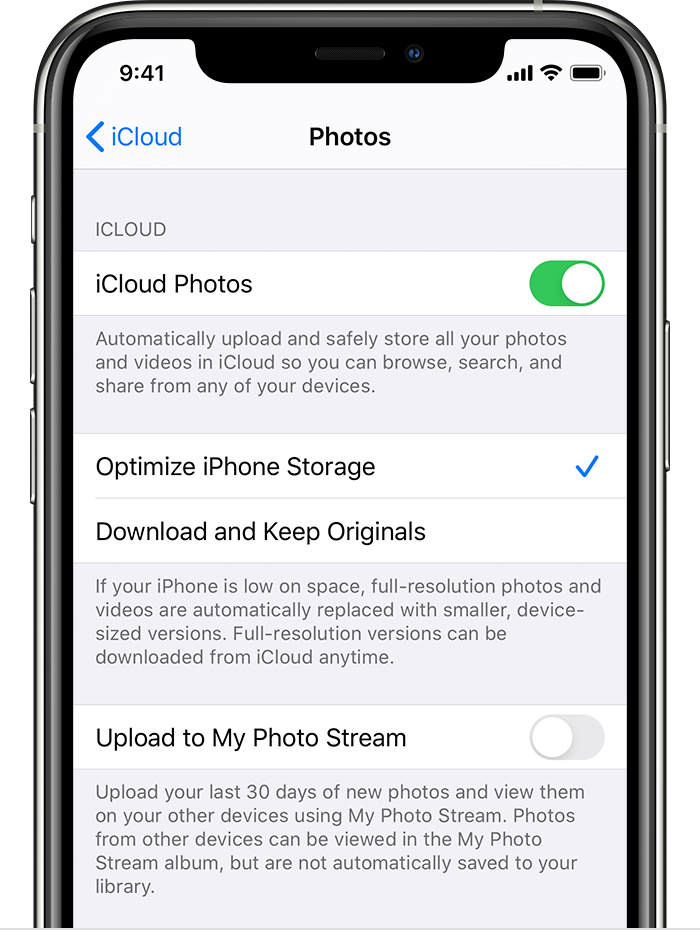
Get started with iCloud Photos:
Tap Settings > [your name] > iCloud > Photos.
Turn on iCloud Photos.
Select Optimize iPhone Storage to save space on your device.
With Optimize Storage, smaller, space-saving photos and videos are kept on your device while all of your original, full-resolution versions are stored in iCloud. And as long as you have enough space in iCloud, you can store as many photos and videos as you want.
Your photos are always available for both iPhone and iCloud. You delete it on the iPhone it is gone from iCloud and vice-versa. To save space on your iPhone use optimized iPhone storage. Remember, if you delete in one it is deleted everywhere.
Get started with iCloud Photos:
Tap Settings > [your name] > iCloud > Photos.
Turn on iCloud Photos.
Select Optimize iPhone Storage to save space on your device.
With Optimize Storage, smaller, space-saving photos and videos are kept on your device while all of your original, full-resolution versions are stored in iCloud. And as long as you have enough space in iCloud, you can store as many photos and videos as you want.
iCloud storage is independent of iPhone storage. If you need more space on your phone, you will need to delete something. You can’t increase the storage space on your phone.
This thread has been closed by the system or the community team.
You may vote for any posts you find helpful, or search the Community for additional answers.
I bought the 2TB storage and my cell says I don’t have enough storage
Welcome to Apple Support Community
A forum where Apple customers help each other with their products. Get started with your Apple Account.