Automatically hide rows

Looking at this


I have a table for each club that I used. In this image, I have hidden most of the preceding rows because of the table's length as it grows. Is there a way to automatically hide the last previous row entered after I create a new entry? I realize that I would have to apply any code to each table.

41

30

Total

78

12

13

4

2

Hits

109

Posted on Apr 17, 2021 8:15 AM

Reply
6 replies

Apr 17, 2021 1:32 PM in response to Barry

Hmm…

Tried a possible solution, but ran into a roadblock. Applying an active filter to the table prevented inserting a row below the last visible row without first turning the filter off.


Here's the example, showing both auxiliary columns (F and G) controlling what rows will be displayed when the table is filtered.
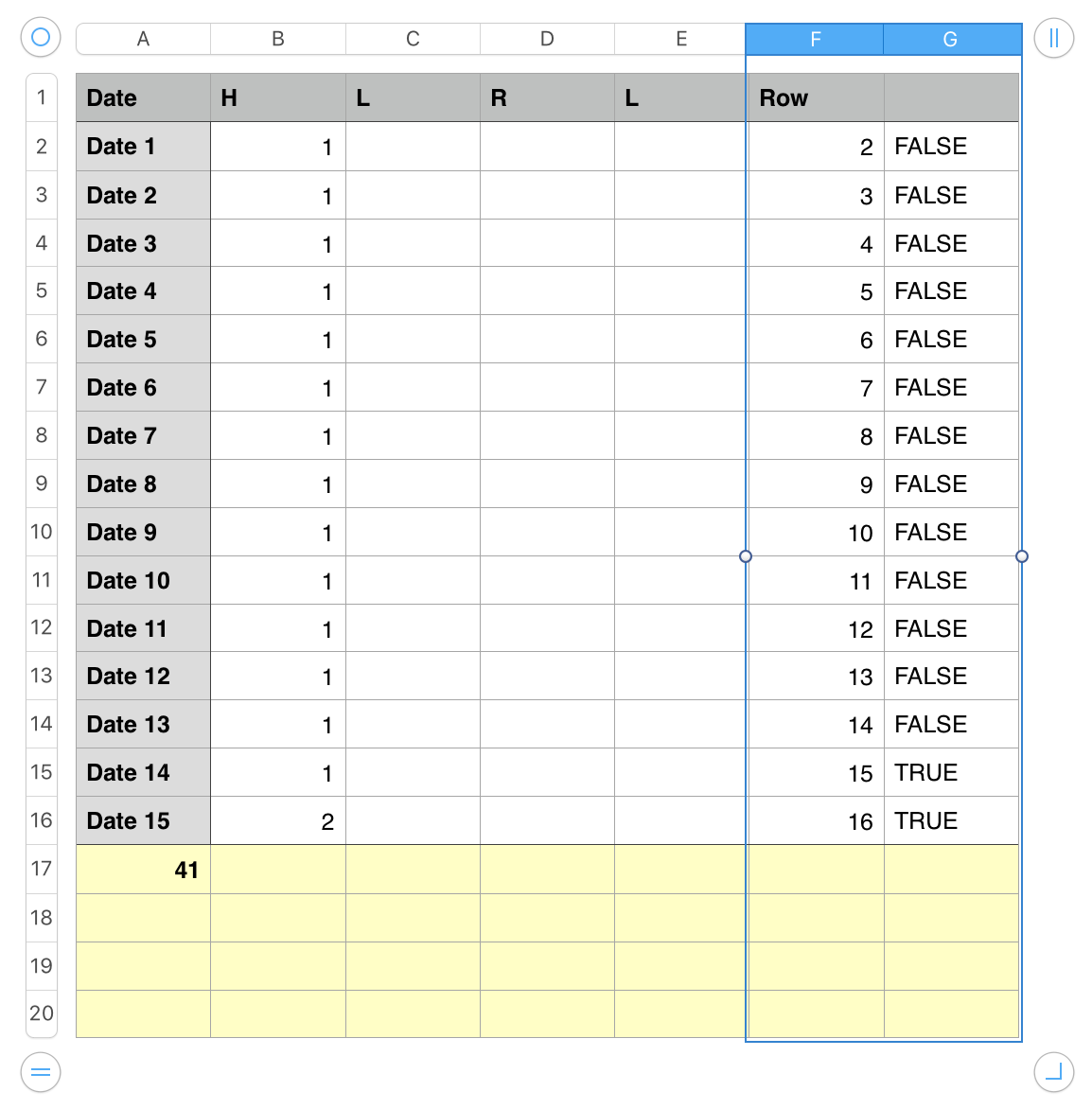
F2 contains the formula ROW() which returns the row number of the row containing each copy.

G2 contains this formula ROW()>MAX(F)−2


Both formulas are filled down to the last non-footer row in the table, and are automatically copied into a new row when one is inserted.


To insert a new row, click on a cell in the last body row (containing the most recent entry) then either press return or press option-down arrow to insert a new body row (shown above).


Columns F and G would ve hidden in normal use, giving this appearance to the unfiltered table…
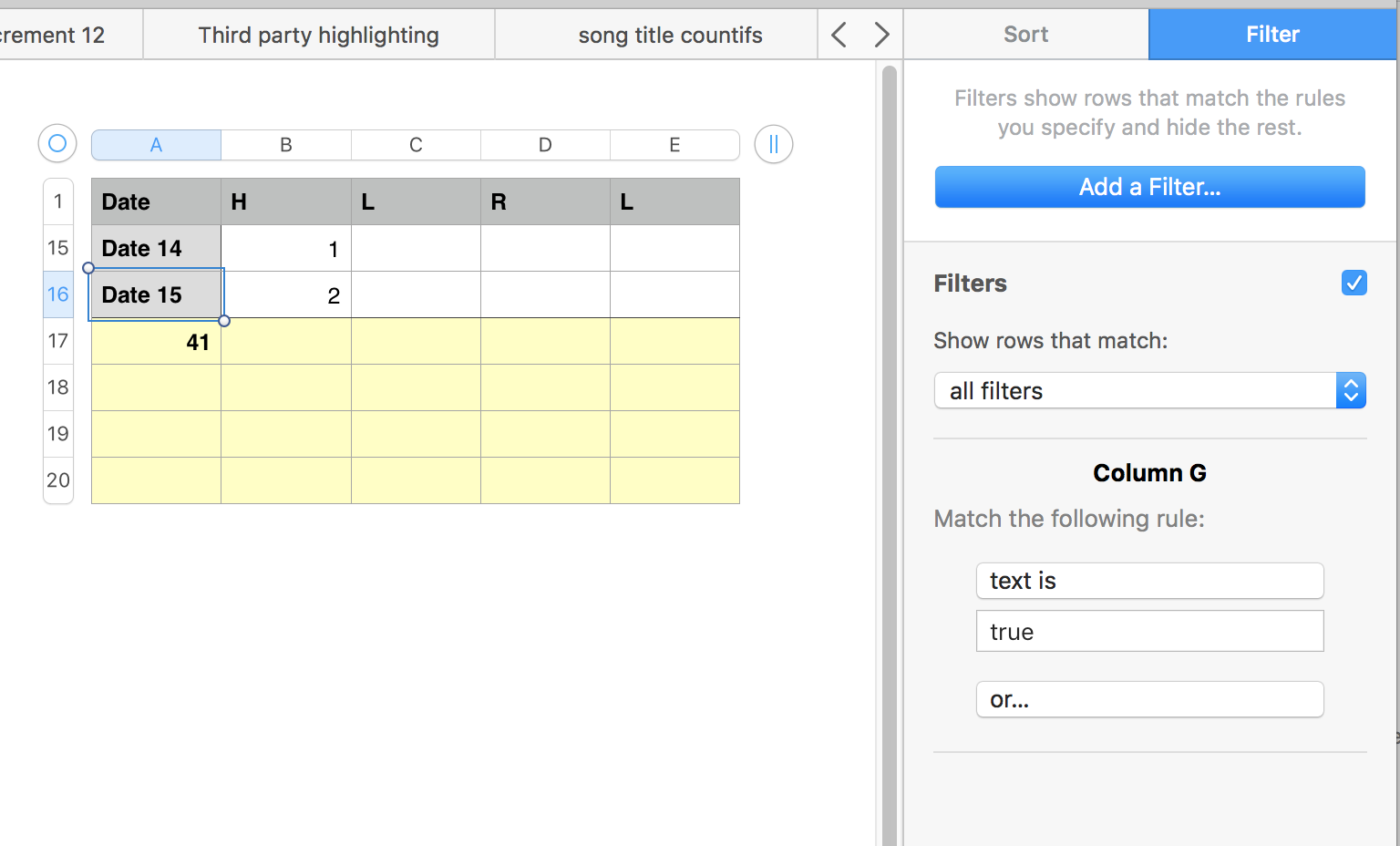
And this appearance after the following steps:

  • Select a cell in the last entry.
  • Open the Sort and Filter Inspector to Filter.
  • Click the Filter checkbox to uncheck it.
  • Press return to confirm the entry in the selected cell, insert a new row and move the focus to the cell in the same column of that new row.
  • Click the Filter checkbox to re-activate the filter.
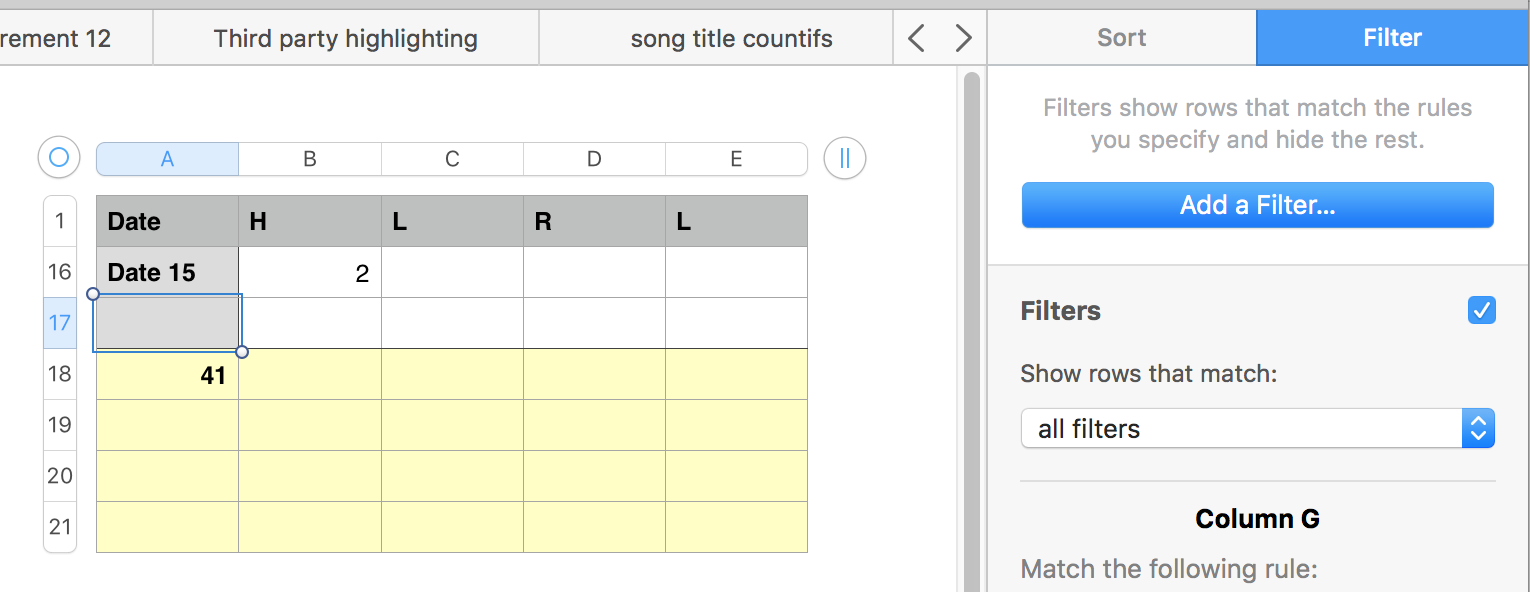


Not a pretty solution, but the best I can see for now, given the apparent prohibition on inserting new rows to a filtered table.


Regards,

Barry

Apr 17, 2021 6:26 PM in response to dtryon9981

I do not recall the previous effort. And to be clear, we are not "support people" we are other users of the app.


Because of the inability to add rows to filtered tables, I think you'll have to start out with a large table, only one row of which you will see at any given time. Each row will have a checkbox. When you click the checkbox, the row will hide and the next empty row will show.


First screenshot is an example table with the filter off.

Second is the same table with the filter on. Row 6 is the only row showing.

Third is the same table after checking the box in row 6. Now row 7 is showing


Your table would be much longer than the one in my example I would think.


The formula in cell G2 =AND(C2=FALSE,C1≠FALSE)

Fill down to complete the column

Hide column G after it is set up.

Turn off the filter to see all the rows again.

Apr 17, 2021 1:26 PM in response to dtryon9981

I am confused as to what you want to hide and what it means to "create a new entry".


Does "create a new entry" mean "add a new row to the table" or does it mean "enter data in the next empty row" or something else?


Does "hide the last previous row entered" mean "hide the row directly above the new one you just added" or does it mean "hide all the rows above new row just added" or does it means something else.


Do you expect the "previous previous row" to unhide when the "previous row entered" becomes hidden or is it once hidden, always hidden?

Apr 17, 2021 4:08 PM in response to dtryon9981

Previously when I was filling in this table I had asked one of you support people how when I input a posting date in this table it would automatically input that date in all of the other tables that I had for each club I was using.

This is the code I was given to accomplish that


Since that time I found that if I didn't use the Ping Driver table that was not being accomplished so I decided to use a Play Date as shown above. Now each of the individual tables read that date.


So as not to have a long list of dates in the date column I am hoping to hide any row that would precede the current row being entered. Then the table would only show the row of the current date that is being entered. Then the next time I were to enter a new date the existing row would become hidden. Of course, all rows would still be available to be un-hidden.


Does this make sense to you?

This thread has been closed by the system or the community team. You may vote for any posts you find helpful, or search the Community for additional answers.

Automatically hide rows

Welcome to Apple Support Community
A forum where Apple customers help each other with their products. Get started with your Apple Account.
