
Is it original display?
Is it original display?
iPhone 11
Is it original display?
iPhone 11
Do you have reason to think the display is not original? Did you read the link referenced above under Related Article, which shows this:
Important Display Message
If you see the message below when you go to Settings > General > About, the display in your iPhone is unable to be verified. This message applies to iPhone 12, iPhone 12 mini, iPhone 12 Pro, iPhone 12 Pro Max, iPhone 11, iPhone 11 Pro, and iPhone 11 Pro Max.
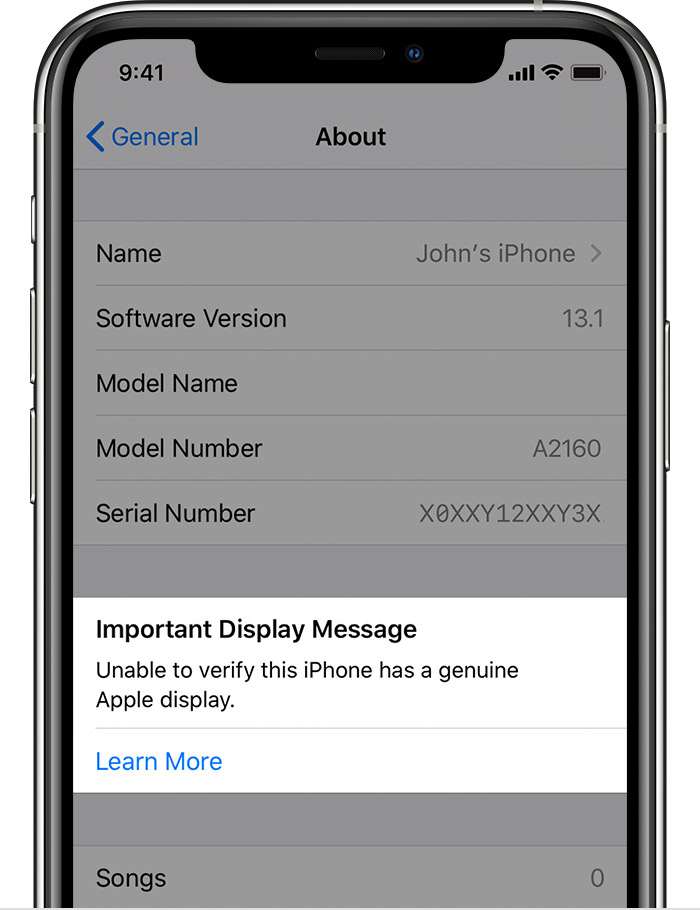
Unable to verify this iPhone has a genuine Apple display. Learn more…
You might see an additional notification that says, "Apple has updated the device information for this iPhone." This means that Apple has updated the device information maintained for your iPhone for service needs, safety analysis, and to improve future products.
These notifications don’t affect your ability to use your iPhone or your display.
You will see a notification on your Lock screen for the first 4 days that you use your device and in the Settings app for 15 days. After that period, you can find the notification by going to Settings > General > About.
Do you have reason to think the display is not original? Did you read the link referenced above under Related Article, which shows this:
Important Display Message
If you see the message below when you go to Settings > General > About, the display in your iPhone is unable to be verified. This message applies to iPhone 12, iPhone 12 mini, iPhone 12 Pro, iPhone 12 Pro Max, iPhone 11, iPhone 11 Pro, and iPhone 11 Pro Max.
Unable to verify this iPhone has a genuine Apple display. Learn more…
You might see an additional notification that says, "Apple has updated the device information for this iPhone." This means that Apple has updated the device information maintained for your iPhone for service needs, safety analysis, and to improve future products.
These notifications don’t affect your ability to use your iPhone or your display.
You will see a notification on your Lock screen for the first 4 days that you use your device and in the Settings app for 15 days. After that period, you can find the notification by going to Settings > General > About.
Is it original display?
