Hey there, Pixcess.
We understand that you want to purchase music from the iTunes Store and need some direction with that. Check out the steps below, from the article, which show you how to purchase songs or albums from the iTunes Store: Buy music from the iTunes Store
- Open the Apple Music app.
- Use the Search bar to find the song or album that you want to buy.
- Click the iTunes Store button in the upper-right corner. Don't see the iTunes Store?
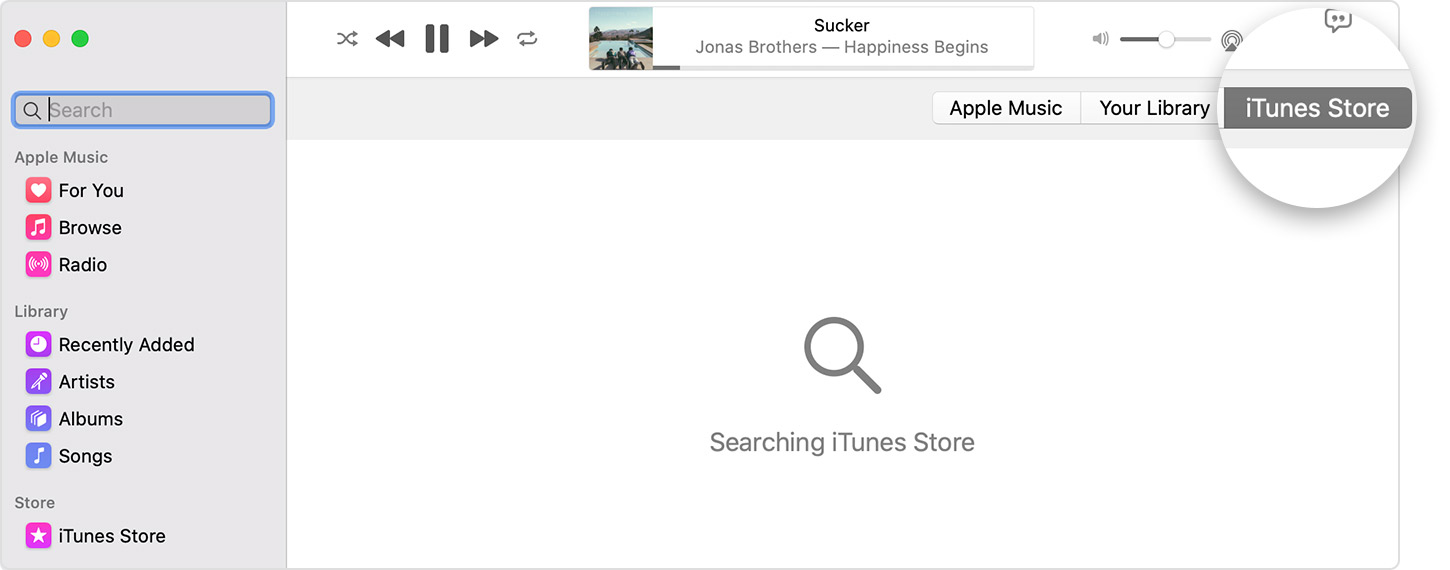
- Click the price next to the song or album to buy it.
- Sign in with your Apple ID and password to complete the purchase. Need help?
After you buy music, you can find it in your music library.
To download music to listen to offline, find the song or album in your library, then click the Download button  .
.
In the latest version of macOS, the iTunes Store might be hidden. Here’s how to find it:
- Open the Apple Music app.
- In the menu bar, choose Music > Preferences.
- Go to the General tab and select iTunes Store.
- Click OK."
It says macOS Catalina above, but it should work for macOS Big Sur as well. The link above also shows how to purchase music from the iTunes Store from other devices, like an iPhone and so on.
We hope that information helps. Take care!


