tvOS 14.5 - Homepod Audio sync issues

Hey guys,


Just updated my Apple TV 4K to 14.5 and it has completely thrown my Homepods out of sync with my TV speakers.


I've run the wireless audio calibration multiple times (with my iPhone), reset and wiped the whole device, calibrated on different format modes, and it still isn't syncing. The Homepods are playing sound perhaps 30ms ahead of the TV speakers across ALL apps.


Please help! It was all beautifully synced before the update :(

Apple TV 4K, tvOS 14

Posted on Apr 28, 2021 1:15 AM

Reply
Question marked as Top-ranking reply

Posted on Apr 28, 2021 8:35 AM

Not sure if you reset the Apple TV or HomePods or both?

The HomePods may have updated also, if you had them enabled to automatically update. If not, then update the HomePods to 14.5 as well. If it’s still not working restart or reset HomePods Reset HomePod - Apple Support

  • Update the software on the iOS device you set up HomePods with
  • Try restarting them first.

A Reset or removal will require setting them up again

You can choose to do a hard Reset by pressing the top or via the home app- long press on HomePod icon, scroll to gear icon, scroll, to bottom - Remove.

To Restart them, from the Home App in HomePod settings - choose Reset - then Restart


Similar questions

39 replies
Question marked as Top-ranking reply

Apr 28, 2021 8:35 AM in response to ashtv

Not sure if you reset the Apple TV or HomePods or both?

The HomePods may have updated also, if you had them enabled to automatically update. If not, then update the HomePods to 14.5 as well. If it’s still not working restart or reset HomePods Reset HomePod - Apple Support

  • Update the software on the iOS device you set up HomePods with
  • Try restarting them first.

A Reset or removal will require setting them up again

You can choose to do a hard Reset by pressing the top or via the home app- long press on HomePod icon, scroll to gear icon, scroll, to bottom - Remove.

To Restart them, from the Home App in HomePod settings - choose Reset - then Restart


May 19, 2021 12:56 AM in response to ashtv

Hello all,


Just updated to the latest 14.6 release (version released yesterday). After a fresh run of the wireless audio sync it has fixed the problem and is beautifully in sync!


May not work for everyone, and should be installed with caution as it's impossible to downgrade to an earlier firmware - but this has solved the issue for me.

May 4, 2021 12:58 AM in response to ashtv

I had exactly the same issue. Restarting and resetting the homepod and after calibrating the audio numerous times, it didn't fix the issue unfortunately. The workaround I did which worked is as follows:


  1. Turn off both Dynamic Range and Frame Rate under Settings->Video & Audio->Match Content
  2. Do the calibration again under Wireless Audio Sync
  3. Turn on both Dynamic range and frame rate under Match Content


I noticed there's still a very slight delay between TV speaker and homepod when I play youtube videos and music but when I play Netflix and Apple TV contents, they are well perfectly synced. Hope this helps.

May 20, 2021 3:05 AM in response to chalovak

Ok I think I have a solution for you people - at least these steps seem to work for me:


Setup - two Homepods and one Apple TV connected to LGTV with optical connection to two KRK monitors. All in different rooms (configured with Home app on iPhone iOS14.5)


After upgrading all devices to 14.5 - Homepods were out of sync with ATV/KRK - I hav previously factory reset all devices and couldn't get SYNC working as it was before 14.5 upgrade!!!!!


So, this is my recollection of the steps to getSYNC working - good luck, I hope this works for you


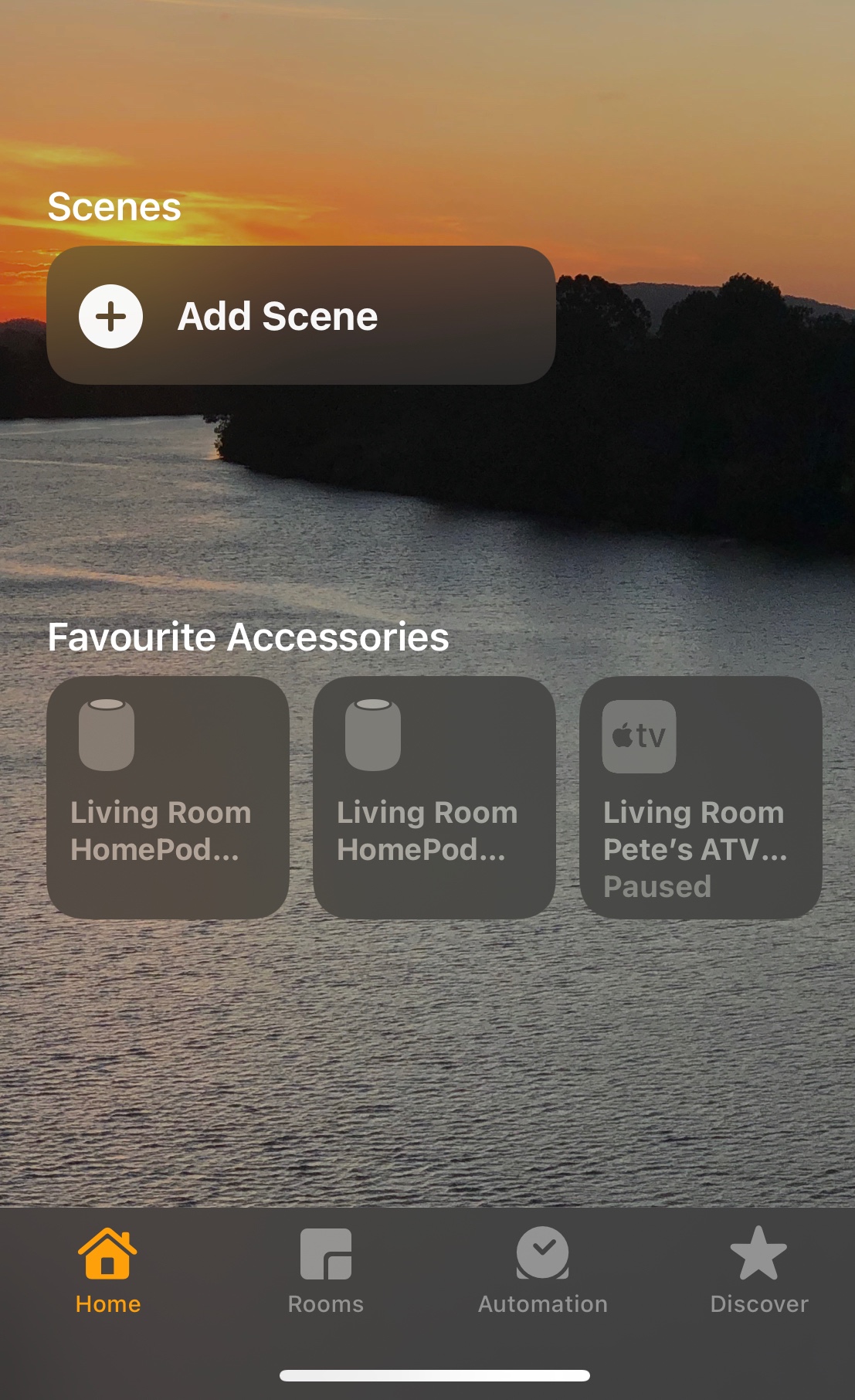
I moved the Homepods next to the ATV, and used Home app to configure Homepods into the same room (living room) and also configured as "paired".

Then I set the ATV to use the Homepods as audio out (ATV Settings - Video & Audio - Default Audio Output - Select - Homepods

Played some ATV through them and while a show was playing, next step,

From iPhone I played music and directed the music to the Airplay - in my case the "Living Room" (which was Homepods-Pair) and then added the ATV speakers to the airplay list and F-me it played in sync.


Then I un-paired the Homepods - still all in sync

Then moved the Homepods back to different rooms and I can airplay to all three devices IN SYNC - F-yeh
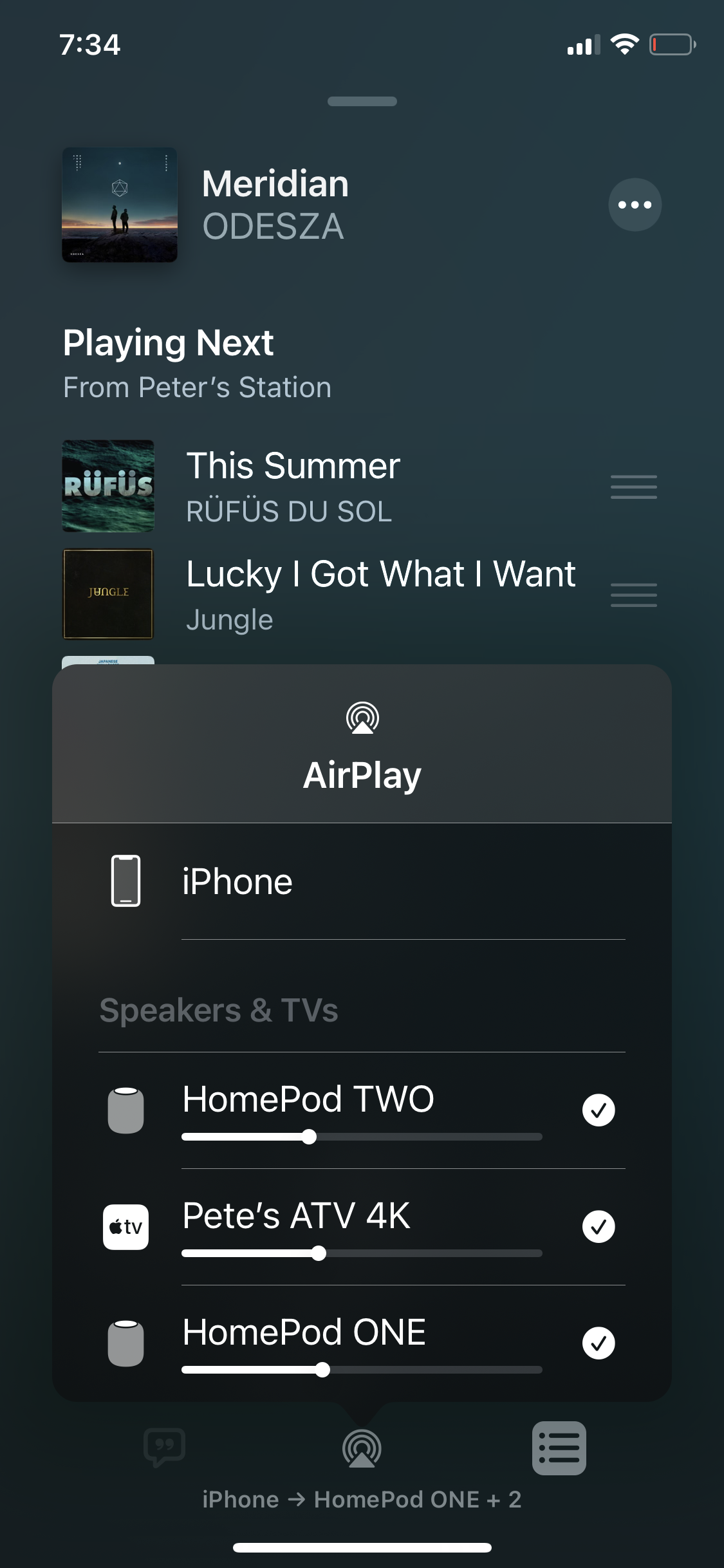

It sounds awesome again with ODESZA filling the place with music IN SYNC

May 15, 2021 10:07 AM in response to Robs1978

Figured a solution. Turn on av sync AND bypass on tv settings (I have LG 65inch 4K). My set-up is optical out from tv to external front 3.1 Bose speakers. I use HomePods for 3D surround effect. Also with Apple TV 4K do NOT use audio sync calibration just reset this. Bingo everything as it was and beautiful sound in every app I’ve tried (Netflix, youtubetv, etc). I hope this helps with 14.5 update.

Jun 9, 2021 8:56 AM in response to DocMultimedia

Problem exists in 14.6 as well. It's not just Homepods. It's ANY sound system. Can't watch movies from my Mac mini library through my HiFi stereo system either. Sound starts out fine then gradually gets out of sync. Go back 10 seconds and it's fine at start then gradually gets out of sync again. It's impossible to use. There is NO tweaking fix for this. My solution (not for everyone), was to replace my Apple TVs with new, old ones that still have 14.4 on them, turn off auto OS updates. When Apple Stores open up again, I will "donate" the old ones to them.

Apr 28, 2021 11:40 AM in response to ashtv

Reboot the wifi router as well. If this is one app doing it that might be the culprit. Although if you reset the Apple TV you would have installed the latest versions of other apps.


Any time this happened with mine, I would force quit the app & Restart Apple TV. Or even restart the show from the beginning. There are some shows that appear to be doing this when they’re not, if they are dubbed versions. Their mouths aren’t moving in sync with the sound.


May 9, 2021 9:05 PM in response to ashtv

Yes, brutal sync issues with 14.5. When playing some mp4 videos on my ATV that sit on my MacBook Air (Silicon) the audio slowly gets ahead of the video and continues to drift further ahead (I'm on a 1GB line). In five minutes it gets about 5 seconds off. If I pause and immediately play it is resynced. And starts drifting again. It NEVER did this in any earlier OS. If I convert the file to a massive mov it will properly play. I reset everything from scratch. Even more frustrating is that it is only some of my mp4s, not all, although they all have identical compression and format (as far as I know). The "bad" ones are consistently bad, good ones always good. Really hope 14.5.1 fixes this. Starting to regret buying a pair of HomePods when they first came out to go with my ATV. :(


PS. There are zero problems when using apps such as Netflix, Amazon, ATV+ directly on my ATV.

This thread has been closed by the system or the community team. You may vote for any posts you find helpful, or search the Community for additional answers.

tvOS 14.5 - Homepod Audio sync issues

Welcome to Apple Support Community
A forum where Apple customers help each other with their products. Get started with your Apple Account.
