
Setting up payments through my bank
If I want to set up payments to my Apple Card through my bank what is the address to where I set that up to?
If I want to set up payments to my Apple Card through my bank what is the address to where I set that up to?
That is not possible to do but you can schedule payments.
You can set up recurring scheduled payments or make a one-time payment in the Wallet app with just a few taps. If you don't have an eligible iPhone or iPad, you can make an Apple Card payment online at card.apple.com.
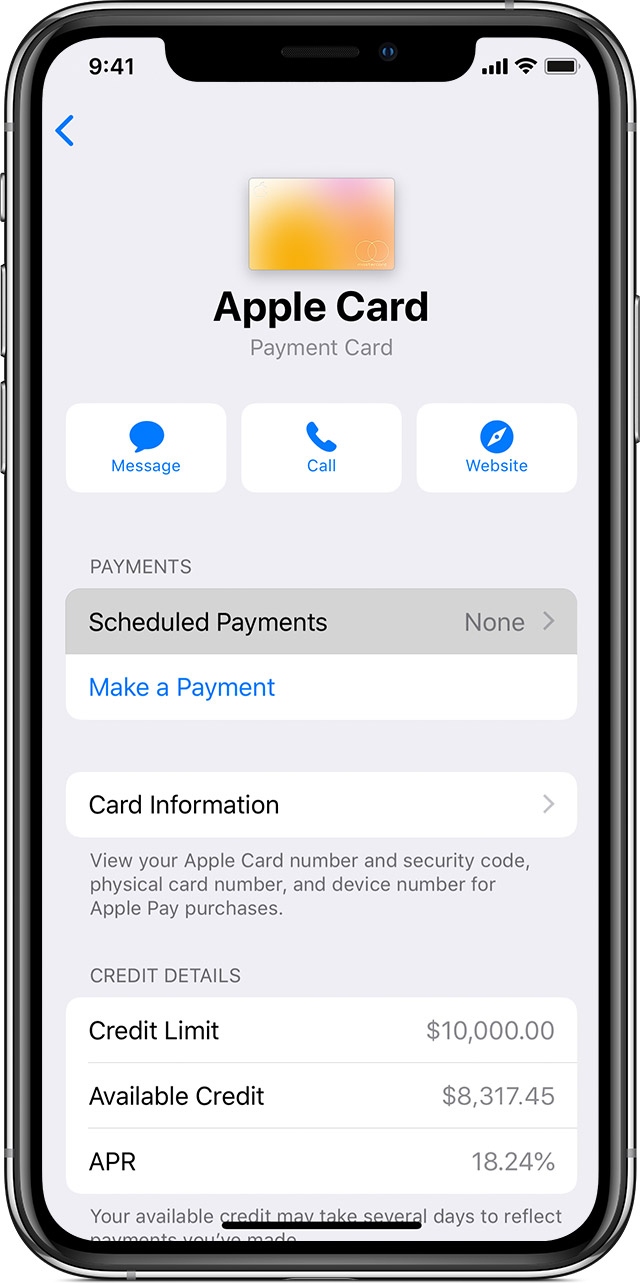
Set up scheduled payments for Apple Card
 , tap Scheduled Payments, then tap Continue.
If you want to change your scheduled payment, you need to first cancel your current scheduled payment. Just tap the more button , then tap your scheduled payment under Scheduled Payments. Tap Cancel Payments and tap Cancel Payments again to confirm your choice.
That is not possible to do but you can schedule payments.
You can set up recurring scheduled payments or make a one-time payment in the Wallet app with just a few taps. If you don't have an eligible iPhone or iPad, you can make an Apple Card payment online at card.apple.com.
Set up scheduled payments for Apple Card
, tap Scheduled Payments, then tap Continue.If you want to change your scheduled payment, you need to first cancel your current scheduled payment. Just tap the more button , then tap your scheduled payment under Scheduled Payments. Tap Cancel Payments and tap Cancel Payments again to confirm your choice.
Setting up payments through my bank
