Saxman wrote:
What is going on? Suddenly, for the first time ever, I have a whole bunch of this process listed in my Activity Monitor, and have no clue why they all appeared nor what their purpose is. What is the reason for this:
https://discussions.apple.com/content/attachment/e6538f59-dc1c-4cb7-9454-ce0e532fee0a
What do you see under CPU—is there an issue here?
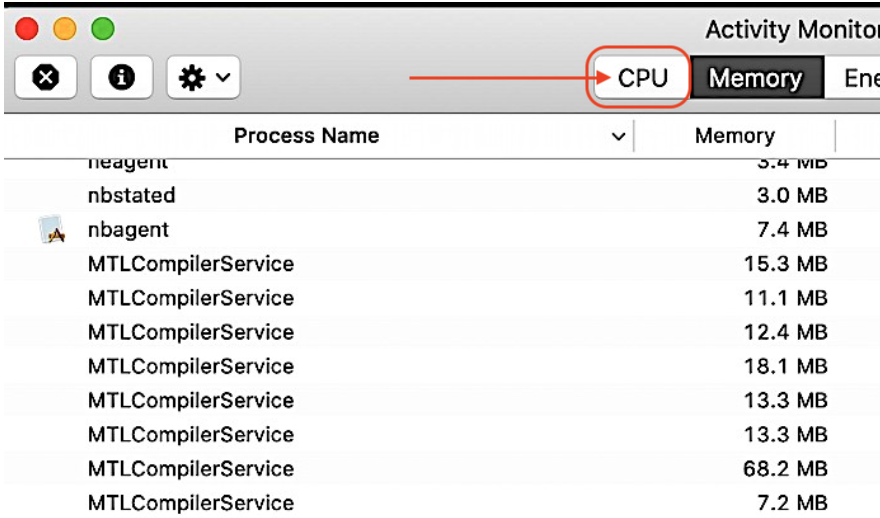
MTLCompilerService is a compiler for 'Metal shader library' that pass information directly to the GPU.
OpenGL vs Metal (preferred) —run between your application and your GPU to speed up graphics and processing 3D rendering .
You do not state what exact Mac this is..
or what exact macOS..
old problem, new problem, what changed...
How is this affecting your macOS performance—is there a bigger issue?
To trouble shoot further you can:
—Try a SafeBoot https://support.apple.com/en-us/HT201262
Takes noticeable longer to get to the login screen, does a 5-15 minute disk repair before it fully boots up, and certain system caches get cleared and rebuilt, including dynamic loader cache, etc.
Login and test. Reboot as normal and test as caches get rebuilt.
In Safe mode third party system modifications and system accelerations are disabled, it removes malware, etc hampering smooth operation, however a reboot will put it back to normal mode.
This test will tell you if third party interference; extensions etc are not loaded in safe boot mode.
—Test issue in another user (or guest user) account https://support.apple.com/guide/mac-help/set-up-other-users-on-your-mac-mtusr001/mac
This will tell you if it a universal issue or isolated to your user/admin account.
Uninstall all third party apps that are Cleaners/Optimizers/VPN/Anti-Virus
If no associated issues I would ignore it, and file a bug report:
https://www.apple.com/feedback/macos.html
You can run the Diagnostic to rule out hardware:
How to use Apple Diagnostics on your Mac - Apple Support.




