Hello jnlybbert,
After reviewing your post, it seems like the computer it is telling you it is already associated with an Apple ID. This article has more information about removing associated devices.
- Open the Apple Music app on Mac or iTunes for Windows.
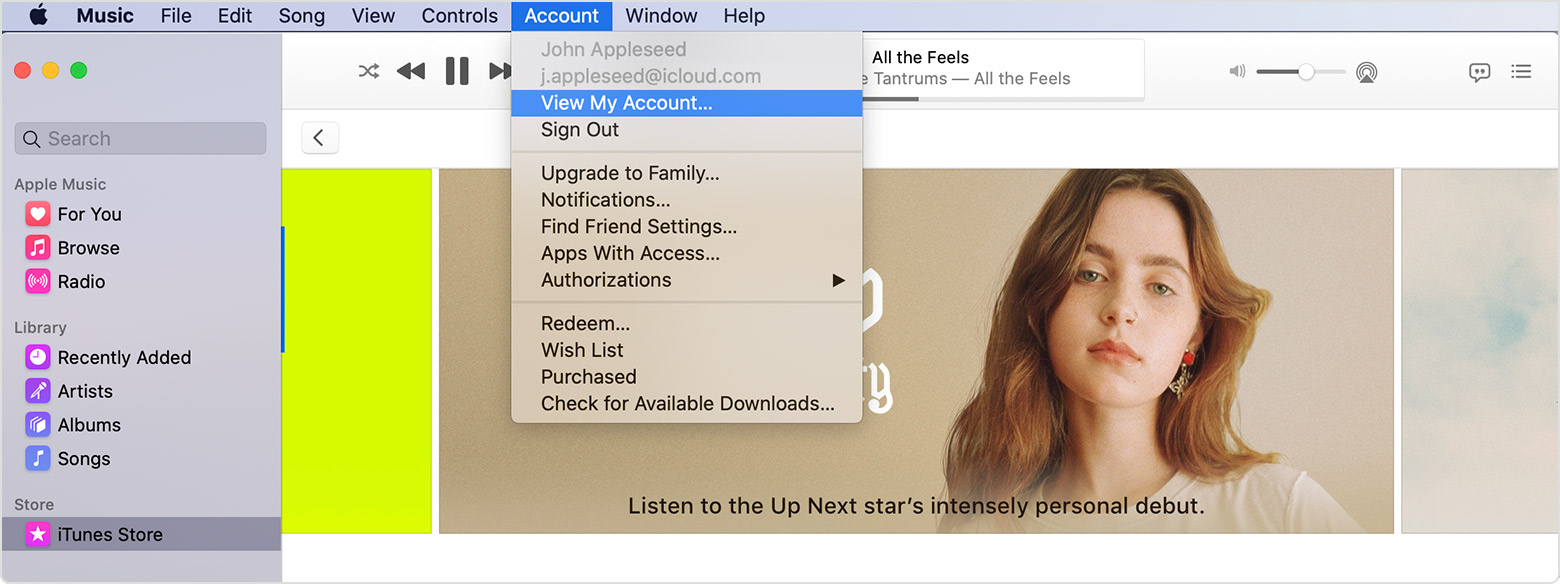
- From the menu bar at the top of your computer screen or at the top of the iTunes window, choose Account > View My Account. You might need to sign in with your Apple ID.
- Scroll to the iTunes in the Cloud section, then click Manage Devices. You’ll see the list of devices associated with your account for purchases. If none of your devices are associated with your Apple ID, you won't see this section.
- Click Remove to the right of a device if you want disassociate it. If you can’t remove a device, you might have to sign out of your Apple ID on that device or wait up to 90 days to associate it with another Apple ID."
View and remove your associated devices for purchases
Please don't hesitate to let us know if you need additional assistance.
Thank you for using Apple Support Communities. Have a nice day.



