Cleaning lightening port
I would like to ask for the directions for properly cleaning the lightening port on my iPhone 12 mini ?
iPhone 12 mini, iOS 14
The Apple Support Community will permanently close on November 20, 2026. Starting today, the site will no longer accept new posts and is available in a read-only state.
You can continue to find trusted guidance and support on the official Apple Support site.
We want to thank the community members who have contributed their time and expertise to help others with their Apple products.
The Apple Support Community will permanently close on November 20, 2026. Starting today, the site will no longer accept new posts and is available in a read-only state.
You can continue to find trusted guidance and support on the official Apple Support site.
We want to thank the community members who have contributed their time and expertise to help others with their Apple products.
I would like to ask for the directions for properly cleaning the lightening port on my iPhone 12 mini ?
iPhone 12 mini, iOS 14
Ha ! My patience is very expensive, but... let's see what I can do for you :)
Seriously, there is an interesting article that you can consult about cleaning Apple products:-> How to clean your Apple products - Apple Support
Regards and best of luck.
Giulio
From this support document, If your iPhone or iPod touch won't charge - Apple Support
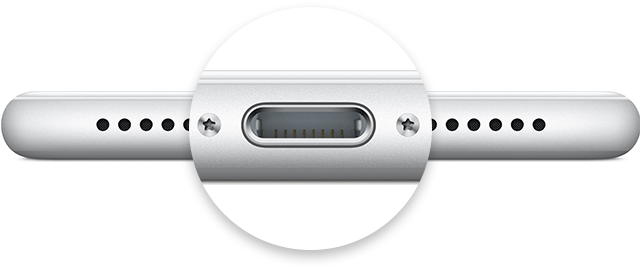
I use a strong flashlight, a wooden toothpick, a soft brush, and... a lot of patience :)
Regards
Giulio
I want to do this correctly and I have been told several different ways to do this. I do not want to do any damage. Would it be beneficial to add a dust plug after cleaning and may I borrow some of your patience please?
Thank you and I will let you know how it goes.
You are most welcome
Cleaning lightening port