 I might have a more convenient solution to the one below.
- Turn all Macs off, except one. (Maybe worth disconnecting from the internet and deleting Google first..?)
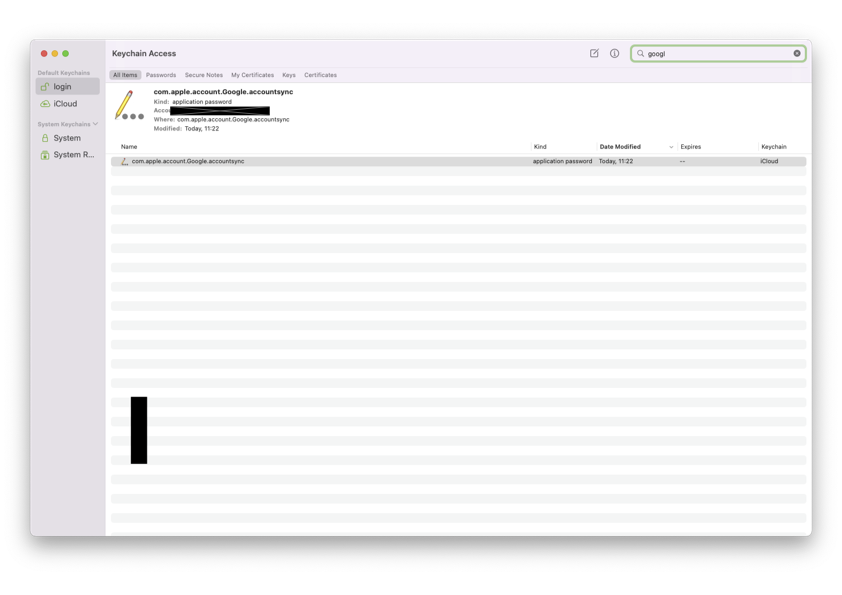
- On the on-Mac, go to Keychain Access in Applications.
- From the Keychain Access Menu, choose 'Show Invisibles'
- You should see a file called 'com.apple.account.Google.accountsync', which is what causes the sync.
- Go to System Preferences/Internet Accounts and delete Google. This should make the 'com.apple.account.Google.accountsync' file disappear from KeyChain Access, which should make Google stay deleted because it will sync to iCloud without being re-added by the other Macs, which are off.
- Turn on your other Macs.
Notes:
I have the same problem with a zombie Gmail account. It's been deleted, confirmed as deleted from Google. It appears inactive on macOS on all my Macs. Deleting from System Preferences/Internet Accounts works for a minute then Google returns, which happens on all Macs. iOS is fine.
I can't confirm the process right now because I can't get to one of my Macs (it's in another city); but this process is what support recommended by phone. I'm pretty sure that this must be right because if you stop KeyChain from syncing across iCloud in System Preferences, you can delete Google from that machine. As soon as you turn KeyChain iCloud sync back on, Google is back. Therefore, it's not something on the Mac, it's to do with iCloud.
I assume it's something like iCloud needs a little more time to sync the deletion but, usually, the addition is synced from another Mac before this has a chance. That's the only thing that makes sense to me, anyway.








