Apple pay and apple cash

I have set up apple pay and verified with the bank that the card is in there. I am trying to use Apple Cash and it says I need to add money. Then I try to add with card in there and it won't take it. I've deleted and added back in my card but I can't get Apple cash to accept use of my card? Bank said contact Apple Support so here I am???


Help?

Posted on Sep 9, 2021 7:33 AM

Reply
15 replies

Sep 9, 2021 8:41 AM in response to glmorris3


glmorris3 wrote:

And, in a test last night. My daughter sent me $5.00 and it went into my Apple cash. Then I sent it back to her with no problem,
but of course could only send the $5.00 that she sent me.

Weirdest thing???

Not weird at all. That Means Apple Cash is active and working. Which is good.


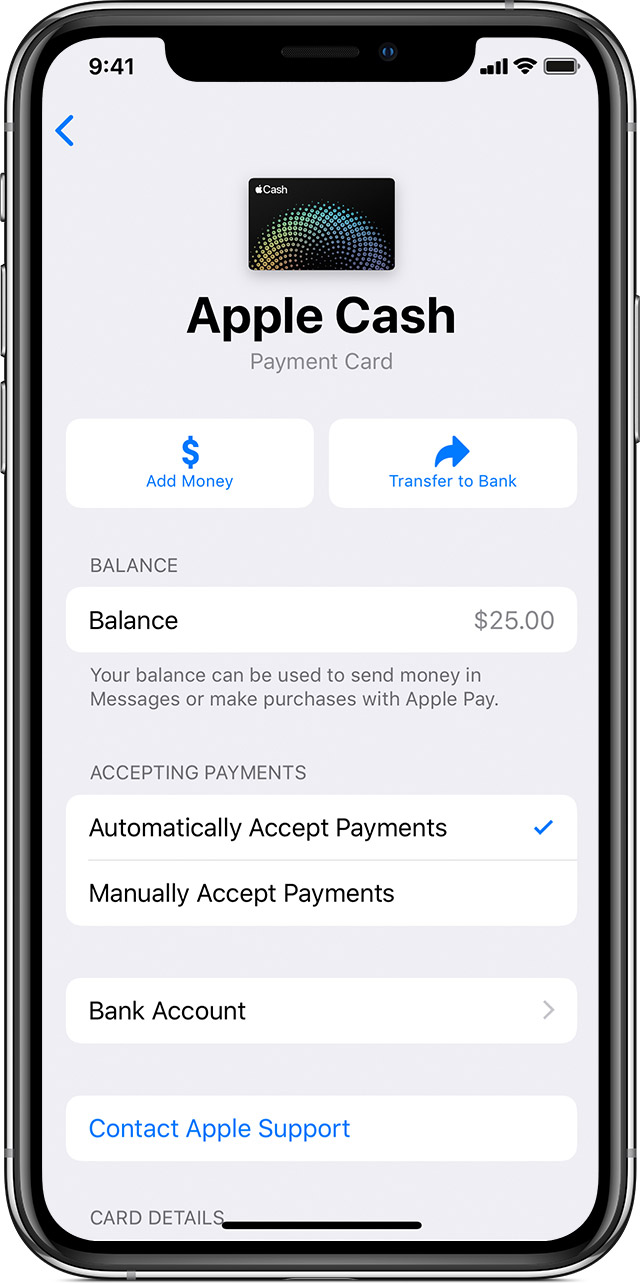
The problem then would seem to be with your card. What happens if you open Wallet, tap on the Apple Cash card, then on the (...) 3 dots at the top right corner, then tap on Add Money. Does it then prompt you to Add a Card?


What happens if you try to Add your Bank Account instead of your card a little further down in that same screen?


Sep 9, 2021 7:53 AM in response to glmorris3

Go to Settings->Wallet & Apple Pay and make sure Apple Cash is turned on there.

glmorris3 wrote:

My bank card is a credit/debit card.

Really? That's not something that normally exists. If it really is both, then Apple Pay may have an issue identifying it as such. A Debit card is connected to a bank account. The money obtained from it, would be removed for the connected checking or savings account.


A Credit card loans you money with an interest fee, and has no connected checking or savings account. It's very odd that a bank would issue a combined version. I'm not even sure how that would work. Are you sure its a debit card? And is connected to a savings account in your bank?


Do note, that just because you can get money with it from an ATM, or it is automatically paid through your savings account by your bank does not make it a debit card.


Open the Wallet App, and make sure your card can be seen there correctly. If it has not yet been approved by your Bank you may need to wait for it to complete the process.



Sep 9, 2021 8:21 AM in response to Phil0124

Yes, and I got on a land line with the bank and even they said, we see the card is set up and in there. It must be an APPLE Pay

issue, because I even deleted it while on the phone with the bank and added back in. They said I'm good to go for Apple PAY,

which I will try somewhere today as this all just started last night and I'm at work now. But, I'm just lost on how to get ANY

money into Apple Cash without a 'DEBIT ONLY" card, I guess?

Sep 9, 2021 8:46 AM in response to Phil0124

what pops up is - "Unable to Add Money"...Use a debit card to add money to your Apple Cash balance.

Cancel or Add Card.....then I tap on add card....then under PAYMENT - Credit or Debit Card - I tap on that - it says Add Card...snap the picture....verify.....then it comes up - This Card is Already in Wallet.....so I'm back to square one.....

Sep 9, 2021 7:37 AM in response to glmorris3

What card did you set for Apple Pay exactly? Was it a credit card or debit card?


Apple Cash requires a debit or pre-paid card. It cannot use Credit cards.


Once you add a debit card, it can be used to transfer fund to Apple Cash.


Apple Cash itself is a "card" that can be used where Apple Pay is accepted.


See here: link-> Add money to Apple Cash - Apple Support

This thread has been closed by the system or the community team. You may vote for any posts you find helpful, or search the Community for additional answers.

Apple pay and apple cash

Welcome to Apple Support Community
A forum where Apple customers help each other with their products. Get started with your Apple Account.