preview of .dng is not good in monterey

Minor issue; when I want a preview of a raw immage (such as adobe .dng) the preview does not show the true image, but has smeared colours. It does load fast.

A .jpg is looking and loading great, better details than before.

iMac Line (2012 and Later)

Posted on Nov 1, 2021 10:28 AM

Reply

Similar questions

9 replies

Nov 2, 2021 10:07 AM in response to alberti-nl

Hi alberti-nl,


Thanks for reaching out to Apple Support Communities. It sounds like you're having an issue with blurry images in Preview. We're happy to provide some information to assist.


We recommend testing the issue in a new user account and in safe mode.


Set up users, guests, and groups on Mac


How to use safe mode on your Mac


If the issue continues with the specific .dng type in safe mode and a new user account, reach out to Apple directly to report the issue and to further assist.


Contact Apple Support


Best.

Nov 2, 2021 10:12 AM in response to alberti-nl

alberti-nl wrote:

Minor issue; when I want a preview of a raw immage (such as adobe .dng) the preview does not show the true image, but has smeared colours. It does load fast.
A .jpg is looking and loading great, better details than before.


If in doubt refer to the developers website; Support/Help/FAQ/known issues/compatibility:


Adobe Digital Negative Converter


Contact a third party vendor

https://support.apple.com/en-us/HT201777


Nov 2, 2021 12:34 PM in response to OrigamiFan1

Thanks, I first saw it in safe mode. But first I will finish this presentation of some pictures, then have an extra look in safe mode again.

here is the original DNG converted to jpeg in Lightroom, and 1500x1500 size


--
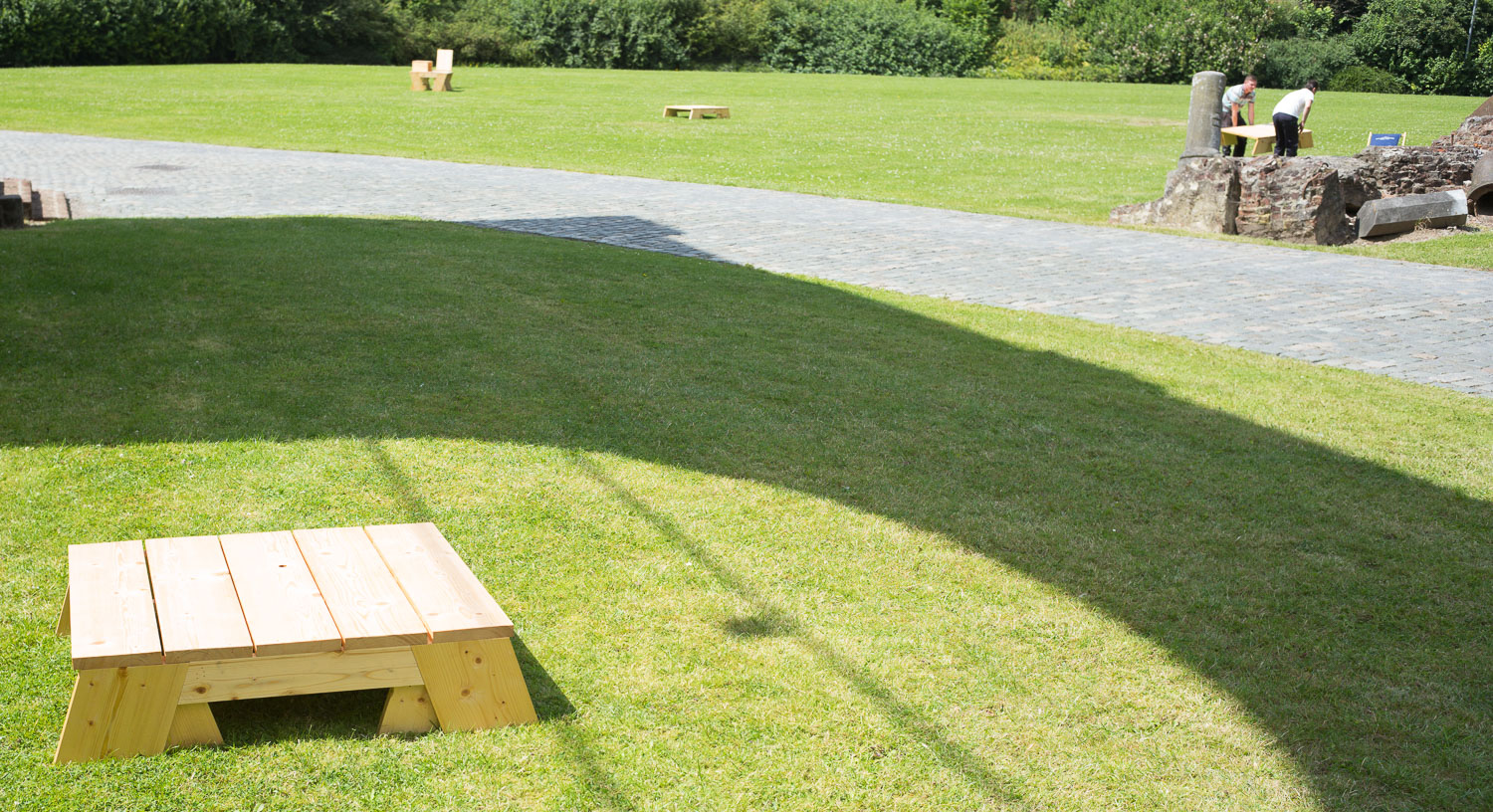

  • next, This is what preview shows: the image shows that colours render as a blob.
  • If I am correct, that could have to do with the interpretation of some parameters of a dng file. Also the previews in grid overview have this blurred view.
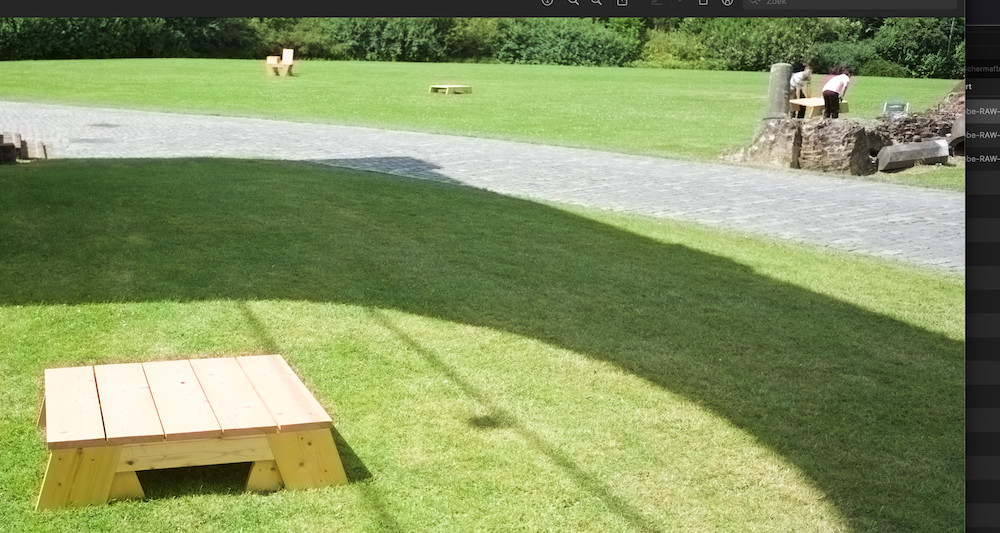
You can see in the man on the right how a halo exists.


And here a page with previews in grid mode and two corresponding output jpegs. [see the other post]


So there look to be some parameters wrong here.

The inserts are again the jpegs in Preview, but that handles good.

In fact, I think jpegs are rendered much better than under Catalina. They look crisper. More details, more levers of colours.

The DNGs are originals from camera.


It would be nice if fixed. I do not like a unified skin colour on all pictures, nor halo's around persons . . .

Nov 3, 2021 12:33 AM in response to Yer_Man

I'm afraid I have another position. It was always good in Preview. These are old files (60.000 of them . . ) . I noticed the Converter is of help because for a new camera I use it, and those previews are OK.


I think it is a Minor Issue; inconvenient.

My reasoning: the old Preview program read the files differently. And being software, it is easy to address.

Should I report a bug? How?

Nov 2, 2021 12:22 PM in response to alberti-nl

First: the man in grey:


Now the strange thing. recent files, same camera, and here I found out what the issue is.


In the next example, the first one is converted DNG by Adobe DNG Converter after it came out of camera; the second one the image of the DNG as shown in the original state. And finally a created jpeg again of the same picture


This is again a grid view in Preview. The second image is the original, the first one converted to the same file. Evidently it has the parameters like Preview expects.


So as far as I see, the issue is that the new Preview from Monterey has some problems in the 'original from camera' version of a DNG file (in my case, Leica M); this has not been so before under High Sierra, Catalina etc. [I skipped Big Sur].


Handling it through the DNG converter can be done with new imports.

But not my 60.000 old files; I would be afraid my metadata would change or disappear and all changes and settings are lost.


It would be nice if fixed. I do not like a unified skin colour on all pictures, nor halo's around persons . . .

This thread has been closed by the system or the community team. You may vote for any posts you find helpful, or search the Community for additional answers.

preview of .dng is not good in monterey

Welcome to Apple Support Community
A forum where Apple customers help each other with their products. Get started with your Apple Account.
