Open notes application from " Mac A " Inder iCloud section select a note , take cursor on top menu bar > file > share with mail .
The mail compose window opens , enter To field , the notes folder is automatically saved , From field also gets filled with your mail address , fill the subject and click on sent see the articles Write and send emails in Mail on Mac - Apple Support
Add attachments to emails in Mail on Mac - Apple Support
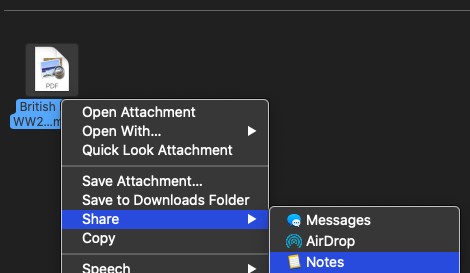
From " Mac B " open mail application , the mail is received here , right click on the notes folder and click on share > with notes , this notes folder will get saved on your notes application .
Note : the two Macs are signed in with different Apple ID and password on the same network / in case if network is different the second " Mac B " can still share the notes folder mail application to his / her notes application .

The result .



