My iPhone says there is a problem with my true depth camera and my Face ID has been disabled. I backed up my phone on I cloud and it’s current on all updates. How can we fix this?

My Face ID has been disabled because there’s a problem with my true depth camera. I backed up my phone on iCloud and it is current with updates. How can I fix it?

iPhone XS, iOS 15

Posted on Dec 12, 2021 5:09 PM

Reply
Question marked as Top-ranking reply

Posted on Dec 12, 2021 5:15 PM

You might see the following message on your iPhone X or later, iPad Pro 12.9-inch (3rd generation) or later, or iPad Pro 11-inch (1st generation) or later:
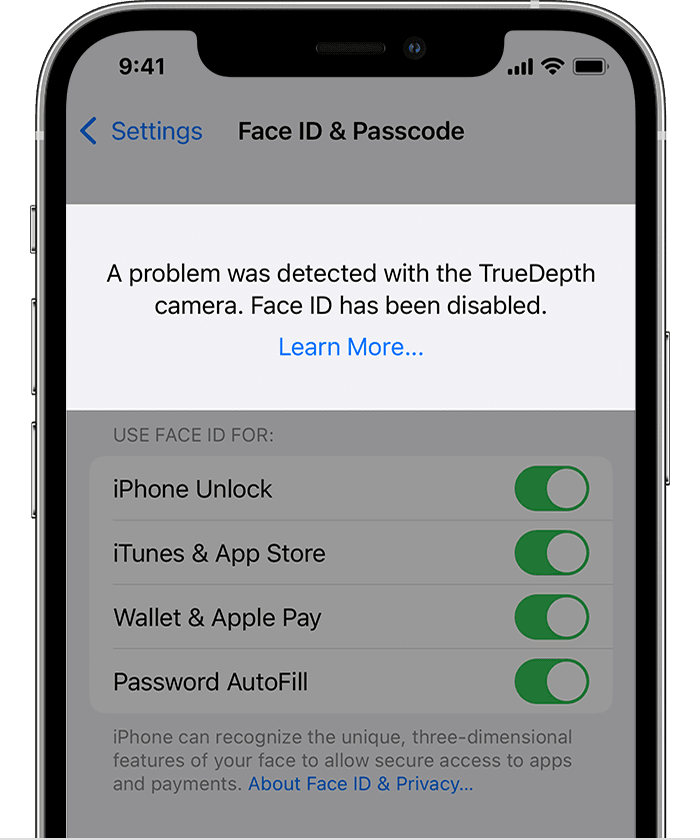
 

"A problem was detected with the TrueDepth Camera. Face ID has been disabled."


What to do next


  1. Update your iPhone or iPad to the latest version of iOS or iPadOS.
  2. If you still can't enroll your face or unlock your device with Face ID, take your device to an Apple Store or Apple Authorized Service Provider, or contact Apple Support about your iPhone or your iPad.


You should always have your device repaired by Apple or an authorized service provider. Improper repair, modification, or use of non-genuine Apple components in the laser systems may prevent the safety mechanisms from functioning properly and could cause hazardous exposure and injury to eyes or skin.


What the message means


Using diagnostics in iOS, Apple has detected an issue with your TrueDepth camera that might cause it to not function as expected. The TrueDepth camera contains lasers, which might be disabled for safety reasons if the device malfunctions or is damaged. This won't prevent you from using your iPhone or iPad, but until your iPhone or iPad is updated or serviced, you might not be able to use Face ID, Animoji, Memoji, and some other features that use the front camera.


Bottom line, no matter what, you need to get expert service and support at the Genius Bar.


👉🏼 Call 1-800-MY-APPLE or get help here. 


1 reply
Question marked as Top-ranking reply

Dec 12, 2021 5:15 PM in response to Mvannoyfarrier

You might see the following message on your iPhone X or later, iPad Pro 12.9-inch (3rd generation) or later, or iPad Pro 11-inch (1st generation) or later:


"A problem was detected with the TrueDepth Camera. Face ID has been disabled."


What to do next


  1. Update your iPhone or iPad to the latest version of iOS or iPadOS.
  2. If you still can't enroll your face or unlock your device with Face ID, take your device to an Apple Store or Apple Authorized Service Provider, or contact Apple Support about your iPhone or your iPad.


You should always have your device repaired by Apple or an authorized service provider. Improper repair, modification, or use of non-genuine Apple components in the laser systems may prevent the safety mechanisms from functioning properly and could cause hazardous exposure and injury to eyes or skin.


What the message means


Using diagnostics in iOS, Apple has detected an issue with your TrueDepth camera that might cause it to not function as expected. The TrueDepth camera contains lasers, which might be disabled for safety reasons if the device malfunctions or is damaged. This won't prevent you from using your iPhone or iPad, but until your iPhone or iPad is updated or serviced, you might not be able to use Face ID, Animoji, Memoji, and some other features that use the front camera.


Bottom line, no matter what, you need to get expert service and support at the Genius Bar.


👉🏼 Call 1-800-MY-APPLE or get help here. 


This thread has been closed by the system or the community team. You may vote for any posts you find helpful, or search the Community for additional answers.

My iPhone says there is a problem with my true depth camera and my Face ID has been disabled. I backed up my phone on I cloud and it’s current on all updates. How can we fix this?

Welcome to Apple Support Community
A forum where Apple customers help each other with their products. Get started with your Apple Account.