
How do I turn off “im driving sent from my car” message
iPhone 13 Pro, iOS 15
iPhone 13 Pro, iOS 15
You probably have Turned on Auto-Reply
With Auto-Reply, favourites and those you allow notifications from will get an auto-reply when you have Driving turned on. They can choose to notify you anyway by sending "urgent" as an additional message. Here's how:
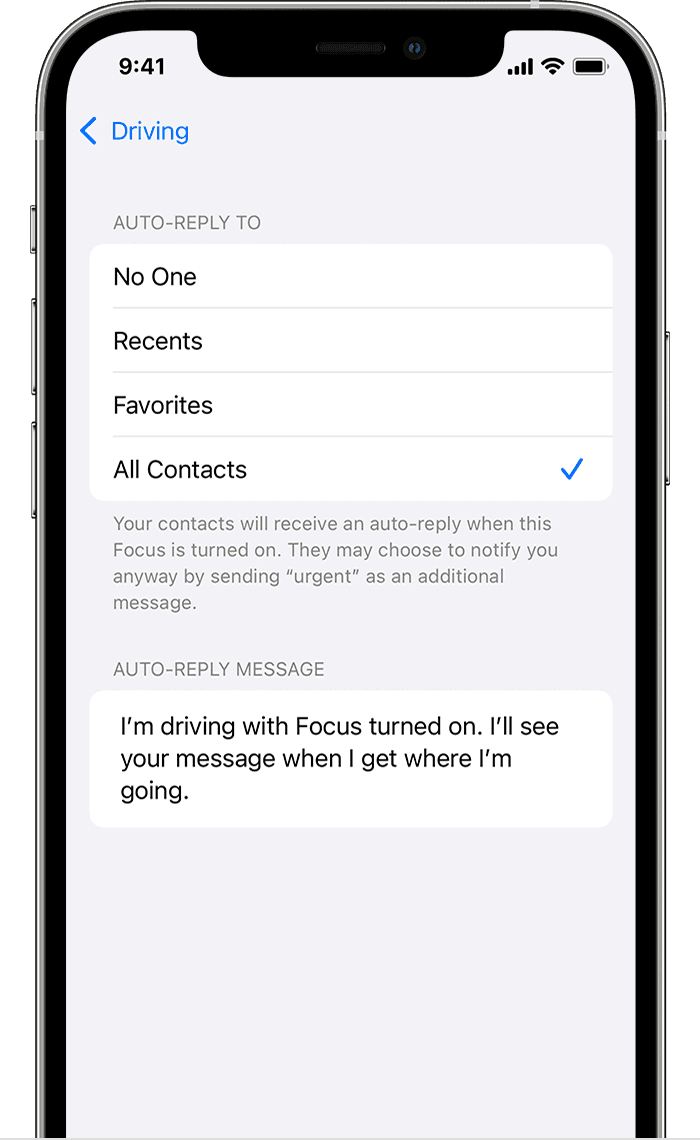
From here, you can also customize the auto-reply message that people get when they message you while a Driving Focus is turned on.
You probably have Turned on Auto-Reply
With Auto-Reply, favourites and those you allow notifications from will get an auto-reply when you have Driving turned on. They can choose to notify you anyway by sending "urgent" as an additional message. Here's how:
From here, you can also customize the auto-reply message that people get when they message you while a Driving Focus is turned on.
How do I turn off “im driving sent from my car” message
