iMovie map locations list is gone

How can a custom city location be added to iMovie, so it can be used in map/globe background? I have version 10.3.1, and in older versions it was possible to add a custom location through an editable text file that contains all the locations. this file no longer exists in the new iMovie version.

MacBook Air (2020 or later)

Posted on Jan 29, 2022 7:14 PM

Reply
Question marked as Top-ranking reply

Posted on Jan 30, 2022 9:24 AM

You can add the GPS coordinates of your desired location in the Route box for the map, and type in the display name that will appear on the map. That will display your custom location on the map. It doesn't appear that that will permanently add it to the list of cities, but you can work with it and see.


You can use this website to obtain the GPS coordinates for any location on the Earth.


https://www.gps-coordinates.net/


-- Rich

4 replies
Question marked as Top-ranking reply

Jan 30, 2022 9:24 AM in response to Abrrb

You can add the GPS coordinates of your desired location in the Route box for the map, and type in the display name that will appear on the map. That will display your custom location on the map. It doesn't appear that that will permanently add it to the list of cities, but you can work with it and see.


You can use this website to obtain the GPS coordinates for any location on the Earth.


https://www.gps-coordinates.net/


-- Rich

Jan 30, 2022 10:24 AM in response to Rich839

I'm not sure that I read your post correctly.


In re-reading your post, are you saying that you are not getting the option to reveal the list of cities and locations at all? in other words, are you not getting the locations box shown in this screen shot?
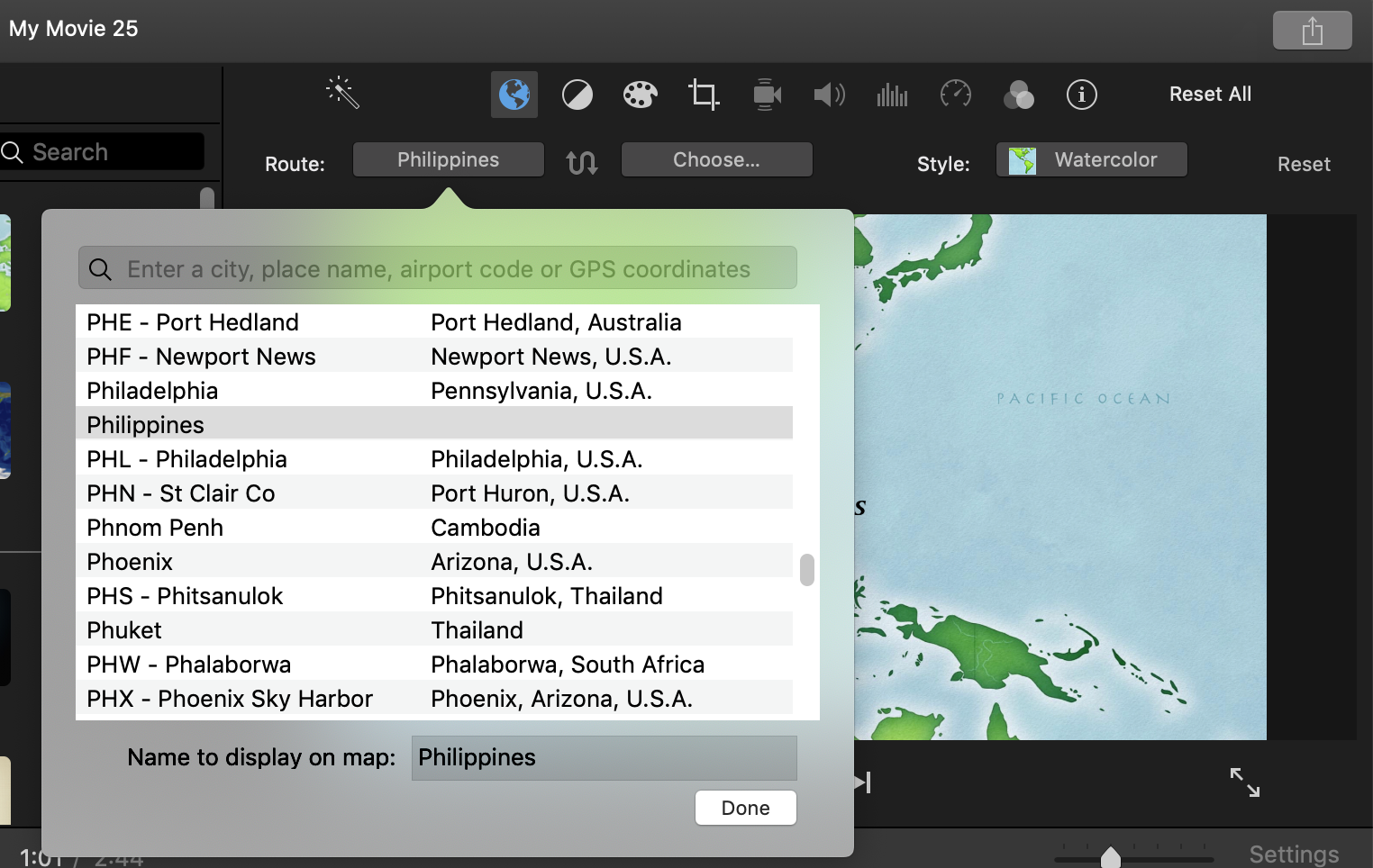


If so, can you post a screen shot to illustrate what you are seeing, or not seeing? I am using a much older version of iMovie 10 than you are, so don't know what changes may have been made. There must be some way of entering the locations onto the map.


The maps feature can be a little tricky depending on the region and language settings on your Mac. If your Language and Region preference settings are other than USA-English, you might try changing them to that and see if it makes a difference. You can always change them back.


Another thing you can try is to delete preferences to see if that cures it. Open iMovie while holding down the Option and Command keys and select to delete preferences in the box that appears. iMovie will open in a new library. Reopen your old library to get back to your projects.  Deleting preferences is a safe procedure that will not cause data loss or disruption to your project.


-- Rich

Jan 30, 2022 10:46 AM in response to Rich839

Hi Rich,


Shortly after posting the question, I did what you have suggested in your first answer (marked as the solution now), and that has enabled me to add the exact location I wanted on the map and gave it a name to display, solved!


The travel animation on the map/globe background between two close destinations is not the best as it is not possible to zoom in enough, but that is a separate issue.


Cheers for the quick response, and the details you gave in your second post, but I can see the list just fine : )


Best

Abrrb

This thread has been closed by the system or the community team. You may vote for any posts you find helpful, or search the Community for additional answers.

iMovie map locations list is gone

Welcome to Apple Support Community
A forum where Apple customers help each other with their products. Get started with your Apple Account.
