when sending back broken watch, how do I delete everything off of it first?

When sending back broken watch, how do I delete everything first?


Apple Watch Series 5, watchOS 7

Posted on Feb 11, 2022 1:10 PM

Reply
1 reply

Feb 11, 2022 1:14 PM in response to ABCC1234

Turn off Activation Lock on a device

If you forgot to turn off Find My before you sold or gave away your iPhone, iPad, iPod touch, Mac, or Apple Watch, you can turn off Activation Lock using Find My iPhone on iCloud.com.

If you still have the device, see the Apple Support article Activation Lock for iPhone, iPad, and iPod touchActivation Lock for Mac, or About Activation Lock on your Apple Watch.
  1. In Find My iPhone on iCloud.com, click All Devices, then select the device you want to erase.
  2. If you don’t see All Devices, it’s because you’ve already selected a device. Click the name of the current device in the center of the toolbar to access the Devices list, then select a new device.
  3. Erase the device.
  4. Because the device isn’t lost, don’t enter a phone number or message.
  5. If the device is offline, the remote erase begins the next time it’s online. You receive an email when the device is erased.
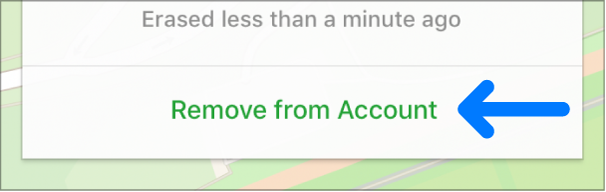
  6. When the device is erased, click Remove from Account.
  7. All your content is erased, and someone else can now activate the device.


This thread has been closed by the system or the community team. You may vote for any posts you find helpful, or search the Community for additional answers.

when sending back broken watch, how do I delete everything off of it first?

Welcome to Apple Support Community
A forum where Apple customers help each other with their products. Get started with your Apple Account.