How do I stop iMessages from coming through while in Do Not Disturb?

iPhone SE...iOS 15.3.1


How do I stop iMessages from coming through while in Do Not Disturb?


I only have one focus (I removed the other preset's) with only the Phone app allowed and five contacts that could call during the night. Yet I continue to hear the "ding" of a new message during my Do Not Disturb time frame. They do seem to come from my five phone call "allowed" contacts, but I am attempting to stop "all" iMessages even from the allowed five and emergency contacts. My goal is not to be disturbed unless it's an emergency and it's an actually phone call.


PS: They are not all my emergency contacts and yet their iMessages do come through. I thought maybe I couldn't stop emergency contacts, but it didn't work.


Any information would be appreciated as I attempted to find the answer in the forum. Thanks


[Re-Titled by Moderator]

iPhone SE, iOS 15

Posted on Feb 24, 2022 7:40 AM

Reply
Question marked as Top-ranking reply

Posted on Feb 25, 2022 8:24 AM

Hello and welcome to Apple Support Communities, kevinweid!


We understand you're still getting notifications even though you have Focus turned on. We'd be happy to provide information to help you address this.


Check to see if you have Time Sensitive notifications allowed: Use Focus on your iPhone, iPad, or iPod touch

"Allow Time Sensitive notifications

When you first set up a Focus, you can turn on Time Sensitive Notifications to allow people and apps to notify you immediately, even when you have a Focus turned on. Here's how:

  1. Go to Settings > Focus.
  2. Select the Focus, then tap Apps under Allowed Notifications.
  3. Turn on Time Sensitive.


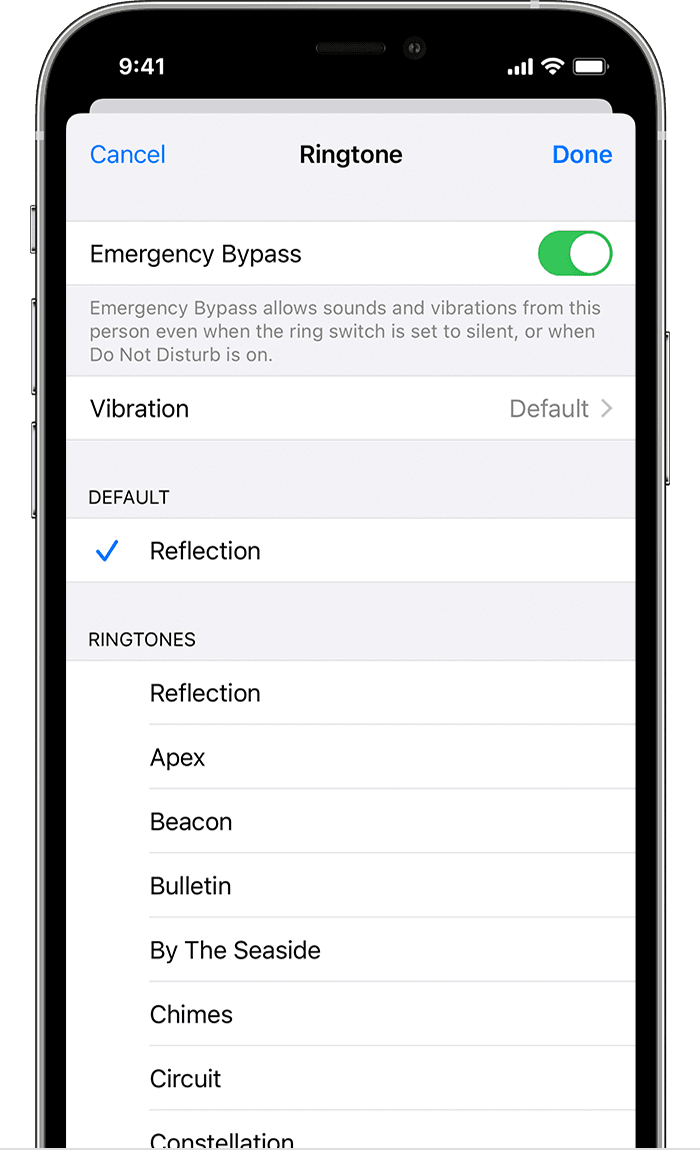
You can also allow certain contacts to reach you in the event of an emergency, even when you have a Focus set up. Here's how: 

  1. Open Contacts and select a contact.
  2. Tap Edit, tap Ringtone or Text Tone, then turn on Emergency Bypass.
  3. Tap Done."


Have a great day!

2 replies
Question marked as Top-ranking reply

Feb 25, 2022 8:24 AM in response to kevinweid

Hello and welcome to Apple Support Communities, kevinweid!


We understand you're still getting notifications even though you have Focus turned on. We'd be happy to provide information to help you address this.


Check to see if you have Time Sensitive notifications allowed: Use Focus on your iPhone, iPad, or iPod touch

"Allow Time Sensitive notifications

When you first set up a Focus, you can turn on Time Sensitive Notifications to allow people and apps to notify you immediately, even when you have a Focus turned on. Here's how:

  1. Go to Settings > Focus.
  2. Select the Focus, then tap Apps under Allowed Notifications.
  3. Turn on Time Sensitive.


You can also allow certain contacts to reach you in the event of an emergency, even when you have a Focus set up. Here's how: 

  1. Open Contacts and select a contact.
  2. Tap Edit, tap Ringtone or Text Tone, then turn on Emergency Bypass.
  3. Tap Done."


Have a great day!

This thread has been closed by the system or the community team. You may vote for any posts you find helpful, or search the Community for additional answers.

How do I stop iMessages from coming through while in Do Not Disturb?

Welcome to Apple Support Community
A forum where Apple customers help each other with their products. Get started with your Apple Account.