
My screen isn’t working.
I can’t get into my phone because the screen isn’t working when I try to press a certain digit in my passcode. The screen doesn’t respond when I press a number in my passcode and if it does it locks me out of my phone.
I can’t get into my phone because the screen isn’t working when I try to press a certain digit in my passcode. The screen doesn’t respond when I press a number in my passcode and if it does it locks me out of my phone.
Hello there!
try restart your iPhone:
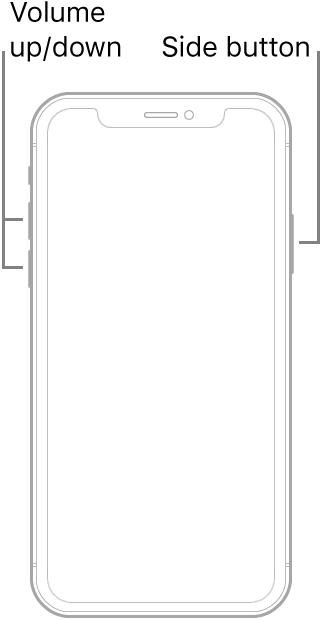
Force restart an iPhone with Face ID
To force restart iPhone X, iPhone XS, iPhone XR, iPhone 11, iPhone 12, or iPhone 13, do the following:
Press and quickly release the volume up button, press and quickly release the volume down button, then press and hold the side button. When the Apple logo appears, release the button.
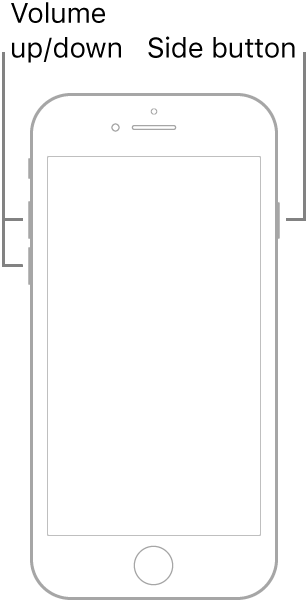
Force restart iPhone 8 or iPhone SE (2nd generation)
Press and quickly release the volume up button, press and quickly release the volume down button, then press and hold the side button. When the Apple logo appears, release the button.
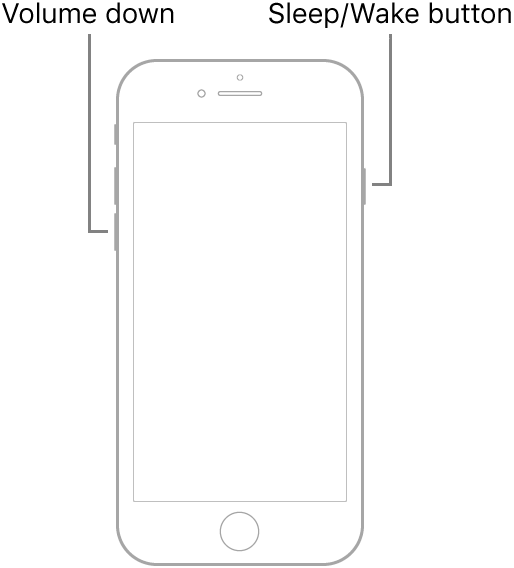
Force restart iPhone 7
Press and hold both the volume down button and the Sleep/Wake button at the same time. When the Apple logo appears, release both buttons.
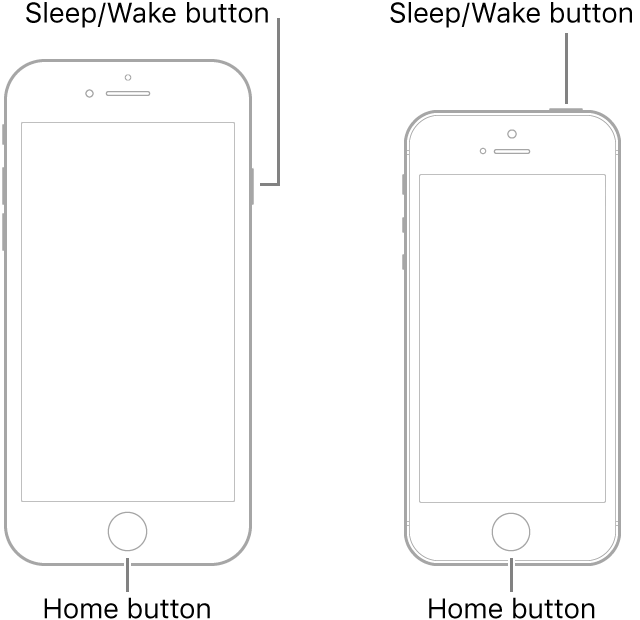
Force restart iPhone 6s or iPhone SE (1st generation)
Press and hold both the Sleep/Wake button and the Home button at the same time. When the Apple logo appears, release both buttons.
Hello there!
try restart your iPhone:
Force restart an iPhone with Face ID
To force restart iPhone X, iPhone XS, iPhone XR, iPhone 11, iPhone 12, or iPhone 13, do the following:
Press and quickly release the volume up button, press and quickly release the volume down button, then press and hold the side button. When the Apple logo appears, release the button.
Force restart iPhone 8 or iPhone SE (2nd generation)
Press and quickly release the volume up button, press and quickly release the volume down button, then press and hold the side button. When the Apple logo appears, release the button.
Force restart iPhone 7
Press and hold both the volume down button and the Sleep/Wake button at the same time. When the Apple logo appears, release both buttons.
Force restart iPhone 6s or iPhone SE (1st generation)
Press and hold both the Sleep/Wake button and the Home button at the same time. When the Apple logo appears, release both buttons.
Without knowing much about your iPhone, it will be a bit difficult to offer a solution, but let's start with what exact model is your iPhone and what version of iOS is it running?
Regardless, give the following a try:
Please post back your results.
My screen isn’t working.

