How to play music on repeat by default?

Hi,

I've been trying to figure this out and I can't seem to find an option for this. When I choose an album or playlist, I'd like it to automatically repeat all the songs, without having to click the repeat button each time I pick a new album or list. It seems like this used to be the default behavior and at some point it changed. Is there a way to make repeat stay on by default?

Thanks!

MacBook Pro 13″, macOS 10.12

Posted on Mar 20, 2022 7:39 PM

Reply
3 replies

Mar 24, 2022 9:23 AM in response to volt_tackle

Thanks for getting back with us, volt_tackle.

At this time, this is expected behavior. You can turn on Repeat for an album or playlist, but switching will require that you re-select that option, if it is available. That said, Apple welcomes all thoughts, comments and suggestions, on how your Mac Music works or any other Apple products and services. Send in feedback on this here: Product Feedback.

Let us know if we can help with anything else at all. Thanks and have a fabulous day!

Mar 22, 2022 7:54 AM in response to volt_tackle

Hey there volt_tackle,


Check out the steps below to use repeat in Music on your MacBook Pro:

How to turn repeat on or off in the Apple Music app on your Mac
1. Open the Apple Music app.
2. Play a song, album, or playlist.
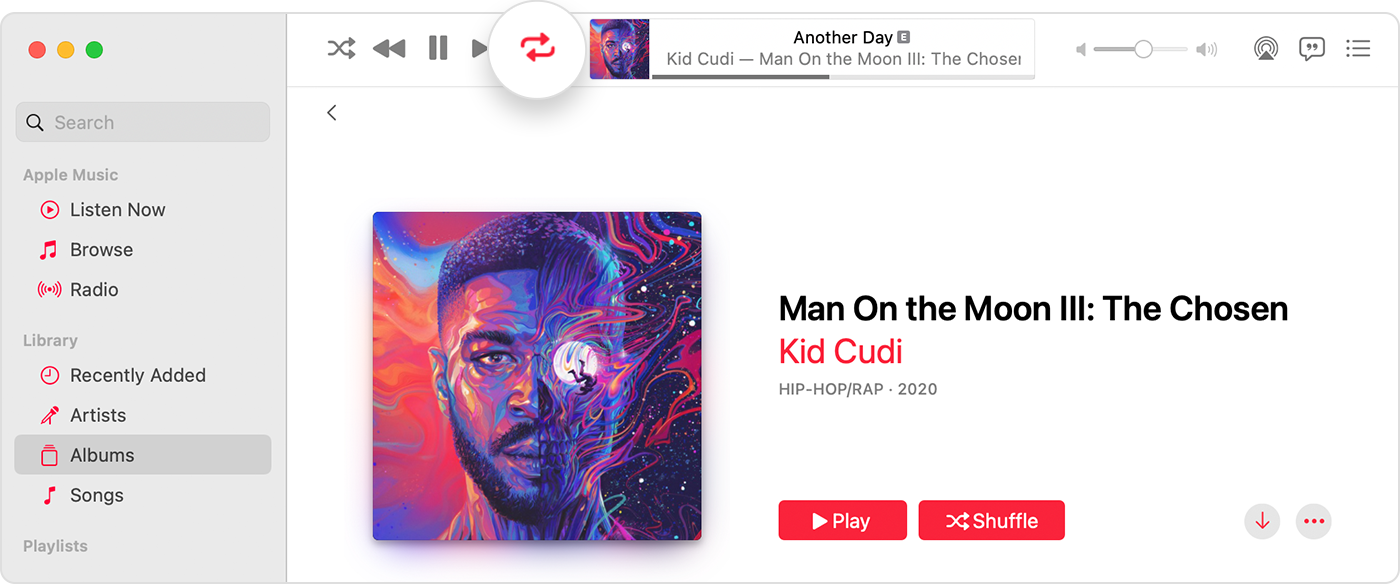
3. At the top of the window, click the Repeat button Repeat button to turn repeat on or off.
Apple Music app showing repeat is turned on at the top of the window.-Repeat All Repeat All: Click the Repeat button until the button changes colors.
-Repeat One Repeat One: Click the Repeat button until the number one appears.
-Repeat Off Repeat button: Click the Repeat button until it turns gray.

If you don't see the Repeat button in the Apple Music app
If you're autoplaying music on your Mac, the Repeat button disappears. You can't repeat songs in your Autoplay queue. If you're playing music on repeat, then only that music will play. You won't see your Autoplay queue until you turn off repeat. Learn more about Autoplay.

This information can be found in How to repeat music on your Mac or PC.


This page may also help: Change preferences in Music on Mac


Cheers!

This thread has been closed by the system or the community team. You may vote for any posts you find helpful, or search the Community for additional answers.

How to play music on repeat by default?

Welcome to Apple Support Community
A forum where Apple customers help each other with their products. Get started with your Apple Account.