Battery always fully 100% charged since update to 12.3 (21E230)

I keep my MacBook Pro (16-inch, 2019) charged all the time, as it is my work machine. It learned this and kept the battery charged to only 80% to keep it in good shape. Since macOS Monterey 12.4 update, the battery is always charged to 100%. I would like it to charge only to 80% to preserve the state of my battery.

MacBook Pro 16″, macOS 12.3

Posted on Mar 28, 2022 2:22 AM

Reply
13 replies

Apr 15, 2022 6:26 AM in response to Dean-z

Hey, Dean-z. We're afraid we haven't explained Optimized Charging completely. Optimized Charging only delays the battery from reaching 100%. Charge the MacBook Pro battery - Apple Support states:


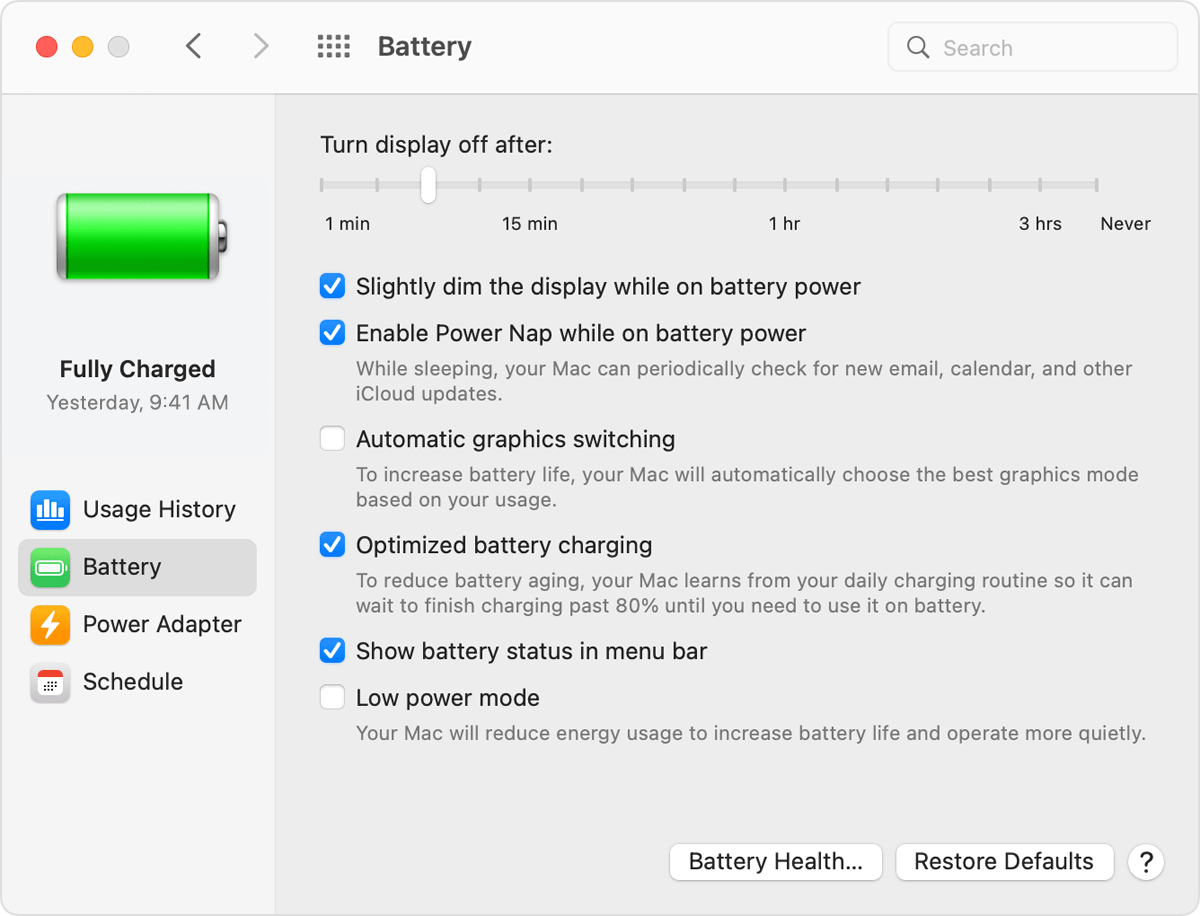
Optimized Battery Charging: This feature helps to reduce the wear on your battery and improve its lifespan by learning your daily charging routine. It delays charging the battery past 80% when it predicts that you’ll be plugged in for an extended period of time, and aims to charge the battery before you unplug. You can change this option in Battery preferences.


Optimized Battery Charging is designed to prevent any unnecessary charging cycles. Please review the information under "Understanding batteries in Mac notebooks" in this article Get help with your Mac notebook battery - Apple Support 


About battery health management in Mac notebooks - Apple Support -- The information here will help you improve the lifespan of your MacBook Pro battery.


All the best.

Apr 14, 2022 10:35 AM in response to Community User

On my Mac (MacBook Pro (13-inch, 2018, Four Thunderbolt 3 Ports)) I've had optimized battery charging turned on and working ever since the feature was added to MacOS. However, since the upgrade to 12.3.1, the MBP always charges to 100% and stays there, so it appears the algorithm is broken with the update.


My MBP is almost always plugged into a Thunderbolt dock at whatever office I'm working from. Until 12.3.1, it would just hold at about 80%.

Apr 18, 2022 12:34 PM in response to Dean-z

I would like to echo that prior to the upgrade to 12.3.1 my battery would hold at 80% while it was plugged in, since my laptop is nearly always plugged in somewhere. (MacBook Pro (13-inch, 2018, Four Thunderbolt 3 Ports))


Since the upgrade, the battery is holding at 100%, and if I understand battery management correctly this will tend to age the battery prematurely.

Apr 16, 2022 6:25 AM in response to Dean-z

Our apologies for any confusion, Dean-z.


From the description, it sounds as though your Mac is charging as expected. When your Mac is connected to the charger it will charge to 100% and remain at 100% until it's disconnected, even when Optimized Charging is enabled. Optimized Charging only delays or slows the charging once the battery has reached 80%, this does not stop the Mac from charging or prevent the charge from reaching 100%. The articles previously linked provide more information about charging your Mac and Optimized Charging.


Apple does appreciate all feedback regarding their products, services, and features. If you would like to provide feedback about charging behaviors to Apple, you can do so via the Product Feedback website.


Take care!

Apr 19, 2022 8:12 AM in response to ray_frush

ray_frush wrote:

This morning, magically, my MBP dropped into "Charging on Hold", suggesting that it's finally gone back to holding at 80%.

Took it long enough! It would be nice if Apple could make some sort of manual process to trigger that mode.


  1. The rule of thumb— you do not have to micro-manage your battery.


If it ain't broke, don't fix it.


You can submit your Apple Feedback Product Feedback - Apple


Mar 29, 2022 8:26 AM in response to Dean-z

Hello Dean-z,

You can turn on Optimized Battery Charging to help resolve this issue. "Optimized Battery Charging is designed to improve the lifespan of your battery and reduce the time your Mac spends fully charged. When the feature is enabled, your Mac will delay charging past 80% in certain situations. Your Mac learns your charging routine and aims to ensure that your Mac is fully charged when unplugged."If battery charging is paused or on hold on your Mac

Pause or turn off Optimized Battery ChargingIf you want to temporarily pause or turn off Optimized Battery Charging, follow these steps:1. Choose Apple menu  > System Preferences.2. Click Battery, then select Battery in the sidebar.Battery Preferences window with "Optimized battery charging" selected
3. Deselect "Optimized battery charging", then click Turn Off or Turn Off Until Tomorrow.


Best Regards.

This thread has been closed by the system or the community team. You may vote for any posts you find helpful, or search the Community for additional answers.

Battery always fully 100% charged since update to 12.3 (21E230)

Welcome to Apple Support Community
A forum where Apple customers help each other with their products. Get started with your Apple Account.