How do I update my payment method?
Payment method declined
[Image Edited by Moderator to Remove Personal Information]
iPhone XR, iOS 14
Payment method declined
[Image Edited by Moderator to Remove Personal Information]
iPhone XR, iOS 14
Hey real_pearllove,
If you're having trouble removing your payment info from your Apple ID, take a look over the tips here:
The specific steps to change that info using an iPhone is below:
How to change your payment method on your iPhone, iPad, or iPod touch
Open the Settings app.
Tap your name.
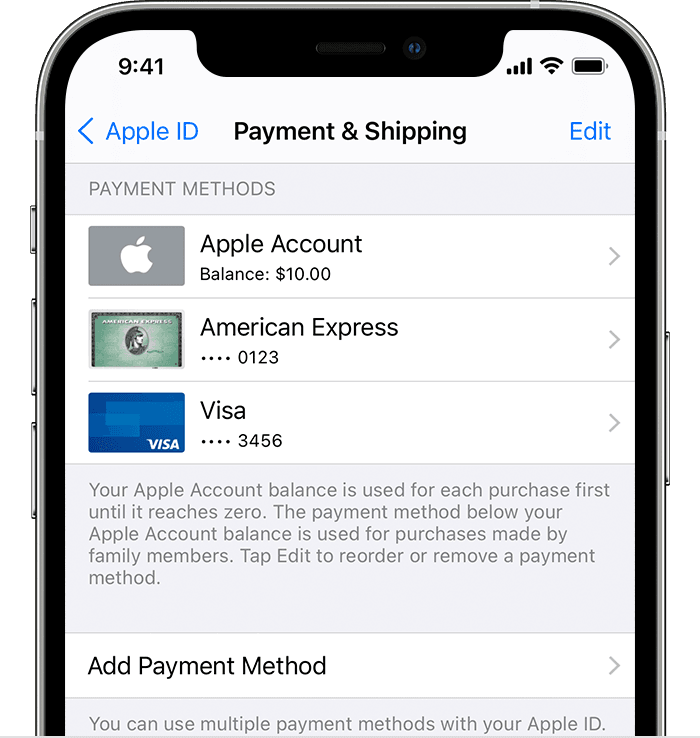
Tap Payment & Shipping. You might be asked to sign in with your Apple ID.
From here, you can do these things:
Add a payment method — Tap Add Payment Method.
Update a payment method — Tap the payment method, then edit your information. You might need to enter the security code that's printed on your credit or debit card. If you use the card with Apple Pay, go to the Wallet app to edit the card information.
Remove a payment method — Tap Edit, tap the red Delete button, then tap Remove. If you have an unpaid balance, have subscriptions including an iCloud storage plan, or you use purchase sharing, you can't remove all payment methods. Learn how to remove all payment methods.
Change the order of your payment methods — Tap Edit, then drag the move order icon.*
Cheers!
Hey real_pearllove,
If you're having trouble removing your payment info from your Apple ID, take a look over the tips here:
The specific steps to change that info using an iPhone is below:
How to change your payment method on your iPhone, iPad, or iPod touch
Open the Settings app.
Tap your name.
Tap Payment & Shipping. You might be asked to sign in with your Apple ID.
From here, you can do these things:
Add a payment method — Tap Add Payment Method.
Update a payment method — Tap the payment method, then edit your information. You might need to enter the security code that's printed on your credit or debit card. If you use the card with Apple Pay, go to the Wallet app to edit the card information.
Remove a payment method — Tap Edit, tap the red Delete button, then tap Remove. If you have an unpaid balance, have subscriptions including an iCloud storage plan, or you use purchase sharing, you can't remove all payment methods. Learn how to remove all payment methods.
Change the order of your payment methods — Tap Edit, then drag the move order icon
Cheers!
See the Apple Support article(s) below. Link to contact Apple Support in the article.
Possible fixes. Fix ‘Your Payment Method Was Declined’ Error In App Store. -
Payment method declined in iTunes or the App Store. -
How do I update my payment method?