Unlock passwords

I recently got an iPhone 13 max. I cannot access my auto fill passwords. They are gone. How do I reset them?

iPad Air, iOS 12

Posted on Apr 30, 2022 4:02 PM

Reply
Question marked as Top-ranking reply

Posted on May 1, 2022 12:40 PM

Hello BlueEyedGirl7,


Thanks for choosing the Apple Support Communities. To access your Autofill passwords on your iPhone, try following the steps outlined here.


How to find saved passwords on your iPhone - Apple Support


"View saved passwords in Settings
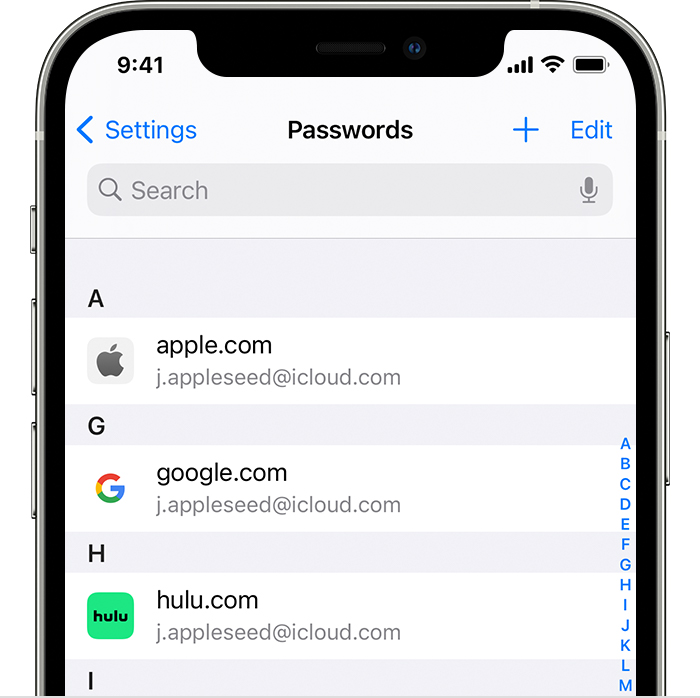
  1. Tap Settings, then select Passwords. In iOS 13 or earlier, select Passwords & Accounts, then tap Website & App Passwords.
  2. Use Face ID or Touch ID when prompted, or enter your passcode.
  3. An iPhone 12 Pro shows that passwords have been saved for accounts like Apple, Google, and Hulu in the Passwords section of Settings.
  4. To see a password, select a website. 
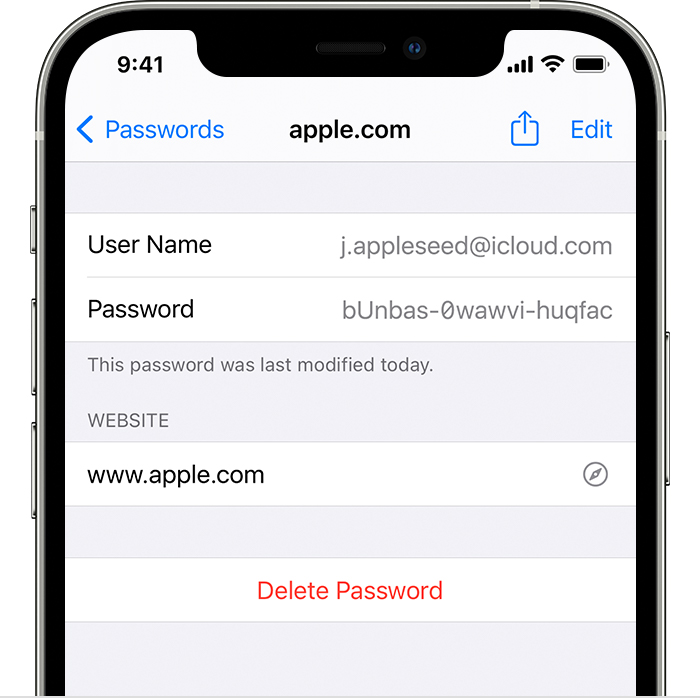
  • An iPhone 12 Pro shows the account details for the user's Apple account including the User Name and Password.
    • To delete a saved password, tap Delete Password.
    • To update a password, tap Edit. 

Need more help?


Cheers!


1 reply
Question marked as Top-ranking reply

May 1, 2022 12:40 PM in response to BlueEyedGirl7

Hello BlueEyedGirl7,


Thanks for choosing the Apple Support Communities. To access your Autofill passwords on your iPhone, try following the steps outlined here.


How to find saved passwords on your iPhone - Apple Support


"View saved passwords in Settings
  1. Tap Settings, then select Passwords. In iOS 13 or earlier, select Passwords & Accounts, then tap Website & App Passwords.
  2. Use Face ID or Touch ID when prompted, or enter your passcode.
  3. An iPhone 12 Pro shows that passwords have been saved for accounts like Apple, Google, and Hulu in the Passwords section of Settings.
  4. To see a password, select a website. 
  • An iPhone 12 Pro shows the account details for the user's Apple account including the User Name and Password.
    • To delete a saved password, tap Delete Password.
    • To update a password, tap Edit. 

Need more help?


Cheers!


This thread has been closed by the system or the community team. You may vote for any posts you find helpful, or search the Community for additional answers.

Unlock passwords

Welcome to Apple Support Community
A forum where Apple customers help each other with their products. Get started with your Apple Account.