
How to set up and pair my new Apple Watch?
[Re-Titled by Moderator]
iPhone XR
[Re-Titled by Moderator]
iPhone XR
Hi fuentesdonricardo1,
You started from a great resource. Set up your Apple Watch
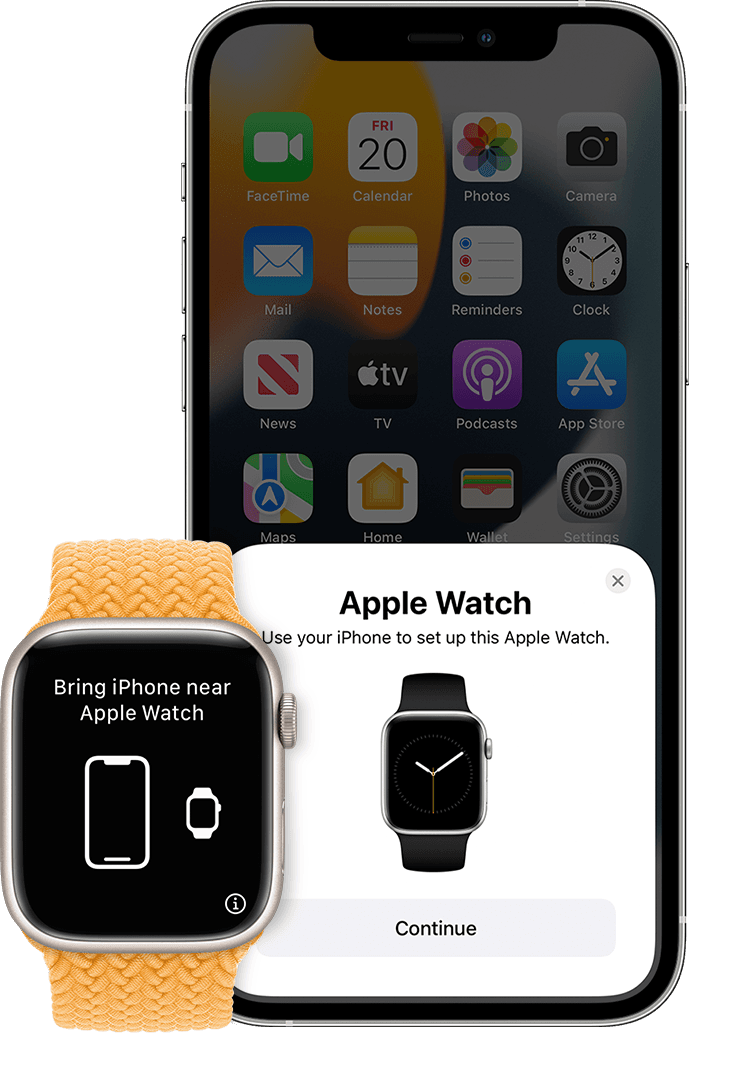
Specifically you'll want to follow the steps in the section "Hold your Apple Watch close to your iPhone." Which states:
"Wait for the "Use your iPhone to set up this Apple Watch" message to appear on your iPhone, then tap Continue. If you don't see this message, open the Watch app on your iPhone, tap All Watches, then tap Pair New Watch.
If this is your Apple Watch, tap Set Up for Myself. Or tap Set Up for a Family Member, then follow the steps to set up the watch for someone in your family.
Keep your Apple Watch and iPhone close together until you complete these steps.
Should the issue continue follow the steps at the bottom of the article and quested below.
"If you can't set up your Apple Watch or you get an error message
If all else fails, erase all content and settings on your Apple Watch and start over. If you forgot your Apple Watch passcode
Best!
Hi fuentesdonricardo1,
You started from a great resource. Set up your Apple Watch
Specifically you'll want to follow the steps in the section "Hold your Apple Watch close to your iPhone." Which states:
"Wait for the "Use your iPhone to set up this Apple Watch" message to appear on your iPhone, then tap Continue. If you don't see this message, open the Watch app on your iPhone, tap All Watches, then tap Pair New Watch.
If this is your Apple Watch, tap Set Up for Myself. Or tap Set Up for a Family Member, then follow the steps to set up the watch for someone in your family.
Keep your Apple Watch and iPhone close together until you complete these steps.
Should the issue continue follow the steps at the bottom of the article and quested below.
"If you can't set up your Apple Watch or you get an error message
If all else fails, erase all content and settings on your Apple Watch and start over. If you forgot your Apple Watch passcode
Best!
How to set up and pair my new Apple Watch?

