
How do I transfer saved passwords from my old phone to my new one?
How do I transfer saved passwords from my old phone to my new one?
iPhone 8, iOS 15
How do I transfer saved passwords from my old phone to my new one?
iPhone 8, iOS 15
Greetings, MontyGrams.
In order to transfer your passwords, you’ll need to set up iCloud Keychain.
“Set up iCloud Keychain
With iCloud Keychain, you can keep your passwords and other secure information updated across your devices.

iCloud Keychain remembers things, so that you don't have to. It auto-fills your information—like your Safari usernames and passwords, credit cards, and Wi-Fi passwords on any device that you approve. Have more questions about iCloud Keychain?

How to turn on iCloud Keychain
When you update your device to the latest iOS or iPadOS, the setup assistant asks you to set up iCloud Keychain. Learn about availability by country or region.
Turn on iCloud Keychain on your iPhone, iPad, or iPod touch
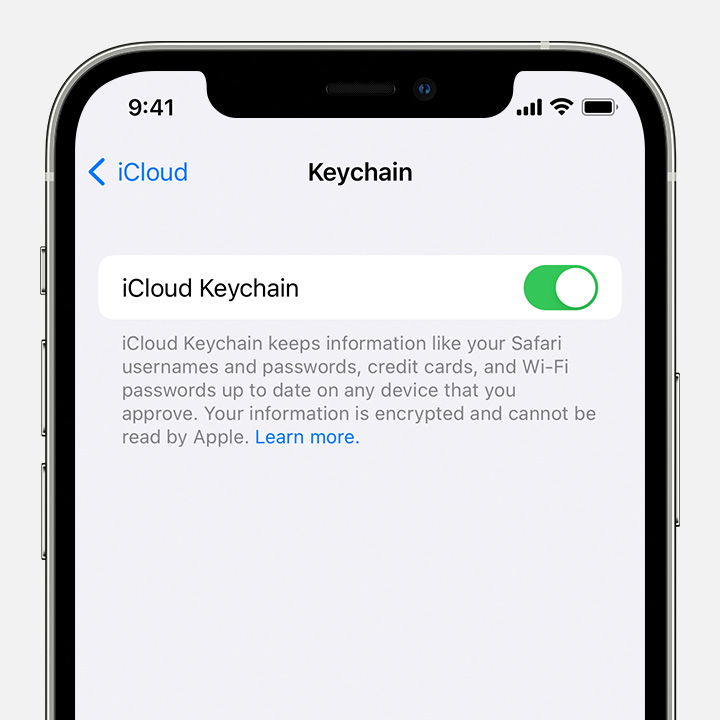
Turn on iCloud Keychain on your Mac
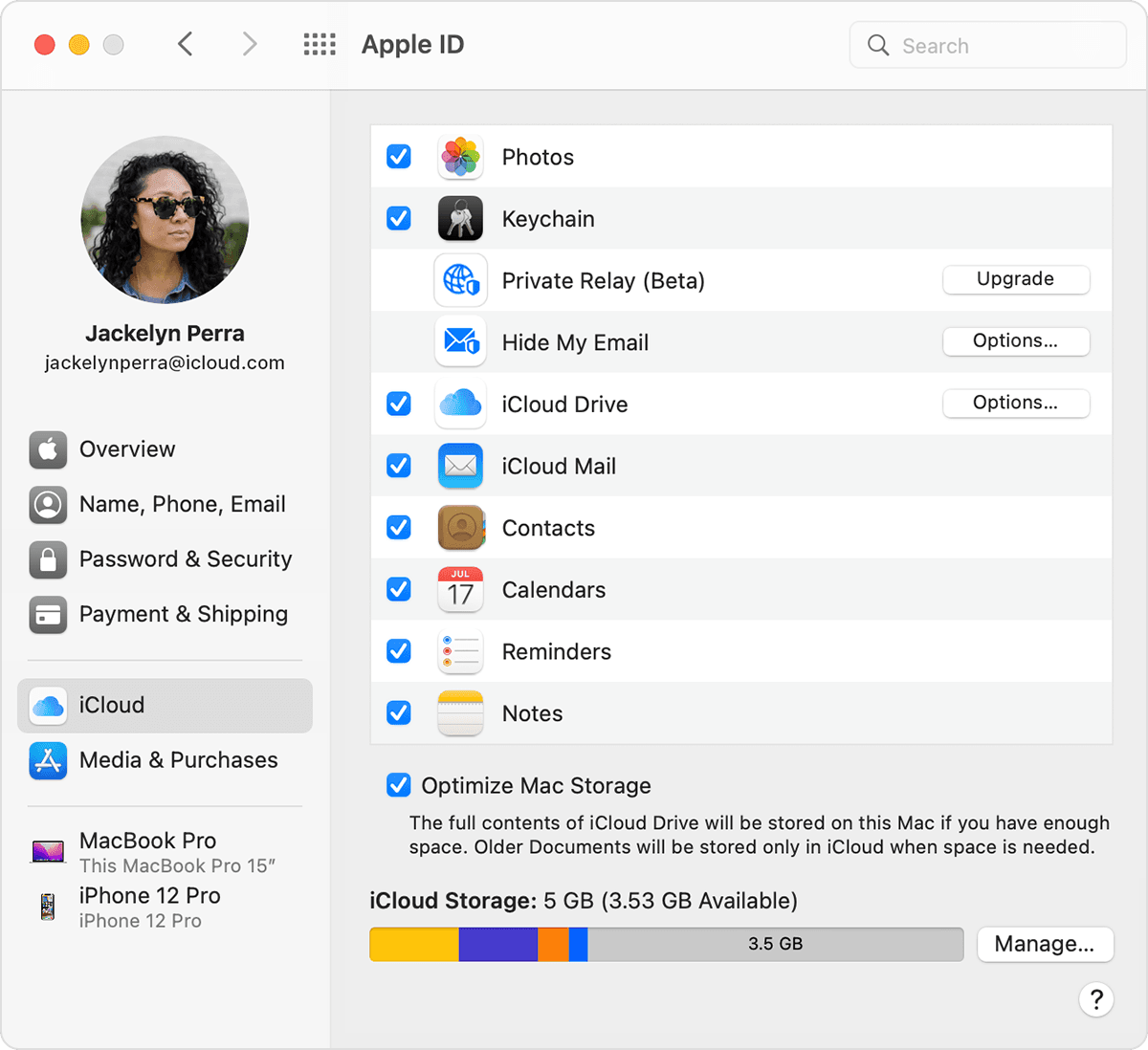
We hope this helps!
Sincerely.
Greetings, MontyGrams.
In order to transfer your passwords, you’ll need to set up iCloud Keychain.
“Set up iCloud Keychain
With iCloud Keychain, you can keep your passwords and other secure information updated across your devices.
iCloud Keychain remembers things, so that you don't have to. It auto-fills your information—like your Safari usernames and passwords, credit cards, and Wi-Fi passwords on any device that you approve. Have more questions about iCloud Keychain?
How to turn on iCloud Keychain
When you update your device to the latest iOS or iPadOS, the setup assistant asks you to set up iCloud Keychain. Learn about availability by country or region.
Turn on iCloud Keychain on your iPhone, iPad, or iPod touch
Turn on iCloud Keychain on your Mac
We hope this helps!
Sincerely.
How do I transfer saved passwords from my old phone to my new one?

