How to reinstall macOS X Mountain Lion in MacBook Air?

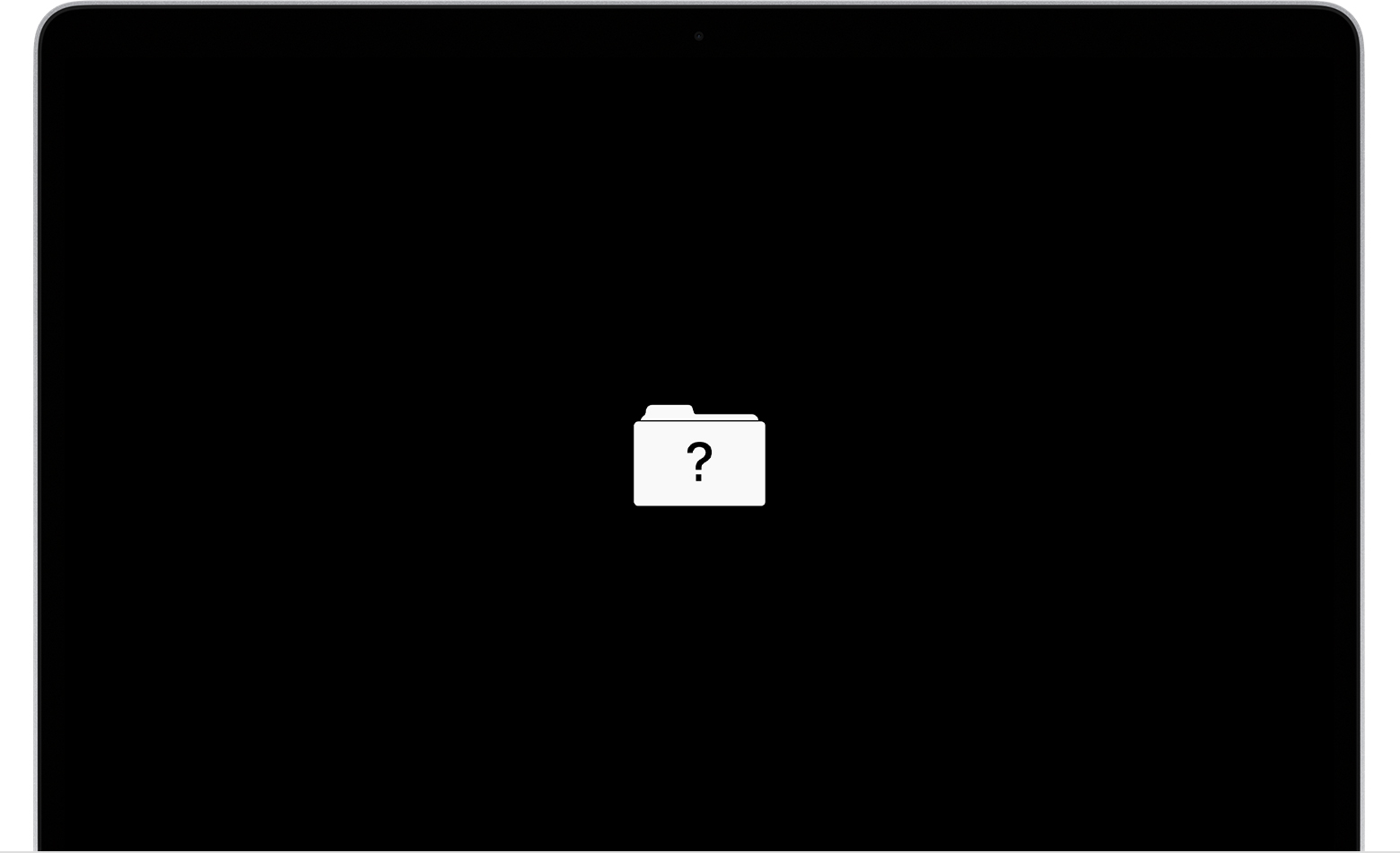
My brother with the best of intentions wiped his Macbook Air so my daughter would have a computer for school. But he forgot to back up or reinstall his OS X Mountain Lion.... I personally use PC, is there anyway I can get the OS back???? Right now I am only getting a screen flashing with a folder with a question mark on it.


Thank you!


[Re-Titled by Moderator]

Posted on May 7, 2022 12:25 AM

Reply

Similar questions

3 replies

May 7, 2022 2:03 AM in response to Mannerizms86

If your Mac starts up to a question mark

A folder with a flashing question mark means that your startup disk is no longer available or doesn't contain a working Mac operating system.


What he should have done is this: What to do before you sell, give away or trade in your Mac


You can recover the Mac using the steps in the first linked document: If your Mac starts up to a question mark

If the question mark persists, follow these steps:

  1. Press and hold the power button on your Mac for up to 10 seconds until your Mac turns off.
  2. Turn on your Mac and press and hold Command (⌘)-R immediately to start up from macOS Recovery.
  3. While in macOS Recovery, use Disk Utility to repair your startup disk.
  4. If Disk Utility hasn't found any errors or has repaired all of the errors, reinstall macOS.
  5. If you still need help, please contact Apple Support.


Edit: Snap! I see P. Phillips has posted just ahead of me. Two for the price of one.

May 7, 2022 2:01 AM in response to Mannerizms86

If your Mac starts up to a question mark


A folder with a flashing question mark means that your startup disk is no longer available or doesn't contain a working Mac operating system.


If the question mark appears only momentarily before your Mac starts up normally:

  1. Reset NVRAM.
  2. Make sure that your preferred startup disk is selected in Startup Disk preferences.

If the question mark persists, follow these steps:

  1. Press and hold the power button on your Mac for up to 10 seconds, until your Mac turns off.
  2. Turn on your Mac and immediately press and hold Command (⌘) and R to start up from macOS Recovery.
  3. While in macOS Recovery, use Disk Utility to repair your startup disk.
  4. If Disk Utility found no errors or repaired all errors, reinstall macOS.
  5. If you still need help, please contact Apple Support.


May 11, 2022 5:25 PM in response to Mannerizms86

If you have access to another Mac which is compatible with an OS this MBAir supports, then you can use the other Mac to create a bootable macOS USB installer. Here is an article which lists which Apple hardware are compatible with which versions of macOS:

https://eshop.macsales.com/guides/Mac_OS_X_Compatibility


If a Mac can boot to the desktop, then click on the Apple menu and select "About This Mac", otherwise enter its serial number here in order to get the exact model of the Mac:

Check Your Service and Support Coverage - Apple Support


This thread has been closed by the system or the community team. You may vote for any posts you find helpful, or search the Community for additional answers.

How to reinstall macOS X Mountain Lion in MacBook Air?

Welcome to Apple Support Community
A forum where Apple customers help each other with their products. Get started with your Apple Account.